18
EN
ISO
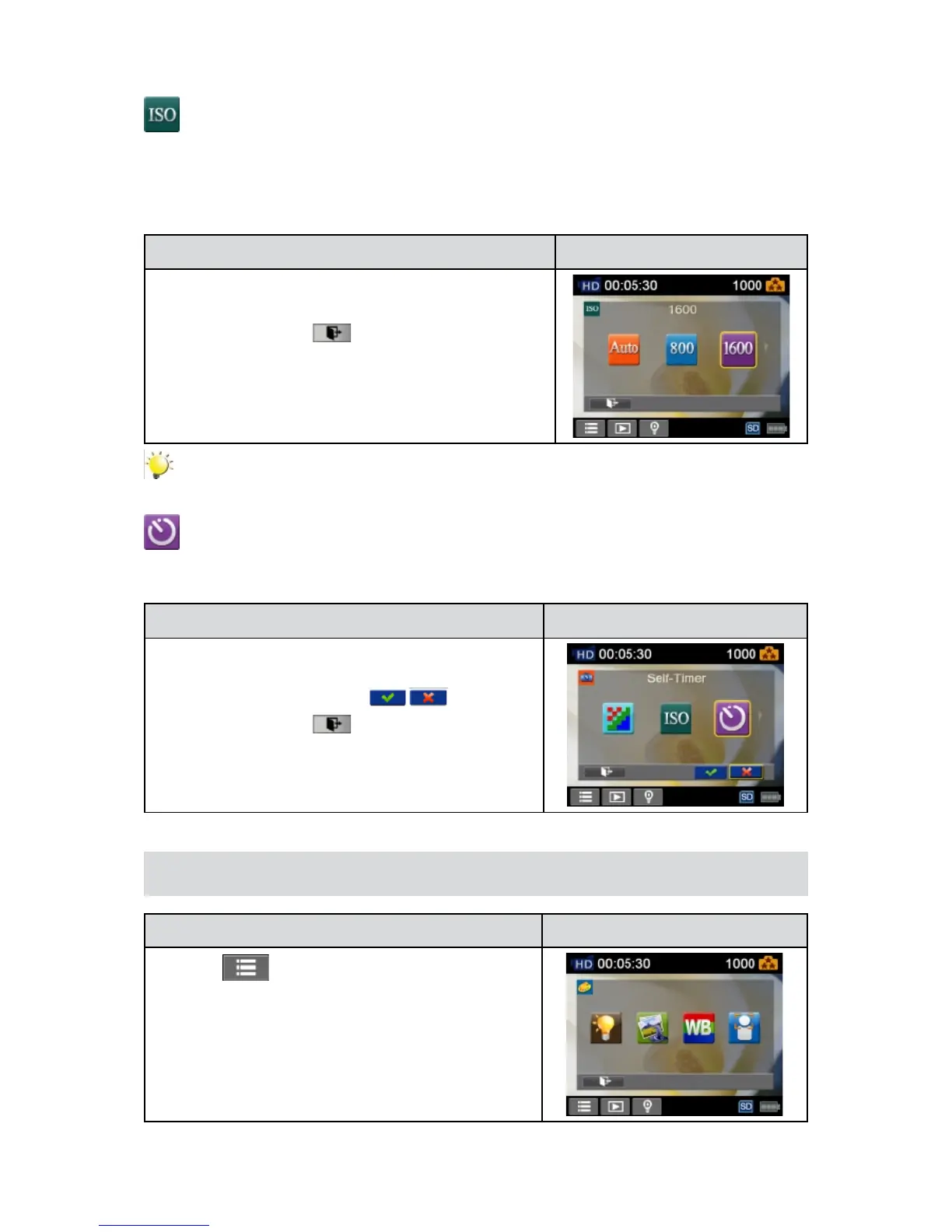
ThecameraadjuststheISOsensitivityofitsimagesautomatically.TwomanualISOsensitivitysettings
areavailable.(800/1600).Thelargerthenumberis,thehighertheISOsensitivityissetto.Selectasmall
numbertoshootasmootherimage.Selectalargenumbertoshootanimageinadarklocationorto
shootasubjectmovingathighspeed.
Operation Display Screen
InthePhotomenu,touchthe[ISO]icononthescreen.1.
Touch to select the desired option.2.
Touch the Exit icon 3. (
)to exit.
Note
The image may become noisy when the ISO number is large.
Self-Timer
Theself-timerallowsyoutotakephotoswithaten-secondtimedelay.TheLEDlightonthefront
ofthecamerawillalsoblink.Thespeedofblinkingwillincreasejustbeforethephotoistaken.
Operation Display Screen
In the Photo menu, touch the [Self-timer] icon on the1.
screen.
Touch to select [On] or [Off] 2. ( ).
Touch the Exit icon 3. (
)to exit.
Effect
Operation Display Screen
T1. ouch
on the screen inRecordMode.Themenu
will show on the screen.
Touchthe[Effect]icononthescreen.SubmenuofEffect2.
will pop out on the screen.
TheEffectsubmenucontains4options--Light,Scene3. ,
WhiteBalance,andFaceTracking--foryoutoadjustthe
camera settings.


 To Next Page