8
EN
Inserting and Removing an SD Card (Optional)
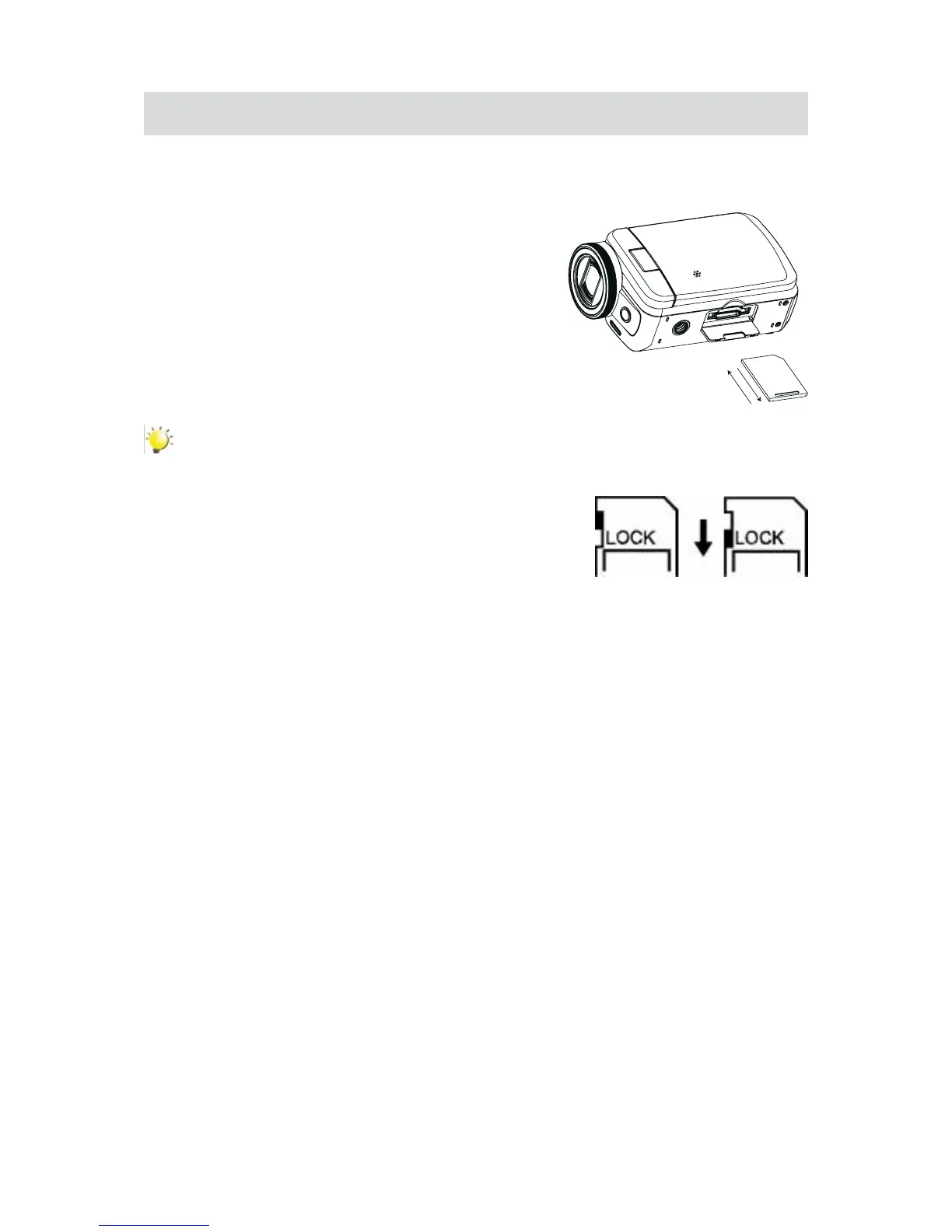
The camera comes with an internal memory which allowsyou tostore photosand videos.You can
expandthememorycapacitybyusinganoptionalSDmemorycard.
Insertthememorycardintotheslot.Pleaserefertothegure1.
on the right side.
To remove an installed SD card, press the card inwards to2.
release it.
When the card pops out, gently remove it from its slot.3.
Recommendedmemorycapacity:1GBorabove.4.
Note
Whenamemorycardistted,videos/photosaresavedonthecardratherthanonthebuilt-in•
memory.
Protecting Data on an SD Card: SD Card is read-only •
when it is locked. No photos or videos can be recorded
when the SD card is locked. Make sure the lock is on
the writeable position before recording any media.
Writeable
position
Write-Protected
Position


 To Next Page