31
BX3M-CB/CBFM
a
b
c
a
1
1
BX3M-CB
BX3M-CBFM
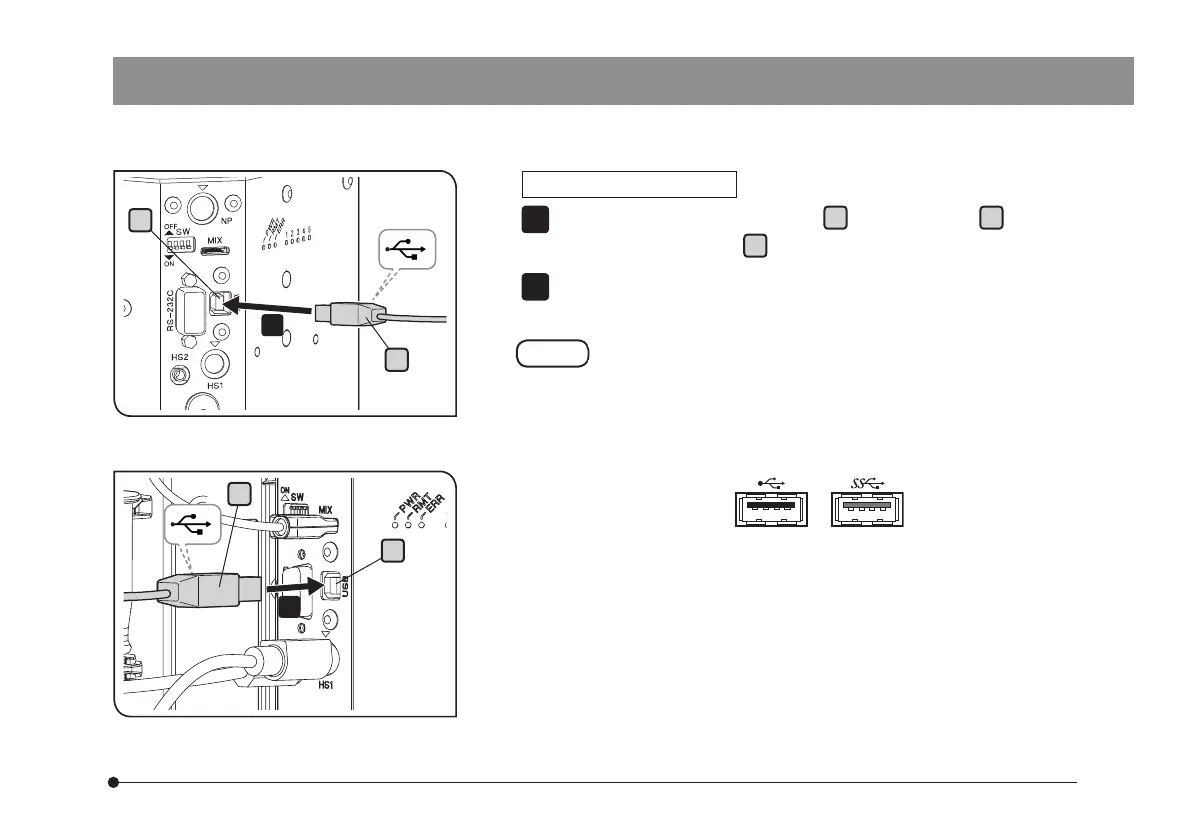
Connecting the USB cable
Connect the USB cable connector
a
to the connector
b
of BX3M-
CBFM or the connector
c
of BX3M-CB.
Connect the other connector of the USB cable to the USB 2.0 connector
of PC.
Some PCs are equipped with both USB 2.0 and USB 3.0
connectors. Be sure to connect the USB cable to the USB
2.0 connector. If it is connected to the USB 3.0 connector,
the operations are not ensured. (For some USB 3.0
connectors, the color of the terminal part is blue or "SS" is
printed on.)
1
2



 To Next Page