5
Setting the voice guidance [Voice Guide]
100
EN
Setting the voice guidance [Voice Guide]
Setting the voice guidance [Voice Guide]
When [
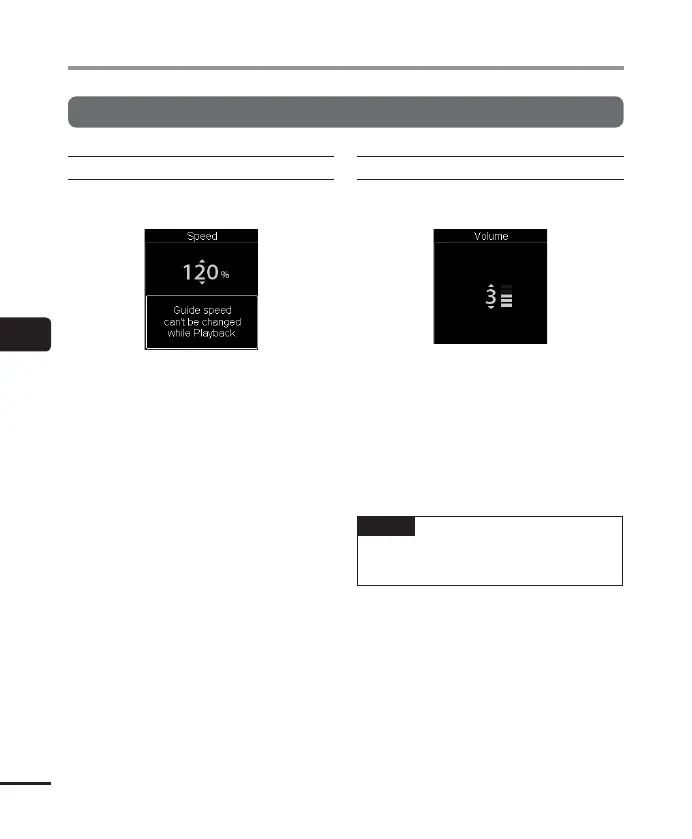
Speed
] is selected:
1 Press the 2 or 3 button to select the
voice speed.
[50%] to [200%] in 10-step
increments.
[200%] to [400%] in 20-step
increments.
• The greater the number, the faster the
speed. Normal playback is performed
at 100%.
2 Press the `OK button to finalize the
setting.
When [
Volume
] is selected:
1 Press the 2 or 3 button to select the
voice volume.
• Select from [5] to [0].
• As greater the number, the louder the
beep sound.
2 Press the `OK button to finalize the
setting.
NOTE
• During playback of a file
, the [Speed]
setting of [Voice Guide] is disabled.



 To Next Page