7
PC connection/disconnection
112
EN
PC connection/disconnection
Disconnecting the voice recorder from a PC
Macintosh
1
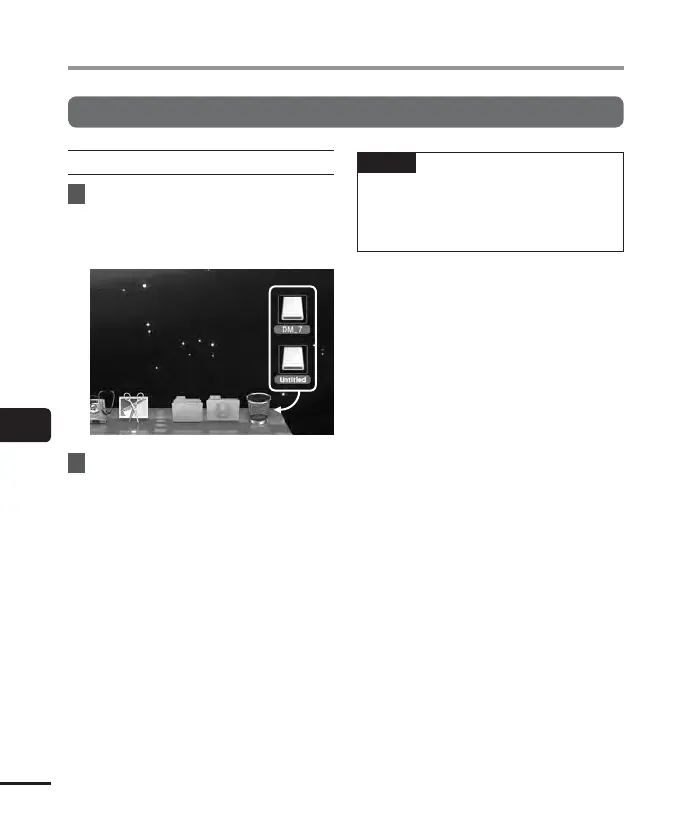
Drag-and-drop the removable
disk icon for the voice recorder
shown on the desktop to the
trash can icon.
2
Check that the LED indicator light
of the voice recorder is OFF and
then disconnect the USB cable.
NOTE
• To prevent the risk of data damage,
nev
er disconnect the voice recorder
from the USB port while the LED
indicator light is flashing.



 To Next Page