Need help?
Do you have a question about the Olympus ENDO-AID and is the answer not in the manual?
Describes ENDO-AID CADe as an AI-powered application for colonoscopy lesion detection.
Instructions on how to turn on the system and the power indicator light.
How to turn the CADe application on and off using the CAD or Mode 1 buttons.
Configures automatic CADe activation when the scope is connected and deactivation when disconnected.
Users can choose between Normal Mode and Target Mode for personalized visualization.
Flags highlight corners; findings are displayed in a subimage, reducing distractions.
Findings are marked directly on the main endoscopic image for immediate feedback.
Details how to configure parameters for visualization modes like flags, subimages, and markers.
Lists configurable parameters for Normal Mode, including flag length/thickness and subimage settings.
Lists configurable parameters for Target Mode, including marker thickness and duration.
Explains how to switch between CADe Off, Normal Mode, and Target Mode using system buttons.
A workaround to avoid restarting in Normal Mode when using Target Mode preferentially.
Explains the differences between Detection Type A (higher sensitivity) and Type B (lower false detection).
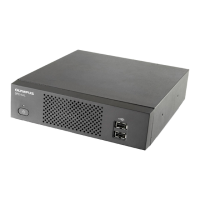
The Olympus ENDO-AID OIP-1 is an endoscopy computer-aided detection (CADe) system designed to assist in colonoscopy procedures by identifying potential lesions such as colonic polyps, malignant neoplasms, and adenomas. This system leverages artificial intelligence (AI) to enhance the detection capabilities of endoscopists.
The primary function of the ENDO-AID OIP-1 is to provide real-time, AI-driven assistance during colonoscopies. It analyzes endoscopic images and highlights areas that may indicate the presence of lesions. This computer-aided detection is intended to augment the endoscopist's visual assessment, potentially improving the detection rate of various abnormalities. The system operates by processing the live video feed from the endoscope and applying advanced algorithms to identify suspicious regions. When a potential lesion is detected, the system provides visual cues to the user, either by highlighting the corners of the image (Normal Mode) or by placing a marker directly on the lesion within the main image (Target Mode).
The ENDO-AID OIP-1 offers two distinct detection types, Type A and Type B, which differ in their sensitivity and specificity. Type A is designed to detect more potential colorectal polyps, including very small ones, making it suitable for users who prioritize higher sensitivity. Type B, on the other hand, tends to suppress more false detections, offering lower sensitivity but potentially higher specificity for users who prefer fewer alerts. This allows users to select the detection type that best aligns with their clinical preferences and the specific context of the examination.
The ENDO-AID OIP-1 is designed for ease of use and offers several features to customize the user experience:
While the manual primarily focuses on operational aspects, the ENDO-AID OIP-1 is designed for integration within a broader endoscopy system, implying standard maintenance practices for medical devices. The quick reference guide itself is a summary and emphasizes that users must always refer to the full instructions for use and observe all mandatory information for the product, including labels. This suggests that detailed maintenance procedures, including cleaning, inspection, and calibration, would be outlined in the comprehensive user manual. The system's modular design, with connections to the CV-1500 video processor and various endoscopes, indicates that component-level maintenance and troubleshooting would be part of the overall system upkeep. The mention of "technical modifications or changes of the product design, product specifications, accessories and service offerings" highlights the evolving nature of medical technology and the importance of adhering to manufacturer guidelines for optimal performance and longevity. Regular software updates and hardware checks, as per Olympus's recommendations, would be crucial for maintaining the accuracy and reliability of the AI-driven detection capabilities.
 General
| Category | Laboratory Equipment |
|---|---|
| Manufacturer | Olympus |
| AI Technology | Yes |
| Application | Endoscopy |
| Compatibility | Olympus endoscopy systems |
| Regulatory Approvals | CE marking |

 To Next Page