3
Main Controls
Introduction Observation/Acquisition Flow
Main Controls
Controrls
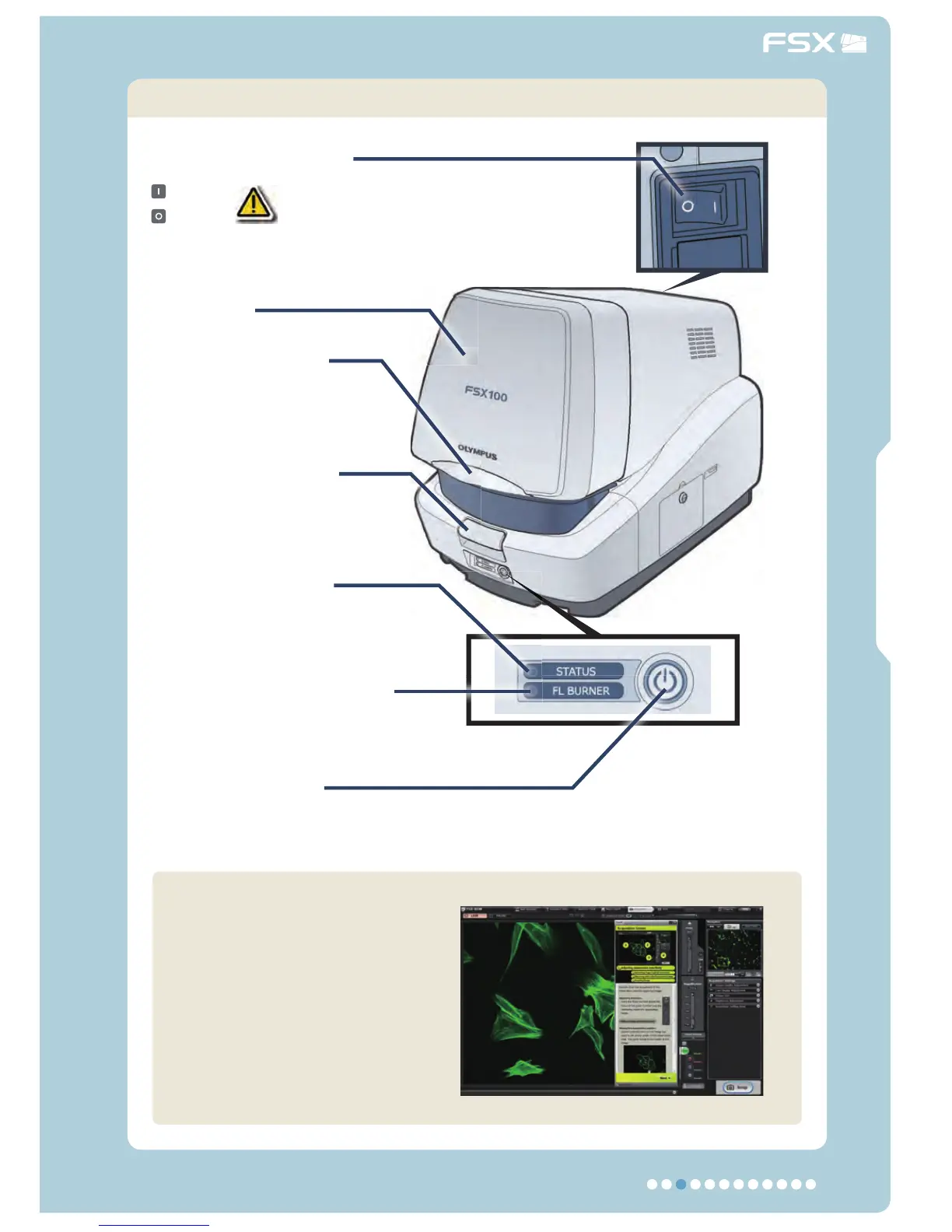
Main switch
: ON
: OFF
Close lever
Push down to close the
cover.
Open button
Push down to open the
cover.
STATUS LED
Lights in green: Sub-switch ON
Blinks in green: Sub-switch OFF.
Sub switch
To turn OFF, keep it depressed for
5 seconds.
FL BURNER LED
Lights blue when the fl uorescence
observation light is ON.
Cover
The controls other than the
above can be adjusted and
set from the software.
(The operations are easy
thanks to the operation guide
display.)
Do not set the main switch to OFF for at
least 3 minutes after setting
the sub-switch to OFF to allow the bulb to
cool down.



 To Next Page