9
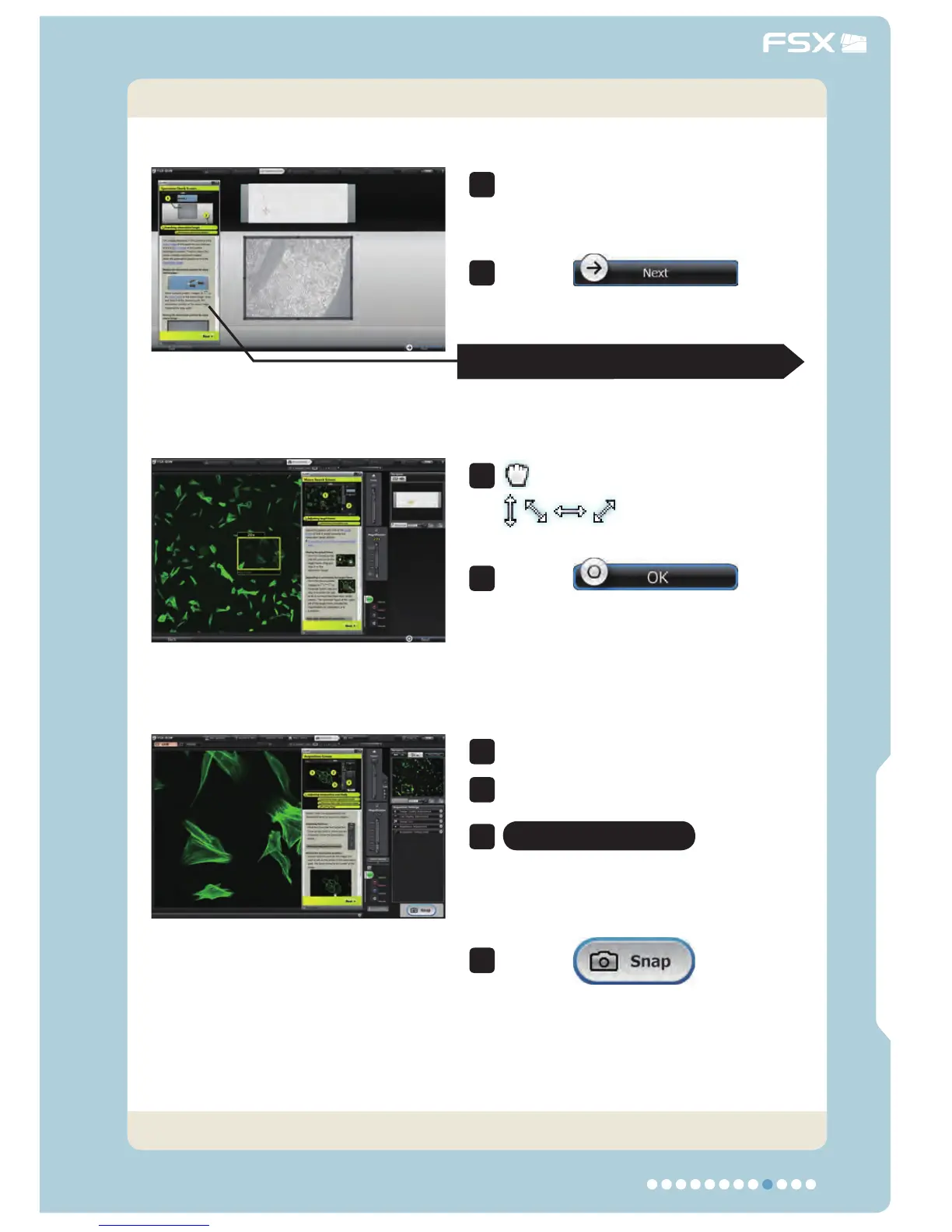
4. Observation/Acquisition Procedure
Adjust the focus and magnifi cation.
Optimize the image.
Fluorescence only
Overlap the
fl uorescence color or phase contrast
images and confi rm the acquisition
condition.
Click on
to acquire
the image.
Observation/Acquisition Flow
Main ControlsIntroduction
5
6
8
7
Locate the observation target fi rst.
Move the observation position
(with drag & drop) to locate the
observation target.
Click on
to go
to the next screen.
2
1
See next page for the operation guide display.
Tightly target at the observation
area in the macro image.
:Move the target frame.
:Enlarge or reduce
the target frame.
Click on
to go
to the next screen.
4
3
Now the acquisition is complete.
Adjust the image and acquire it.



 To Next Page