EasyManua.ls Logo

Olympus IV8420L2 - User Manual

Olympus IV8420L2
168 pages
Print Icon
To Next Page IconTo Next Page
Loading...
INSTRUCTIONS
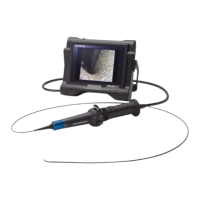
INDUSTRIAL VIDEOSCOPE
IPLEX LX series
IPLEX LT series
IV8420L1 IV8420L2
IV8435L1 IV8435L2
IV8620L1 IV8620L2
IV8635L1 IV8635L2
IV88100L1 IV88100L2

Table of Contents

Questions and Answers

  • S
    Shannon MayAug 28, 2025
    How to troubleshoot a blurry image on Olympus IV8420L2 Analytical Instruments?
    • J
      joe08Aug 28, 2025
      If the image appears blurry on your Olympus Analytical Instruments, it could be due to the following: * The object lens on the scope distal end or the optical adapter is dirty. Clean them with a clean piece of gauze or cotton swab. * The optical adapter is attached improperly. Ensure it is correctly attached. * The external monitor is adjusted incorrectly. Adjust the external monitor settings.
  • M
    melaniesmithAug 27, 2025
    Why does the self-check trigger during use and display a message on Olympus Analytical Instruments?
    • A
      amandaayersAug 27, 2025
      If the self-check function triggers during use and displays a message with an alarm on your Olympus Analytical Instruments, it indicates that the inside of the main unit was too hot. To resolve this, terminate the inspection, allow the instrument to cool down, and then turn the power back on.
  • J
    justinreyesAug 27, 2025
    What to do if an error message appears when a USB Flash Drive is connected to Olympus Analytical Instruments?
    • V
      vbrownAug 27, 2025
      If you receive an error message when connecting a USB Flash Drive to your Olympus Analytical Instruments, the issue could be: * The USB Flash Drive is not recommended for this system. To solve this, stop the inspection, turn the instrument off and then on again, and use a recommended USB Flash Drive. * A USB device other than a USB Flash Drive is connected. Try disconnecting all USB devices except the USB Flash Drive.
  • M
    Melanie HobbsAug 25, 2025
    How to fix the issue when the illumination does not light on Olympus Analytical Instruments?
    • P
      Paige ThorntonAug 26, 2025
      If the illumination on your Olympus Analytical Instruments is not working, consider these potential causes: * Ensure the LIGHT button is activated. * Check that the optical adapter is properly attached. * Clean any dirt from the electrodes on the optical adapter or the insertion tube distal end. * If the LEDs on the distal end of the optical adapter are not working, replace the optical adapter.
  • D
    Daniel GarciaAug 25, 2025
    Why my Olympus IV8420L2 Analytical Instruments system cannot be turned on?
    • A
      Ana WhiteAug 25, 2025
      If your Olympus Analytical Instruments system is not turning on, verify the following: * Ensure the AC adapter or battery is correctly connected. * Confirm the power button on the main unit is set to the 'on' position. * Make sure you are using the designated AC adapter or battery.

Summary

Warning and Rating Plates

Rating Plate Identification

Identifies and locates rating plates A and B on the instrument.

Warning Plate Information

Details the warning plate information and associated safety precautions.

Important Information Before Use

Safety Warnings and Precautions

Outlines crucial dangers, warnings, and cautions for safe operation.

Handling the Battery

Battery Safety Guidelines

Provides detailed DANGER, WARNING, and CAUTION instructions for battery use.

Chapter 2 Instrument Nomenclature and Functions

Chapter 3 Preparation and Inspection

Power Supply Preparation

Details procedures for supplying power using the battery or AC adapter.

Chapter 4 Basic Operations

Powering On;Off and LCD Check

Explains powering the instrument on/off and checking the LCD monitor image.

Insertion Tube Operations

Provides step-by-step instructions for inserting and withdrawing the insertion tube.

Image Recording and Replay

Covers image recording preparation, still/moving image recording, and replay.

Chapter 5 Menu Operations and Functions

Chapter 6 Measurement Procedures (LX Only)

Stereo Measurement Fundamentals

Introduces stereo measurement, accuracy, and adapter attachment.

Stereo Optical Adapter Setup

Guides on registering and setting up new stereo optical adapters.

Chapter 8 Storage and Maintenance

Battery Power and Replacement

Covers checking battery power and the procedure for replacing the battery.

Chapter 9 Troubleshooting

Troubleshooting Guide: Error Messages

Lists common error messages, their causes, and remedies.

Returning Instrument for Repair

Explains the procedure and conditions for returning the instrument for repair services.

Chapter 10 Specifications

Olympus IV8420L2 Specifications

General IconGeneral
Microscope TypeInverted
FocusingCoaxial Coarse and Fine Focus
Eyepiece10x
CondenserNA 0.3
Power Supply100-240V, 50/60Hz

Related product manuals