15
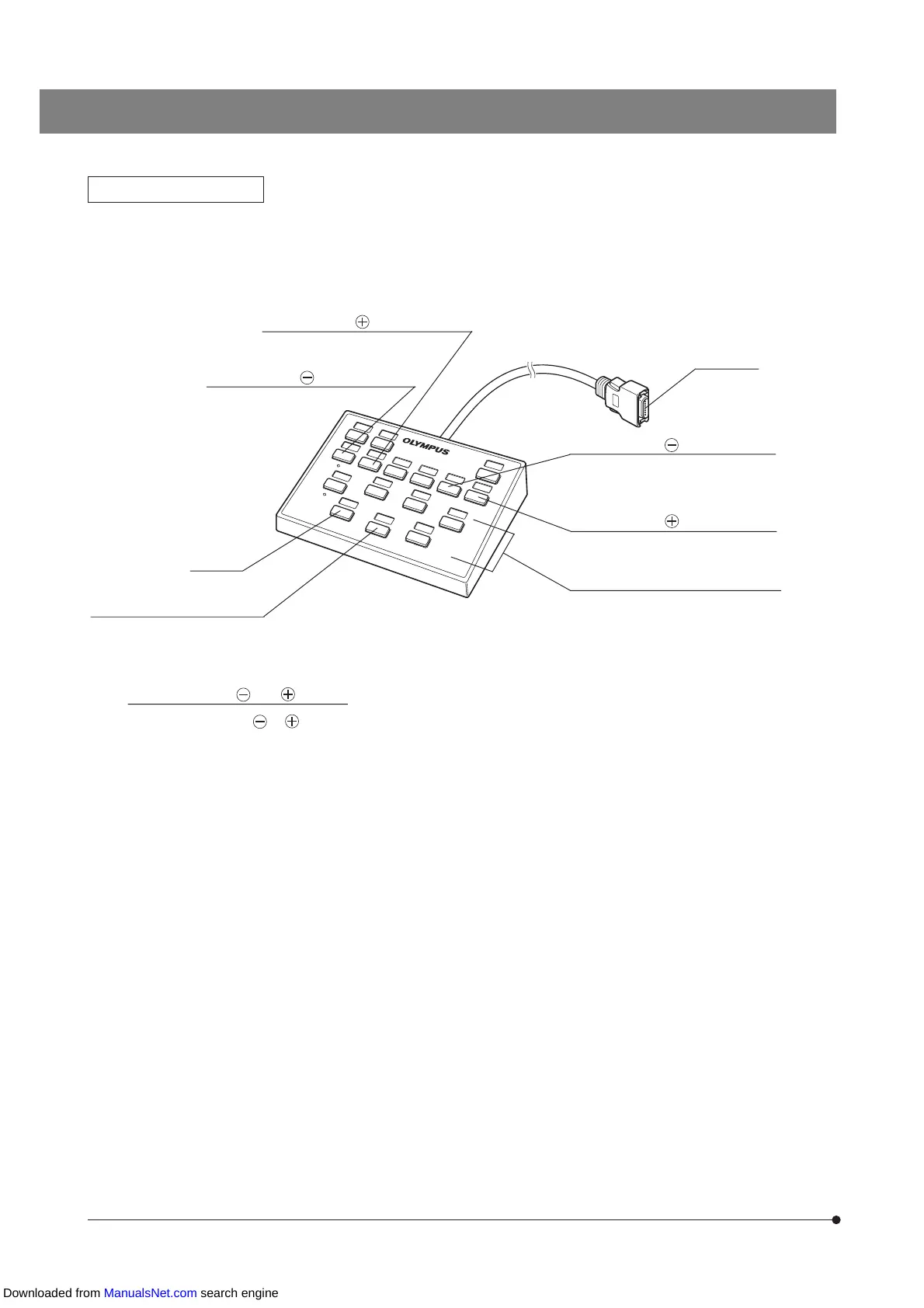
Hand Switch U-HSTR2
}As this system configuration does not use a PC, the functions of the hand switch buttons become as shown below when
the cable is connected. (Stand-alone mode)
}See page 5 for how to attach the indicator stickers and how to use the grouping panel sheets.
Not used
Not used
When the U-D5BDREM is used
Connector
MU– (mirror unit switching) button
For GX-RTUA
MU+ (mirror unit switching) button
For GX-RTUA
Objective switching buttons
For direct selection of 1 to 5 or 1 to 6
(with motorized revolving nosepiece)
Meanings of the and buttons
Each press of the or button changes the position number in the decremental direction (1
-
>
6
-
>
5
-
>
4
-
>
3
-
>
2
-
>
1) or in the incremental direction (1
-
>
2
-
>
3
-
>
4
-
>
5
-
>
6
-
>
1) respectively.
FW+ (filter wheel switching) button
For U-FWR
FW– (filter wheel switching) button
For U-FWR
Downloaded from ManualsNet.com search engine


 To Next Page