
EasyManua.ls Logo

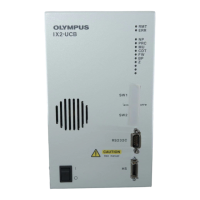
Olympus IX2-UCB - User Manual

Olympus IX2-UCB
24 pages
Print Icon
To Next Page IconTo Next Page
Loading...
INSTRUCTIONS
IX2-UCB
U-HSTR2
CONTROL BOX FOR IX2
HAND SWITCH
A X 6 4 4 4
This instruction manual is for the Olympus Control Box model IX2-UCB and Hand Switch model
U-HSTR2, both for use with the IX2/GX motorized microscope. To ensure safety, optimum perfor-
mance and familiarize yourself fully with the use of the motorized microscope, we recommend that
you study this manual thoroughly before operating the system. Retain this instruction manual in an
easily accessible place near the work desk for future reference.
Optical Microscope Accessory
Downloaded from ManualsNet.com search engine

Questions and Answers

Summary

IMPORTANT

Safety Precautions

Essential safety guidelines for handling and operating the equipment, including precautions for electrical safety.

Safety Symbols

Explanation of symbols used on the unit for safe operation and understanding.

IX2 Series Note on Operation in Stand-alone Mode

IX2 Series Nomenclature

Control Box IX2-UCB-2 Components

Identification and explanation of the components and indicators of the IX2-UCB-2 control box.

IX2 Series Operation

Control Box IX2-UCB-2 Operation

Instructions for powering on and understanding the indicator LEDs of the IX2-UCB-2 control box.

Hand Switch U-HSTR2 Operation

Guidance on attaching indication stickers and using grouping panel sheets for the U-HSTR2 hand switch.

DIP Switch Operation

Configuration details for DIP switches on the control box for various functions.

IX2 Series Specifications

IX2 Series Troubleshooting Guide

IX2 Series Assembly

Assembly Diagram

Visual representation of how to connect various components of the IX2 Series motorized system.

Detailed Assembly Procedures

Step-by-step instructions for connecting the Hand Switch and Power Cord to the control box.

GX Series Motorized System Overview

GX Series Motorized System Diagram

Cable Cover Attachment and Use

Instructions for attaching and using the cable cover for securing motorized system cables.

GX Series Nomenclature

GX Series Hand Switch Functions

Description of hand switch button functions specific to the GX Series system configuration.

Motorized Mirror Unit Turret GX-RTUA

Details and components of the motorized mirror unit turret used with the GX71 microscope.

Proper Selection of Power Supply Cord

Olympus IX2-UCB Specifications

General IconGeneral
BrandOlympus
ModelIX2-UCB
CategoryController
LanguageEnglish
