[
,...,..
......
11II11
leal1llll
J
Before
Recording
DeUing
Ready
Turn
the
Microphone
Toward
the
Original
Sound
Source
=:
Cl
=
-
:II
CD
co
Cl
..
=.
ii'
D
II
Selecllhe
media
lor
recording:
The built-in flash memory as well as
an
SD
Card can
be
used
(oF
P.14,
P.34, P.39).
Selecllhe
recording
lormal:
Recording can be performed through the
linear PCM format,
as
well
as
the
WAV,
MP3
and WMA formats
(oF
P.34, P.36).
I
~I
Affix
Ihe
windscreen:
Start recording after attach the G
windscreen (included within)
to
..•.
the microphone. The noise may
occur even
if
a windscreen
is
at-
tached when forcing wind blows
against a microphone.
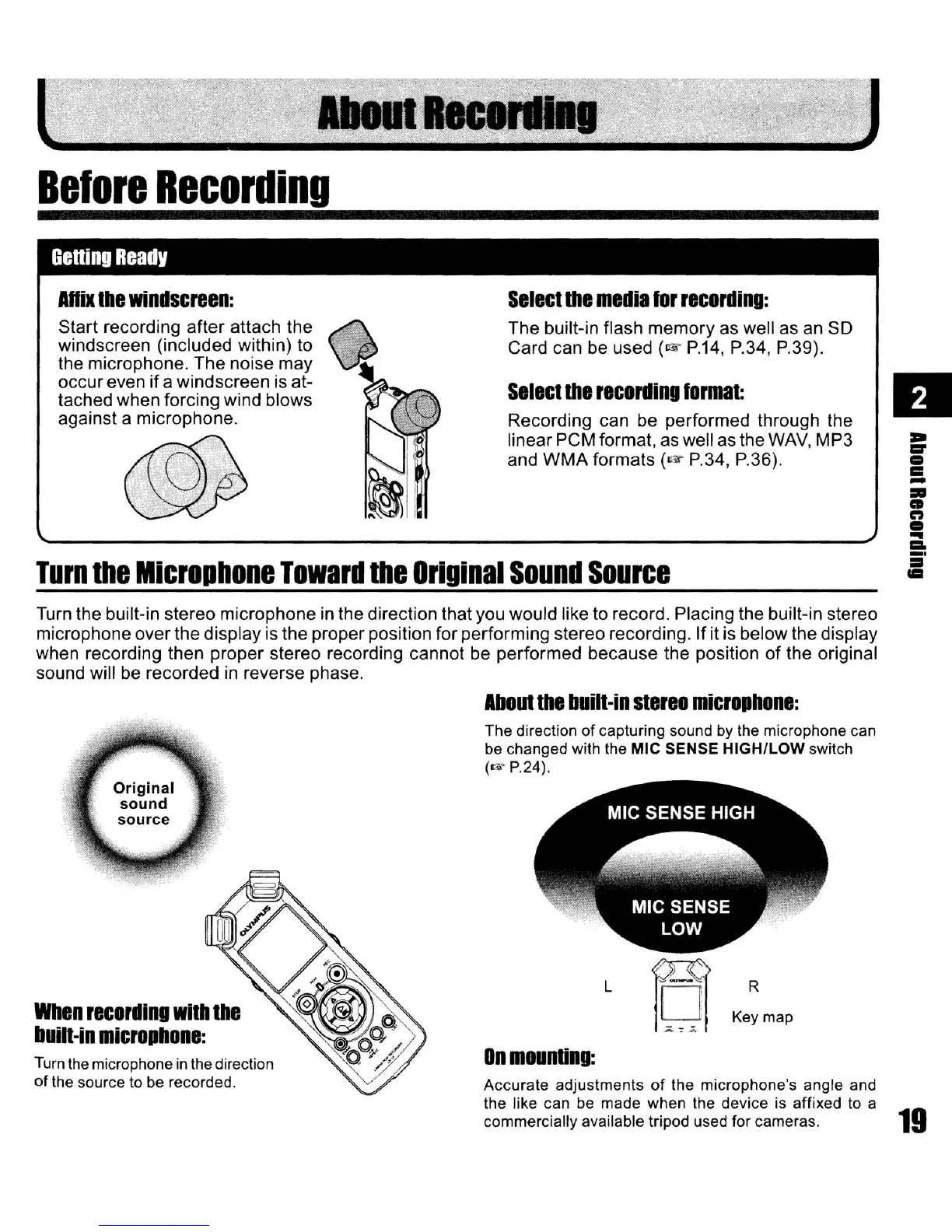
Turn the built-in stereo microphone in the direction that you would like to record. Placing the built-in stereo
microphone over the display is the proper position for performing stereo recording.
If
it is below the display
when recording then proper stereo recording cannot be performed because the position of the original
sound will
be
recorded in reverse phase.
AboUllhe
buill·in
slereo
microphone:
On
mounling:
The direction of capturing sound by the microphone can
be changed with the MIC SENSE HIGH/LOW switch
(..- P.24).
R
Key map
L
Accurate adjustments
of
the microphone's angle and
the like can be made when the device is affixed to a
commercially available tripod used for cameras.
19
Turn
the
microphone
in
the
direction
of
the source to be recorded.
When
recording
wilh
Ihe
buin·in
microphone:



 To Next Page