27
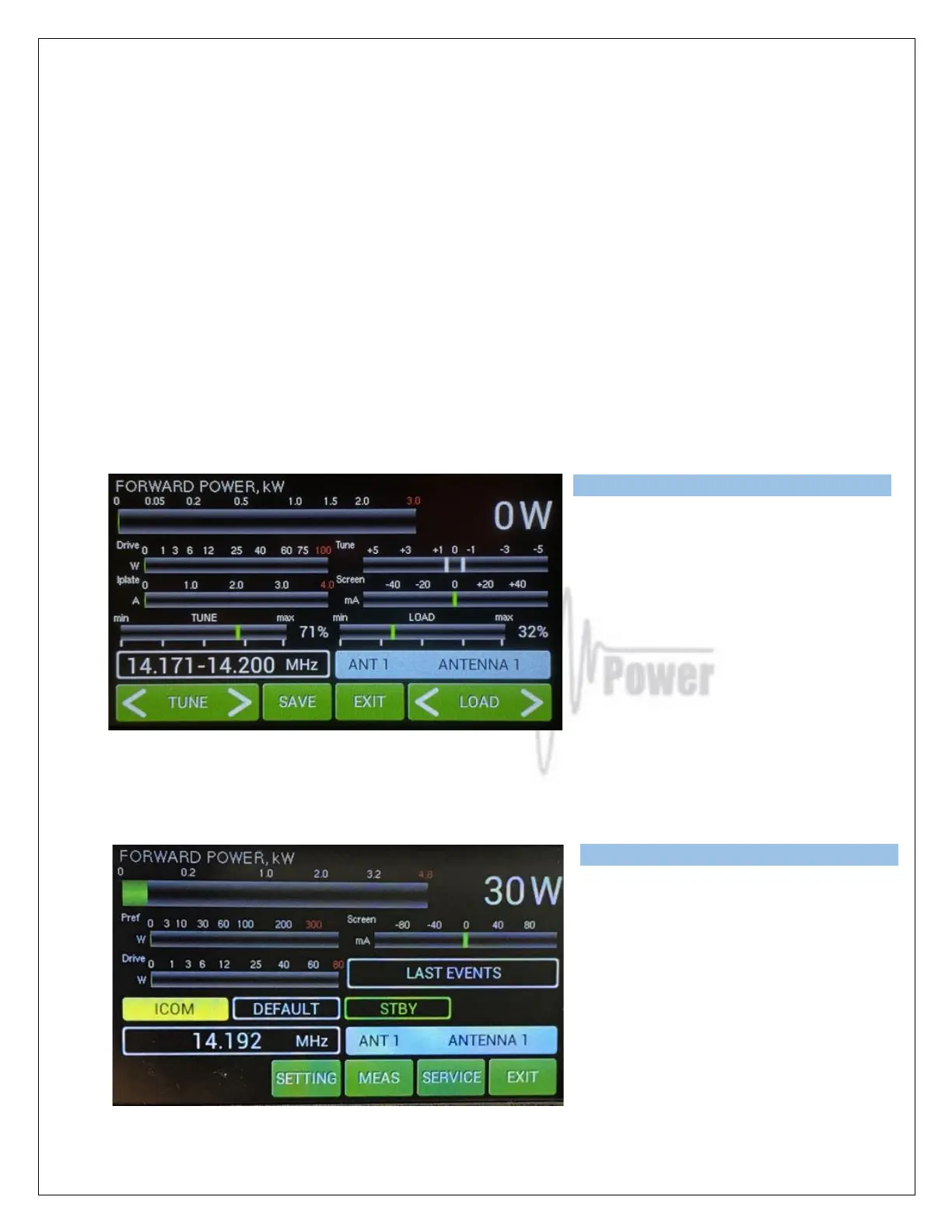
We also have a new M-TUNE button here.
M-TUNE means entry into the manual tuning mode. It allows fine tuning of the PA, especially in cases
where the antenna impedance is different from real 50 Ohms. For proper adjustment we need to
show Screen current (at least). By Pressing M-TUNE. A new screen is visible and TUNE and LOAD
adjustment sliders appear.
M-TUNE Adjustment process: Move TUNE left or right until maximum FWD power is reached. Then
move LOAD carefully so that Ig2 Screen (I Screen on the display) current will not be higher than
40mA. Repeat this process until the tuning process is optimal at the desired power level.
The result of the tuning process is optimal when the PA is tuned for maximum forward power and Ig2
current stays in the 0 to +20mA range . At that time maximum efficiency and optimal linearity are
achieved. This applies to each power application. It is not necessary to retune the PA, if we decrease
the output power. The PA stays in linear mode with slightly lower efficiency. If we increase the output
power, retuning is necessary only if Ig2 exceeds +40mA.
Press SAVE for writing values to the
memory and press EXIT.
NOTE: Repeat M-TUNE adjustment
process for other segments / bands as
required.
Below is an example of an M-TUNE situation. First we will check driving power from the transceiver.
Stay in STBY mode, press PTT and apply RF power.
Measured driving power is 30 Watts.
Now switch to OPER, press PTT and
apply RF from TCVR. See the following
picture.



 To Next Page