40
7.4. Remote Control using own public IP address:
7.4.1 Changing OM2501A connection settings
Connect the LAN connector on the OM2501A
to your local Internet with ethernet cable.
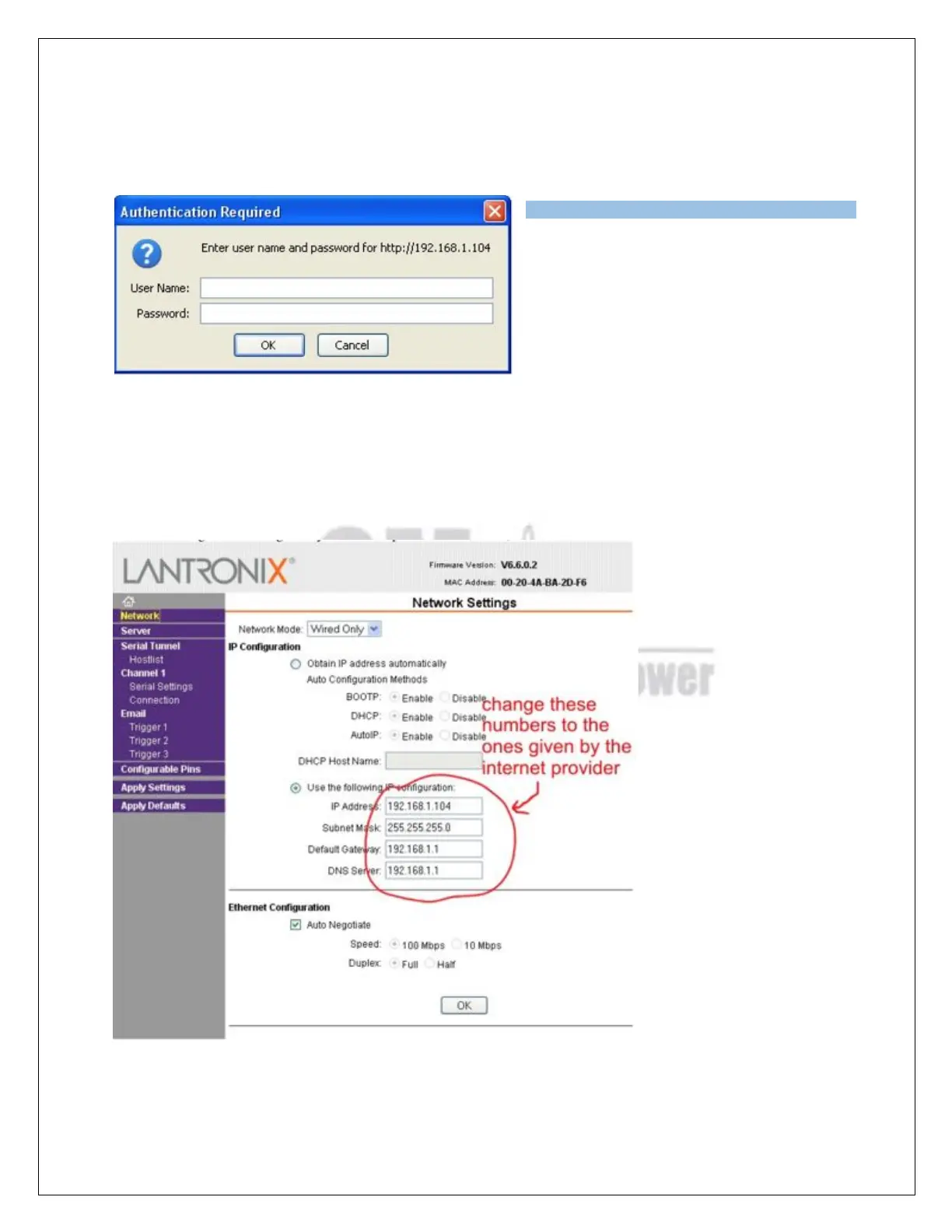
Open up a WEB browser and enter the
OM2501A current IP address (default is
192.168.1.222????).
An authentication window will show up. Leave the fields empty and click OK.
Open the Network menu and change the IP address, Subnet mask, Default Gateway and DNS Server
settings to the ones given by the internet provider. When done, click OK.



 To Next Page