43
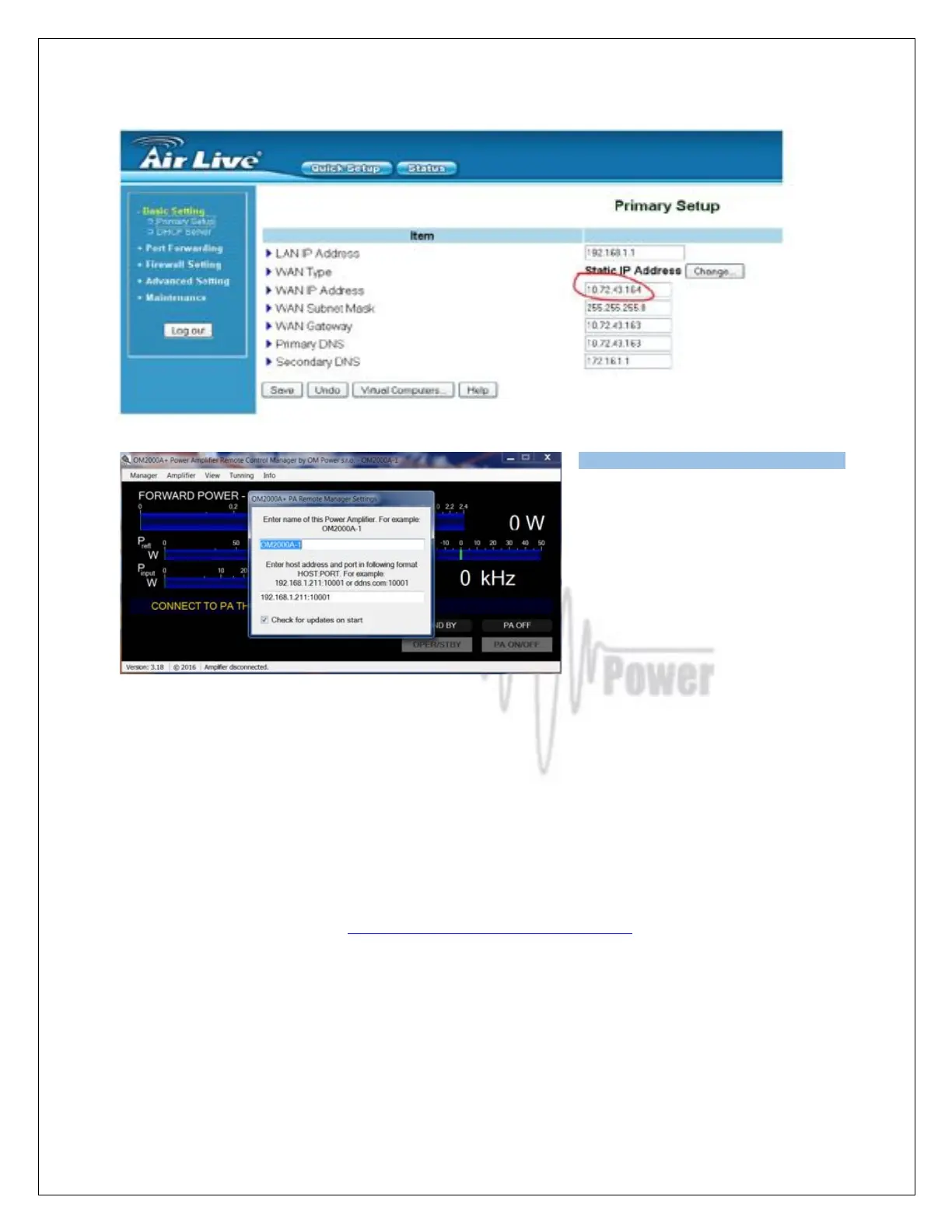
In the Remote Control software, open
the Manager Settings. Enter the IP
Address and Port number you set up
previously in your router. IP Address is
the WAN IP Address from the basic
setup page and the Port number is the
Port (or Public Port if separate) from the
port forwarding page.
Now you are ready to work with OM2501A over the internet.
7.5. OM2501A (OM3501A) firmware upgrade
Download the firmware upgrade software and latest firmware file for the OM2501A (OM3501A) from
the official OM Power website http://www.om-power.com/downloads. Store it to OM2501A folder
created on your PC.
NOTE: Use a serial null modem cable and connect the TCVR port on the OM2501A rear panel with
a COM port on the PC.



 To Next Page