EasyManua.ls Logo

OM POWER OM2501A - Page 44

OM POWER OM2501A
56 pages
Print Icon
To Next Page IconTo Next Page
To Previous Page IconTo Previous Page
Loading...
44
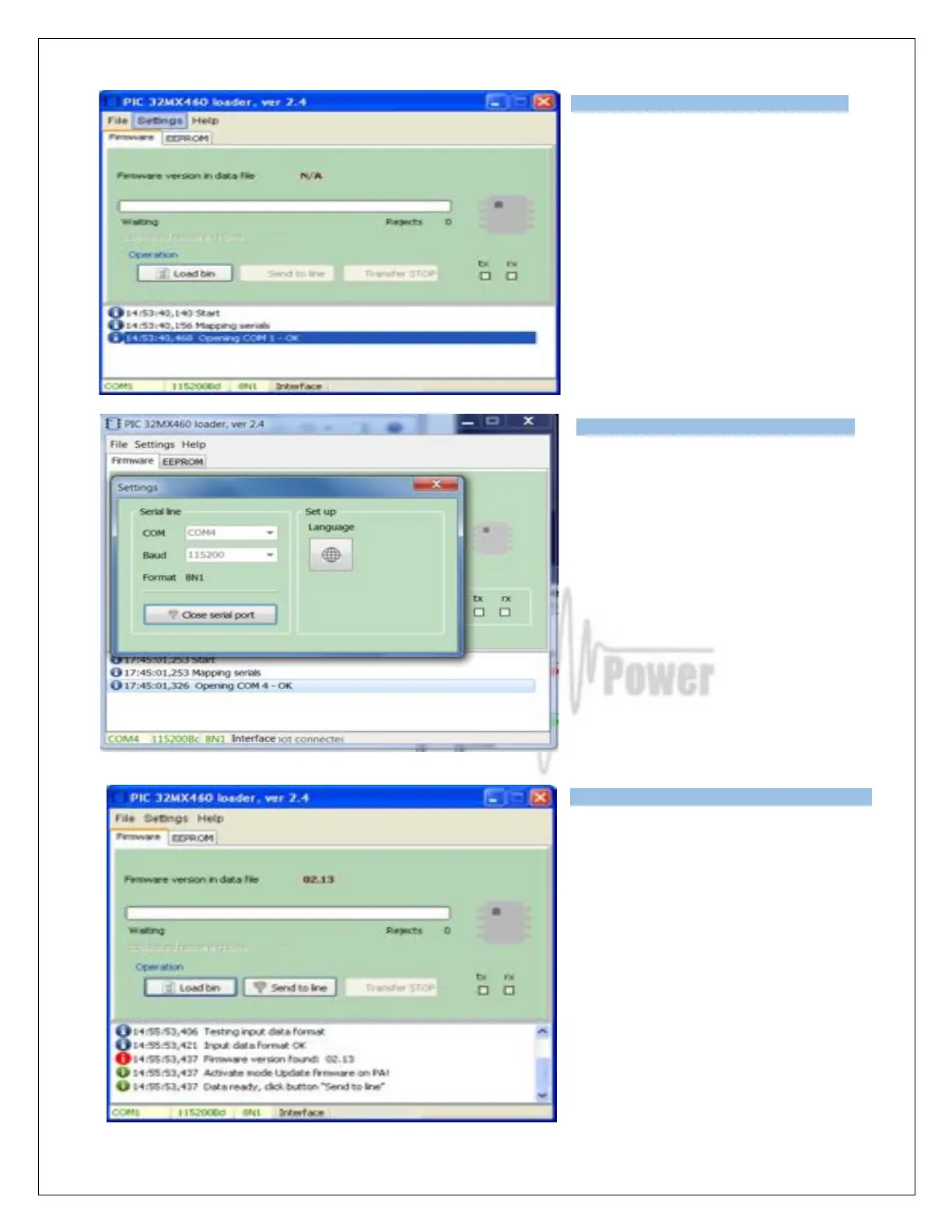
Open folder OM2501A on your PC, find
the MX460L.exe file and run it.
Select SETTINGS and choose the COM
port you want to use. Baud rate should
be 115200. Close the window.
Select the Firmware tab and click on the
LOAD BIN button.
Choose OM2501A Vxxx.bin file in the
OM2501A folder.

Type of supported TCVR and
working
frequency are visible on the display.
AUTO LED is ON.
Type of supported TCVR and
working
frequency are visible on the
display.
AUTO LED is ON.
Type of supported TCVR and
working
frequency are visible on the
display.
AUTO LED is ON.

Related product manuals