45
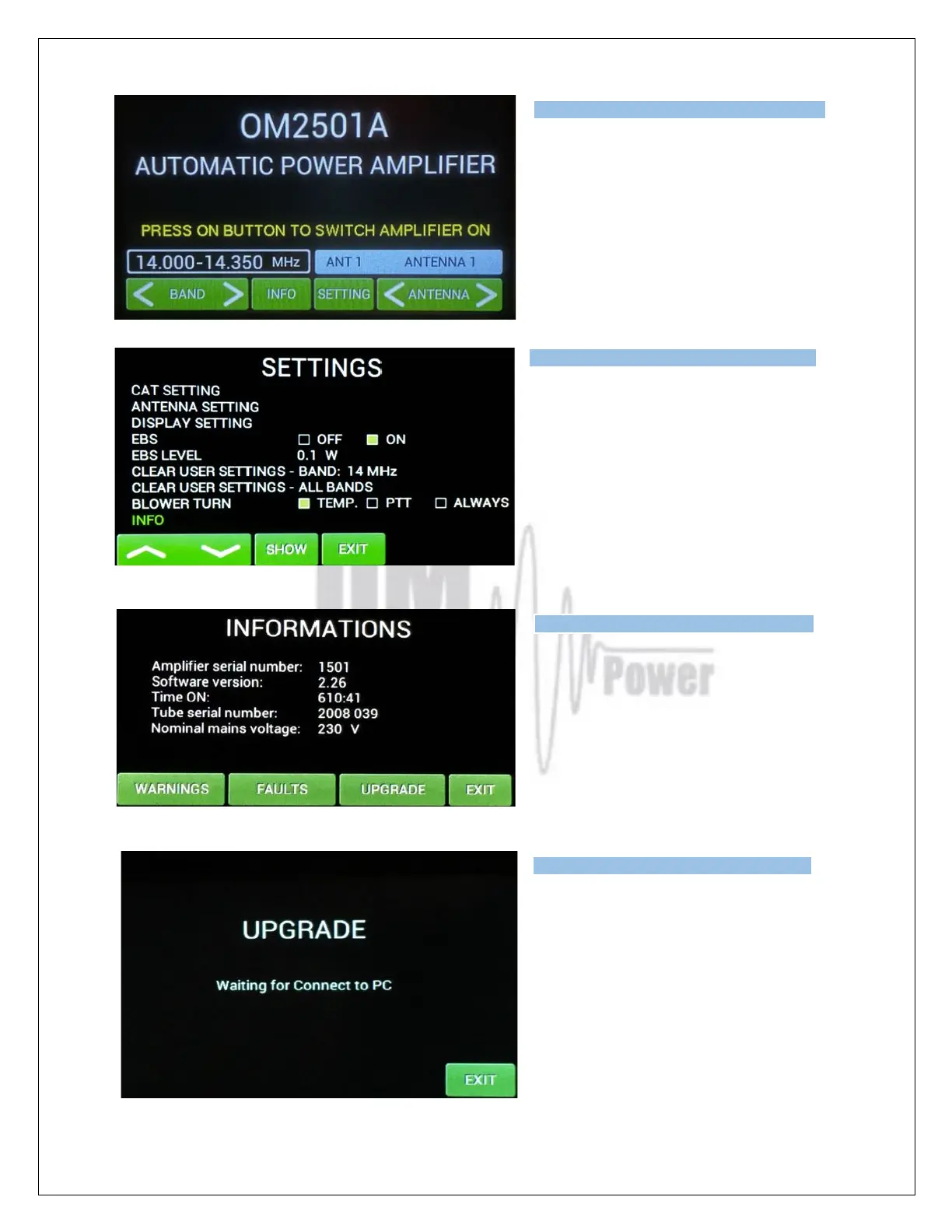
Switch ON the power amplifier using the front
panel green ON switch.
Press SETTINGS to enter the SETTINGS
Menu.
Choose INFO and press SHOW.
Press UPGRADE to start the Amplifier
upgrade process..
When you see this screen on the PA, go to the
PC and the PIC Loader software and press
button the SEND TO LINE button.
Type of supported TCVR and
working
frequency are visible on the
display.
AUTO LED is ON.
Type of supported TCVR and
working
frequency are visible on the
display.
AUTO LED is ON.
Type of supported TCVR and
working
frequency are visible on the
display.
AUTO LED is ON.
Type of supported TCVR and
working
frequency are visible on the
display.
AUTO LED is ON.



 To Next Page