26
5.4. Operation mode
Before switching to operation mode, check all connections between PA and TCVR.
We are now back in the Main display, bar
graphs defined, antennas preprogrammed,
CAT was set. We are ready to go to the
operation mode.
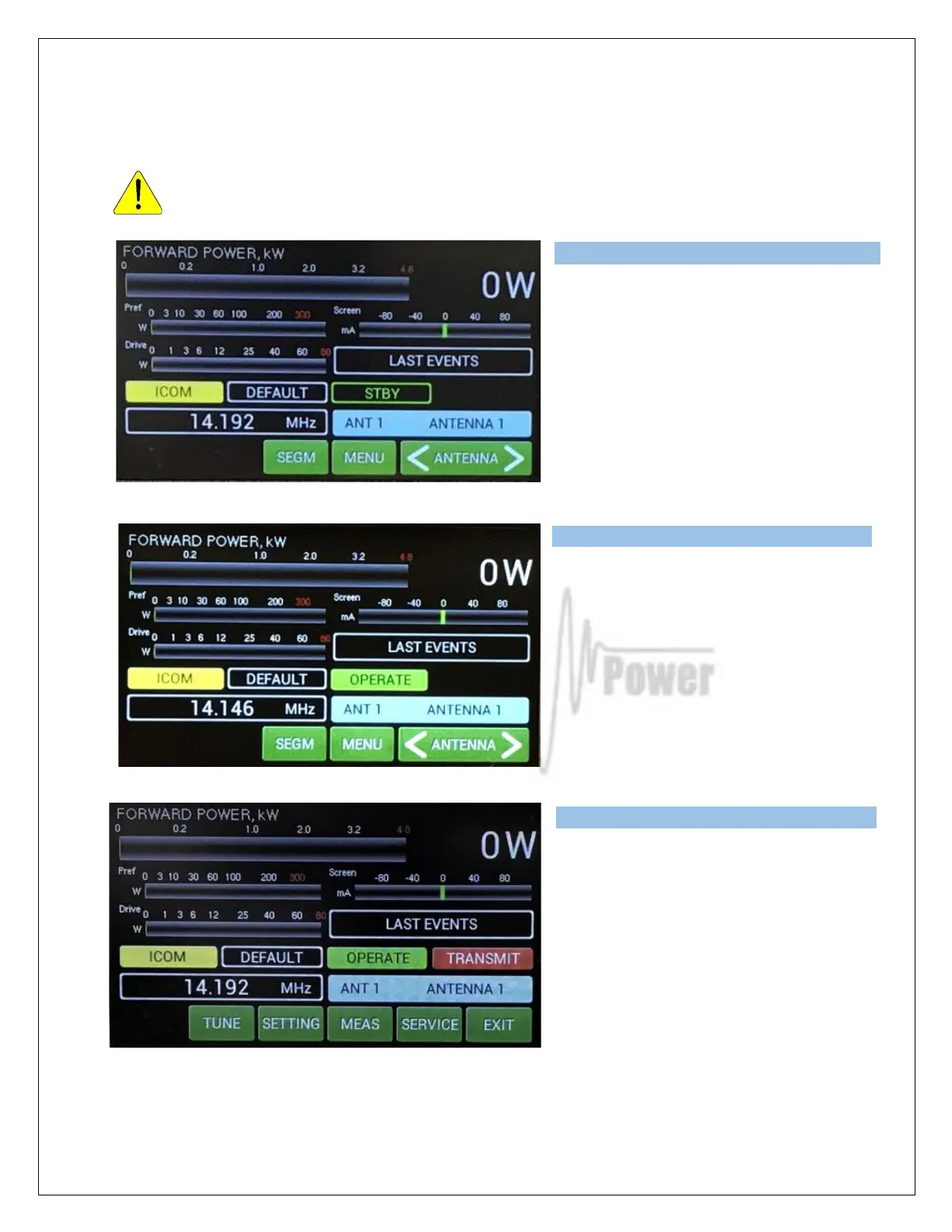
Press the black STBY/OPER button on the
front panel.
We are now in OPERATE mode.
Note the light indicator on the touch
Screen has changed to OPERATE .
Press MENU.
Now try to press PTT (foot switch for
example).
We are now in TRANSMIT mode (without
RF).
Note the new TRANSMIT light indicator on
the touch screen.



 To Next Page