25
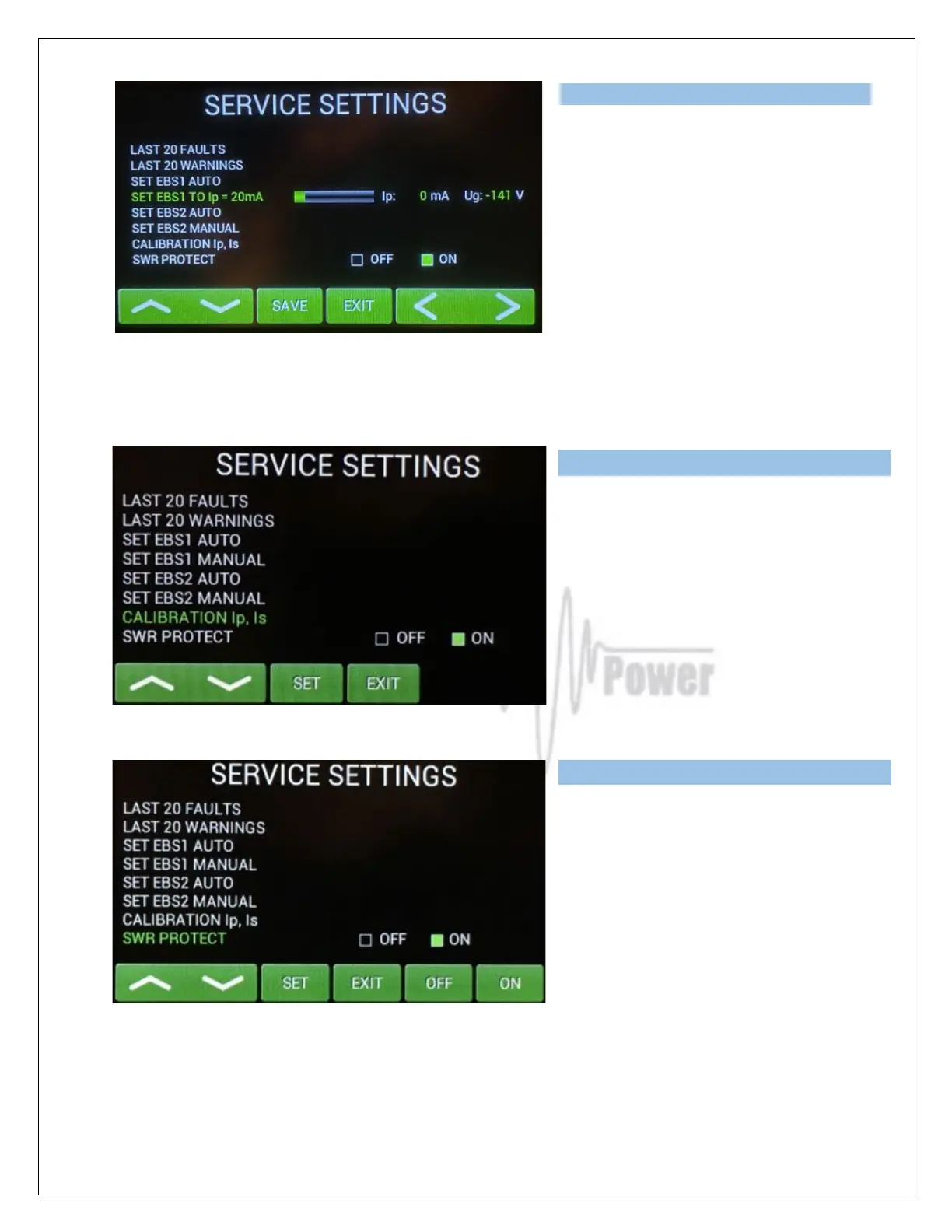
You can try to do this manually, too.
Scroll to SET EBS1 MANUAL and press
SET.
Use up/down buttons to set 20mA or as
close as possible value and press SAVE.
Similar ways EBS2 can be preprogrammed 400mA by AUTO set (500mA in OM3501A).
Or another value of EBS2 by MANUAL Set.
Scroll to CALIBRATION Ip, Is and press
SET. Calibration will be done
automatically.
Scroll to SWR PROTECT and press SET.
This feature allows user to switch OFF the
SWR This feature allows the user to
switch OFF the SWR protection.
We recommend to set it ON (SWR
protection circuit will stay active, max.
allowed SWR is 3:1). If OFF is selected,
higher SWR is allowed, but reflected power is measured. If it exceeds 350W, transmit will be blocked.
Press EXIT.



 To Next Page