29
• Press PTT, check the Ig2 (I Screen on the display). If it is ok (bellow +20mA), gradually
increase the input power until the PA reaches about 70% of its maximum output power.
• Using the TUNE buttons, adjust for maximum FORWARD POWER while monitoring the
Screen current.
• When the Screen current exceeds +40mA , adjust the LOAD button to decrease Screen
current to about 0 mA.
• Increase the PA input power until you reach the desired maximum output power. Keep
watching the Screen current. If the Screen current exceeds +40mA decrease it by using the
LOAD button.
• Repeat using the TUNE buttons to reach desired maximum FORWARD POWER and check
Screen current.
• If the Screen current is lower than 0 mA (negative value), change it by pressing the LOAD
button until 0 mA is set and check again for maximum output power. Do not start with very
low input power, set abt. 50% before beginning M-tune process.
• If you reached the desired maximum output power, and the PA Screen current is inside 0 /
+20mA , then press the SAVE button.
Notice 1: If the tuning process takes more than 1 minute, allow for a short break to prevent
temperature overloading of the PA.
Notice 2: If you use the PA with the output power adjusted lower than the maximum settings, Screen
current can take negative values. There is no need to readjust the PA, it is still working in the linear
mode.
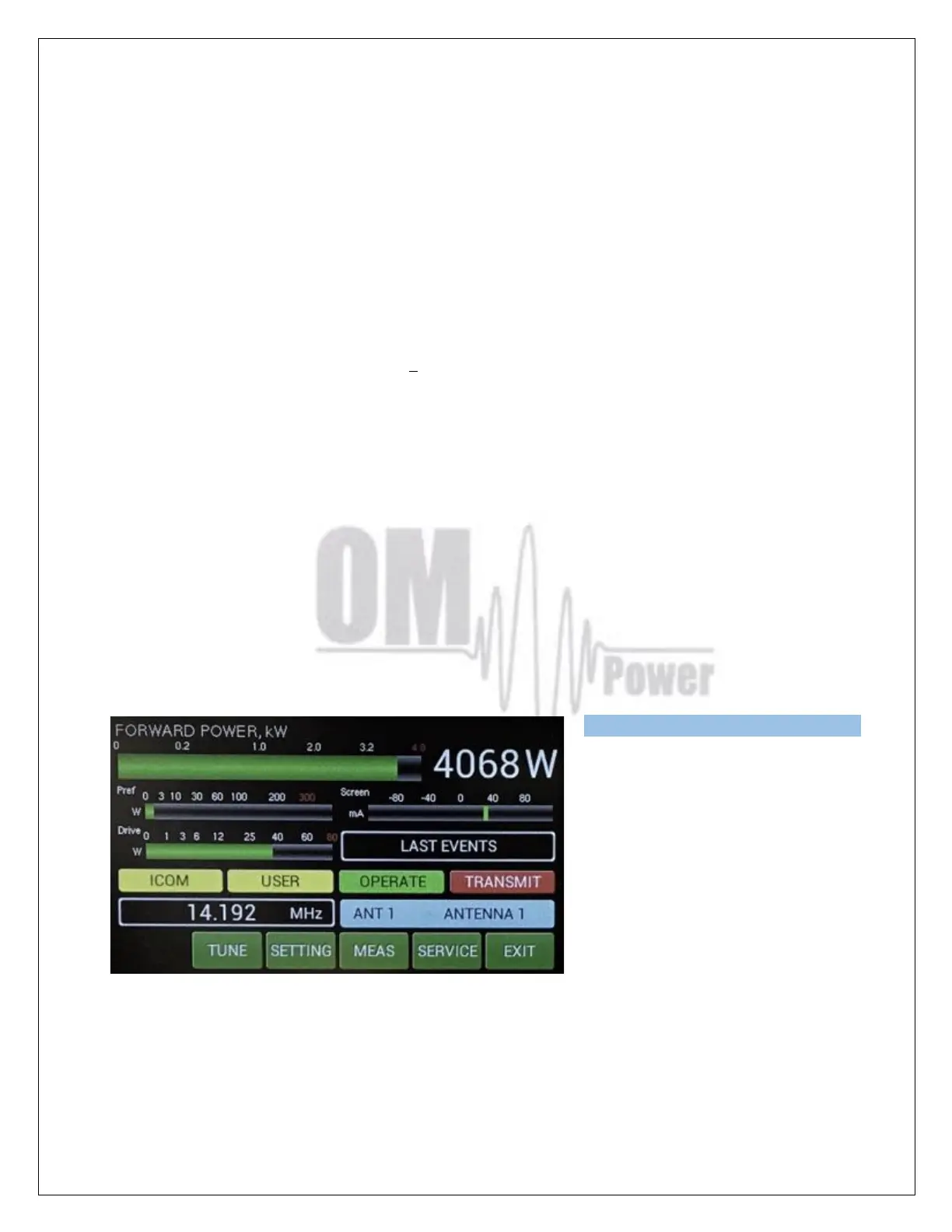
We can now see a new small yellow
USER window in the touch screen
display. USER means that we used the
M-TUNE feature to optimize the PA
adjustment.
If you want to go back to the default
factory settings, use CLEAR USER
SETTINGS in the MENU settings (page
19) for one band or all bands.
If the amplifier demonstrates any malfunctions during tuning or it does not behave in
accordance witch the M-TUNE procedure, interrupt the tuning procedure immediately and
check the amplifier! Be sure there are not any mistakes in choosing antennas, bands or
segments! Insure that VSWR is not higher than 3:1 and input power is LOW!



 To Next Page