LVS-7500 External System Operations Manual
LVS-7500 External System Operations Manual Page 40 of 129
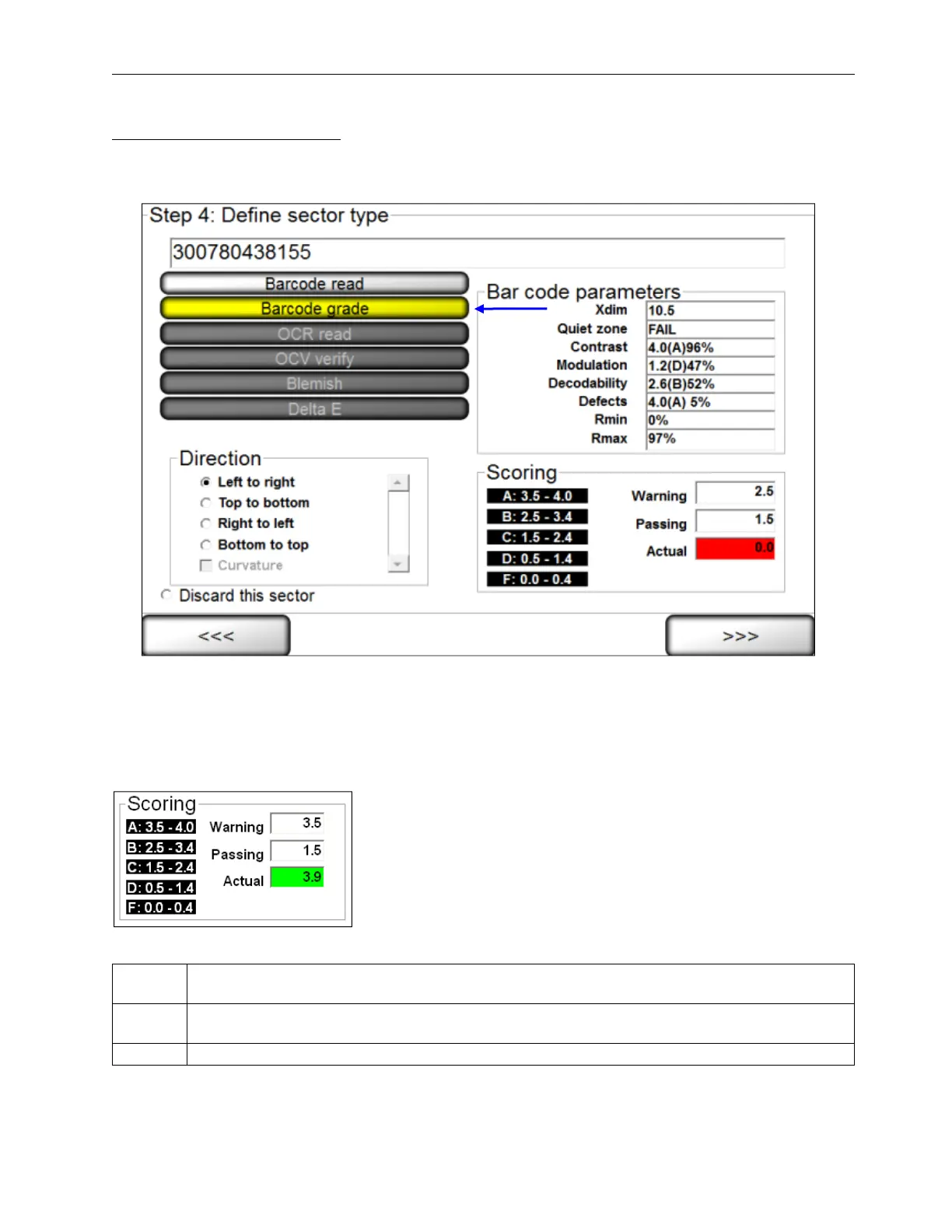
Sector Type 2: Barcode grade
This sector is used when you want to grade the 1D or 2D barcode image according to ISO/IEC standards.
1. Select Barcode grade.
2. Select the desired direction.
3. Choose an acceptable grade in the Scoring box (see below).
4. Click the right arrow button.
Scoring Box
The Scoring box allows you to choose an acceptable grade from 0.0 to 4.0.
The following fields appear in the Scoring box:
Warning
Indicates an early warning of diminishing quality in the barcode image. The operator must take
action to improve the grade score quality.
Passing
Represents what ISO/IEC grade is considered to “pass” and is user-defined to one decimal
place.
Actual Represents what grade is being detected using the setup barcode label.



 To Next Page