LVS-7500 External System Operations Manual
LVS-7500 External System Operations Manual Page 59 of 129
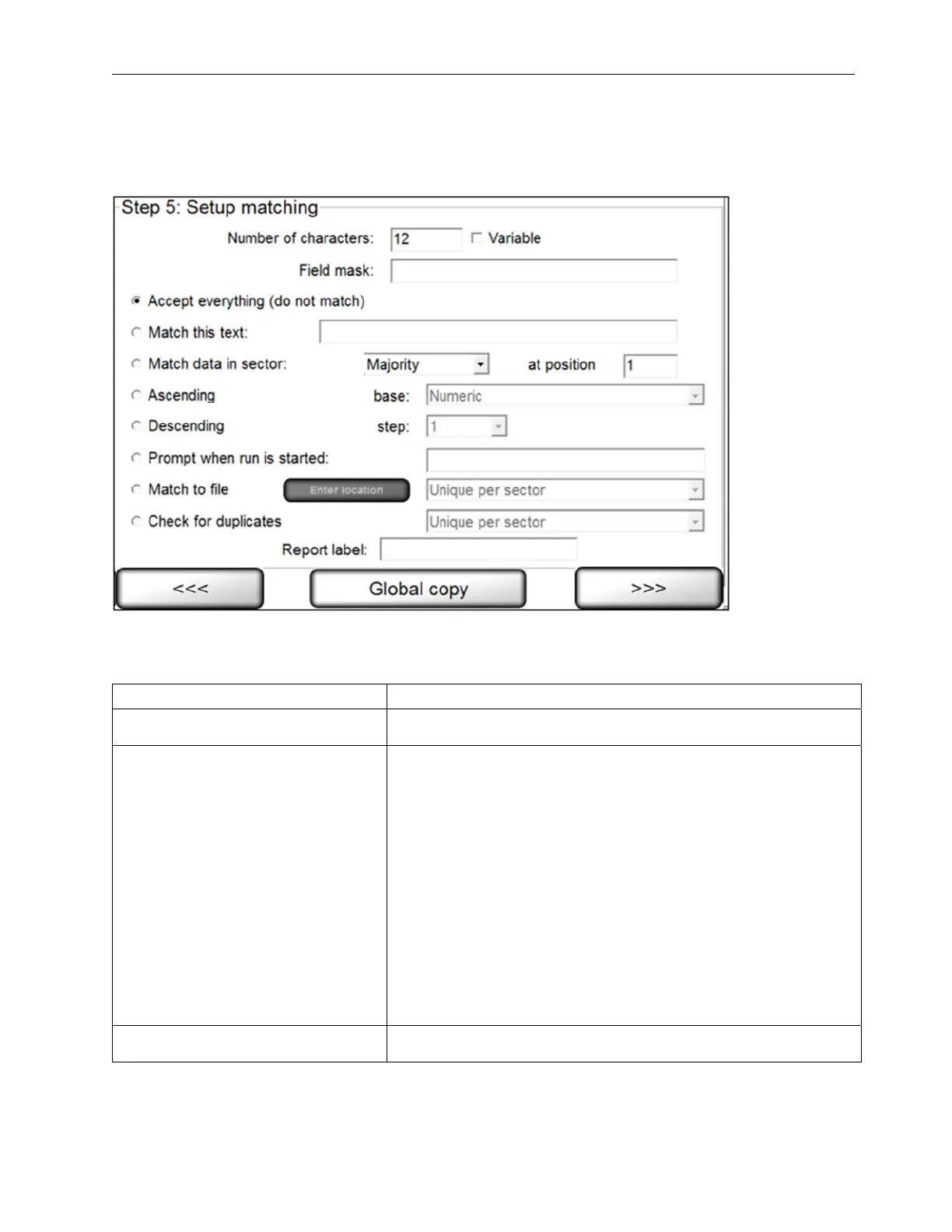
Step 5: Setup Matching
Step 5: Setup Matching is used to set up sequential, matching or incremental information checking. This step
does not apply to Blemish modules.
Complete the applicable fields and then click the right arrow button. Each field description is listed in the table
below. The software reverts back to STEP 1 prompting you to set up another sector if desired. If another sector
is not required, click the right arrow button and proceed with the next step.
Field
Description
Number of characters Ensure the number of characters is correct for the string length or
a “Wrong Length” error will constantly be encountered.
Field Mask Teaches the sector what type of character to expect for each
position within a string. There are three possibilities for each
character: numeric (#), alphabetic (@), and alpha/numeric (*).
Special characters can also be used by typing the exact character
in the position where it will be present.
The following informational format is to be used:
Sample: = (AB)8C23 = (@@)*@##
@ means 'A' to 'Z'
* means 'A' to 'Z' or '0' to '9'
# means '0' to '9'
( ) means ' (' and ') ' - Any characters that are not @ * # are
assumed to be special characters.
IMPORTANT! Do not include a space inside the mask. Also,
OCR/OCV can handle up to 40 characters and an error will occur
if there are more than 40 characters in the field mask box.
Accept everything (do not match) If sequential or matching checking is not required, click the
Accept everything (do not match) option and leave all other



 To Next Page