EasyManua.ls Logo

Omron 1S Series - User Manual

Omron 1S Series
89 pages
Print Icon
To Next Page IconTo Next Page
Loading...
1S-series
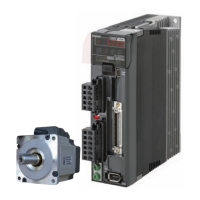
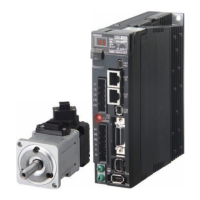
AC Servomotors (Model: R88M-1AL/-1AM)
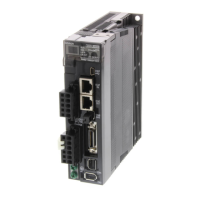
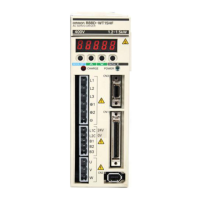
AC Servo Drives (Model: R88D-1SAN-ECT)
INSTRUCTION MANUAL
Thank you for purchasing this OMRON Product. Please read this Instruction
Manual and User’s Manual, and thoroughly familiarize yourself with the
functions and characteristics of the product before use. Be sure you are us-
ing the most recent version of the User's Manual. Please retain this Instruc-
tion Manual and the User’s Manual for future reference, and be sure they
are delivered to the final user of the Servomotor and Servo Drive.
OMRON Corporation 2020 All Rights Reserved No. 2825225-5C
Trademarks
EtherCAT® is registered trademark and patented technology, licensed by
Beckhoff Automation GmbH, Germany.
Other company names and product names in this document are the trade-
marks or registered trademarks of their respective companies.
Original Languages

Other manuals for Omron 1S Series

Questions and Answers

  • T
    Thomas JacobsJul 27, 2025
    What to do if EtherCAT communications do not start on Omron Servo Drives?
    • H
      Heather Brown PhDJul 28, 2025
      If EtherCAT communications do not start, there are several possible causes. First, ensure that ECAT[0].Enable is set to 1 by running the ECAT[0].Enable=1 command from the Terminal tab page. Another cause may be that the EtherCAT network configuration in the Controller does not match the physical network configuration. In this case, review the settings. Also, a broken Ethernet cable or disconnected connector can prevent communication. Ensure the Ethernet cable is correctly connected. Finally, check the ECAT[0].error value for any errors that may have occurred.
  • J
    John MillerAug 1, 2025
    How to fix the link if it is not established on Omron Servo Drives?
    • M
      Mrs. Cheryl SchneiderAug 1, 2025
      If the link is not established, it could be due to a broken Ethernet cable or using the wrong type of cable. Replace the cable to resolve this. Alternatively, a connector on the Ethernet cable used for EtherCAT communications may be disconnected or faulty. Reconnect the connector, ensuring it is properly mated. A failed slave within the EtherCAT network configuration can also cause this issue, so consider replacing the slave.
  • M
    Mark MartinezAug 7, 2025
    Why does a synchronization error occur at a slave on Omron Servo Drives?
    • G
      garciajamesAug 7, 2025
      A synchronization error at a slave can occur because the distribution clock is not set correctly. Review the settings. Also, the servo task processing time might exceed the set period. In this case, review the program or servo frequency to adjust it, ensuring that the servo task processing time does not exceed the period.
  • C
    carol85Aug 12, 2025
    Why do EtherCAT communications not start on my Omron Servo Drives?
    • L
      Laurie ChandlerAug 12, 2025
      If EtherCAT communications do not start with your Omron Servo Drives, it might be because ECAT[0].Enable is set to 0. To resolve this, run the ECAT[0].Enable=1 command from the Terminal tab page to start EtherCAT communications. Alternatively, the EtherCAT network configuration in the Controller might not agree with the physical network configuration, so review the settings according to the procedures provided. Ensure the Ethernet cable is correctly connected. Also, check the ECAT[0].error value in case some errors have occurred.
  • S
    sirwinAug 17, 2025
    What to do if the link is not established on Omron Servo Drives?
    • K
      Kylie PotterAug 17, 2025
      If the link is not established for your Omron Servo Drives, it could be due to a broken Ethernet cable or using an incorrect cable, in which case you should replace the cable. Another cause might be a disconnected or faulty connector on the Ethernet cable used for EtherCAT communications; reconnect the connector to ensure it is mated correctly. Finally, a failed slave within the EtherCAT network configuration could be the reason. If this is the case, replace the slave.
  • H
    Heather PalmerAug 22, 2025
    How to fix a synchronization error at a slave on Omron 1S?
    • J
      Jessica WestAug 22, 2025
      If a synchronization error occurs at a slave with your Omron Servo Drives, it could be because the distribution clock is not set correctly; review the settings according to the procedures provided. Another possible cause is that the servo task processing time exceeds the set period. In this case, review the program or servo frequency to adjust it, so that the servo task processing time does not exceed the period.

Summary

1 S-series Overview

AC Servomotors and Drives Models

Identifies the specific AC Servomotor (R88M-1AL/-1AM) and Servo Drive (R88D-1SAN-ECT) models.

Trademarks

Lists registered trademarks and acknowledges other company trademarks used in the document.

Terms and Conditions Agreement

Warranties and Limitations

Details Omron's warranty, its limitations, and buyer remedies for product defects.

Limitation on Liability

Outlines limitations on Omron's liability for various types of damages and consequential losses.

Safety Precautions

Understanding Precautionary Information

Explains signal words (DANGER, WARNING, CAUTION) and warning symbols for hazard classification.

Handling and Installation Warnings

Covers safety warnings for transporting, unpacking, installing, wiring, and maintaining the equipment.

Operational and Usage Safety

Provides safety guidelines for operating the equipment, checks, and general usage.

General Specifications and Installation

General Servo Drive Specifications

Lists general specifications including ambient conditions, protective structure, and EU directives.

Servo Drive Ratings

Details voltage, frequency, input current, output, and weight for various 200-VAC and 400-VAC input models.

Installation Space Conditions

Specifies required clearances around the Servo Drive for proper heat dissipation and ventilation.

Terminal Block and Wiring Procedures

Terminal Block Specifications

Details the function and connection points for each terminal on the Servo Drive.

Terminal Block Wiring Procedure

Provides step-by-step instructions for preparing and connecting wires to the terminal blocks.

Compliance and Connection Examples

EU Directives Compliance

Outlines conditions for compliance with EU directives, including installation and product ratings.

Peripheral Equipment Connection Examples

Illustrates common connection diagrams for peripheral equipment and lists device/cable details.

UL;CSA Standards and Dimensions

UL;CSA Standards Compliance

Specifies installation environment and product ratings for compliance with UL/CSA standards.

External and Mounting Dimensions

Shows external dimensions, mounting hole locations, and weights for different Servo Drive models.

Servomotor Characteristics and Maintenance

Servomotor Performance Specifications

Details performance characteristics like rated output, torque, speed, and current for various servomotors.

Servo Drive Maintenance

Discusses Servo Drive lifetime, factors affecting it, and lists component lifetimes.

Reference Manuals and Contact Information

Related Manuals

Lists other relevant manuals for the 1S-series products.

OMRON Contact Information

Provides contact details for OMRON Corporation, including regional headquarters and customer support.

Omron 1S Series Specifications

General IconGeneral
Safety FunctionSTO (Safe Torque Off)
Motor Capacity50 W to 15 kW
Output Power50 W to 15 kW
Communication InterfaceEtherCAT, MECHATROLINK-II/III
FeedbackIncremental Encoder
Operating Temperature0 to +55°C
Protection FeaturesOvercurrent, Overvoltage
Ambient Humidity20% to 90% RH (non-condensing)
InstallationPanel Mount
WeightVaries by model
Storage Temperature-20 to 85°C

Related product manuals