EasyManua.ls Logo

Omron G5 Series - User Manual

Omron G5 Series
506 pages
Print Icon
To Next Page IconTo Next Page
Loading...
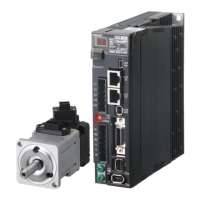
AC SERVOMOTORS/SERVO DRIVES
G5-series
Pulse-train Input Type
User’s Manual
I584-E1-02
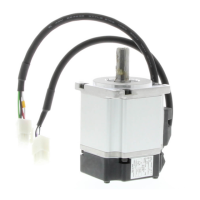
R88D-KE(AC Servomotors)
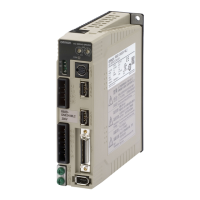
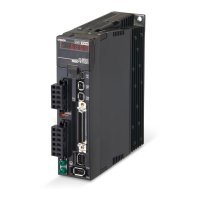
R88M-KP(AC Servo Drives)

Table of Contents

Other manuals for Omron G5 Series

Questions and Answers

  • B
    brooksshannonJul 28, 2025
    What to do if EtherCAT communications do not start on Omron G5 Servo Drives?
    • D
      Deborah MartinezJul 28, 2025
      If EtherCAT communications do not start, several factors could be at play. First, verify that ECAT[0].Enable is set to 1 by running the ECAT[0].Enable=1 command from the Terminal pane. Also, ensure that the EtherCAT network configuration in the Controller matches the physical network configuration. Check that the Ethernet cable is correctly connected. Finally, examine the ECAT[0].error value for any error indications.
  • L
    lindamorenoAug 6, 2025
    How to fix Omron Servo Drives when the link is not established?
    • I
      ipatrickAug 6, 2025
      If the link is not established, check the following: * Replace the Ethernet cable if it is broken or not the specified type. * Reconnect any disconnected connectors on the Ethernet cable used for EtherCAT communications and ensure they are correctly mated. * If a slave within the EtherCAT network configuration has failed, replace it.
  • A
    Angela MathewsAug 17, 2025
    Why does a synchronization error occur at a slave in Omron G5?
    • G
      gwashingtonAug 17, 2025
      A synchronization error at a slave may occur if the distribution clock is not set correctly, so review the settings. Another potential cause is the servo task processing time exceeding the set period; in this case, review the program or servo frequency to adjust it, ensuring the servo task processing time does not exceed the period.

Summary

AC Servomotors;Servo Drives G5-series

Read and Understand this Manual

Warranty and Limitations of Liability

Details OMRON's product warranty, limitations of liability, and disclaimers regarding product use and damages.

Application Considerations

Suitability for Use

OMR ON's disclaimer on product conformity to standards and suitability for specific applications.

Safety Precautions

Explanation of Displays

Explains the meaning of DANGER and Caution displays for hazardous situations.

Explanation of Symbols

Defines symbols used for danger, prohibition, and compulsory actions.

Installation and Wiring

Operation and Adjustment

Manual Configuration

Section 1 Features and System Configuration

Section 2 Models and External Dimensions

Section 3 Specifications

3-1 Servo Drive Specifications

Details general specifications, characteristics, and international standards for Servo Drives.

3-3 Servomotor Specifications

Lists general specifications, characteristics, and international standards for Servomotors.

System Design

4-1 Installation Conditions

Guidelines for installing Servo Drives, Servomotors, and Decelerators, covering space, environment, and mounting.

4-2 Wiring

Explains peripheral equipment connection examples and main circuit/motor connections.

4-3 Wiring Conforming to EMC Directives

Details requirements for wiring to ensure EMC Directive conformance, including noise reduction measures.

Basic Control Mode

5-1 Position Control

Explains the outline of position control, parameters, related functions, and block diagrams.

5-2 Internally Set Speed Control

Details the outline of internally set speed control, required parameters, and operation examples.

Applied Functions

6-6 Brake Interlock

Explains the brake interlock function for controlling the holding brake timing and operation.

Section 7 Parameter Details

7-1 Basic Parameters

Details fundamental parameters like rotation direction, control mode, realtime autotuning, inertia ratio, and command pulse settings.

7-2 Gain Parameters

Covers parameters for adjusting position loop gain, speed loop gain, and their integral time constants for optimal servo system performance.

Section 8 Operation

8-1 Operational Procedure

Outlines the sequence of steps for correct installation, wiring, function settings, trial operation, and adjustment.

8-2 Preparing for Operation

Lists essential items to check before turning ON the power supply, including voltage, wiring, and connections.

8-5 Trial Operation

Details inspections and procedures for performing trial operation to confirm servo system functionality.

Section 9 Adjustment Functions

9-1 Gain Adjustment

Explains the purpose and methods of gain adjustment, including realtime autotuning and manual tuning.

9-2 Realtime Autotuning

Describes the realtime autotuning process for estimating load inertia and automatically setting gain, including conditions for proper operation.

Section 10 Troubleshooting and Maintenance

10-1 Actions for Problems

Outlines preliminary checks and analytical methods to determine the cause of problems and take appropriate measures.

10-3 Alarm List

Details alarm codes, error detection functions, descriptions, causes, and measures for troubleshooting.

10-4 Troubleshooting

Guides on diagnosing errors based on alarm displays and operation states, providing probable causes and measures.

Appendices

Omron G5 Series Specifications

General IconGeneral
FeedbackIncremental Encoder, Absolute Encoder
CommunicationEtherCAT
Safety FunctionSTO (Safe Torque Off)
Protection FunctionsOvervoltage, Undervoltage, Overcurrent
Vibration Resistance4.9 m/s² (10 to 55 Hz)

Related product manuals