EasyManua.ls Logo

Omron OMNUC R88D-WT15HF - User Manual

Omron OMNUC R88D-WT15HF
484 pages
Print Icon
To Next Page IconTo Next Page
Loading...
(217) 352-9330 | sales@artisantg.com | artisantg.com
-~
ARTISAN
®
~I
TECHNOLOGY
GROUP
Your
definitive source
for
quality
pre-owned
equipment.
Artisan Technology
Group
Full-service,
independent
repair
center
with
experienced
engineers
and
technicians
on staff.
We
buy
your
excess,
underutilized,
and
idle
equipment
along
with
credit
for
buybacks
and
trade-ins
.
Custom
engineering
so
your
equipment
works
exactly as
you
specify.
Critical
and
expedited
services
Leasing
/
Rentals/
Demos
In
stock/
Ready-to-ship
!TAR-certified
secure
asset
solutions
Expert
team
I
Trust
guarantee
I
100%
satisfaction
All
tr
ademarks,
br
a
nd
names, a
nd
br
a
nd
s a
pp
earing here
in
are
th
e property of
th
e
ir
r
es
pecti
ve
ow
ner
s.
Find the OMRON R88D-WT15HF at our website: Click HERE

Table of Contents

Questions and Answers

  • S
    Sarah RothAug 3, 2025
    How to fix parameter setting error in Omron OMNUC R88D-WT15HF?
    • J
      Joel BowersAug 3, 2025
      If you encounter a parameter setting error with your Omron Servo Drives, it's likely because a value outside the acceptable range was entered. To resolve this, reset the parameters to values within the specified setting range.
  • J
    Jacob ValdezAug 8, 2025
    What to do if parameters corrupted in Omron OMNUC R88D-WT15HF?
    • N
      Nicholas MackAug 8, 2025
      If the parameters in your Omron Servo Drives have been corrupted, it may be due to the power supply being turned off while parameters were being written. You can initialize the user parameters using function Fn005, and then re-set the parameters.
  • T
    Timothy MartinAug 11, 2025
    Why is there a servomotor mismatch in my Omron OMNUC R88D-WT15HF Servo Drives?
    • M
      monicarussellAug 11, 2025
      A servomotor mismatch in your Omron Servo Drives indicates that the Servomotor and Servo Driver combination is incorrect. To fix this, ensure that you correct the combination.
  • J
    Julie WallAug 16, 2025
    What to do if there is an internal memory error in Omron OMNUC R88D-WT15HF?
    • J
      Jordan CooperAug 16, 2025
      If your Omron Servo Drives display an internal memory error, replace the Servo Driver.
  • J
    joannelopezAug 20, 2025
    What causes main circuit detection error in Omron Servo Drives?
    • D
      Dalton EllisAug 20, 2025
      A main circuit detection error in Omron Servo Drives is caused by a main circuit detection data error. The suggested solution is to replace the Servo Driver.
  • W
    wrightmichelleAug 25, 2025
    What to do if there is a control panel error in Omron OMNUC R88D-WT15HF?
    • C
      Christopher DavisAug 25, 2025
      If you are experiencing a control panel error with your Omron Servo Drives, replace the Servo Driver.
  • T
    Terry GibsonAug 28, 2025
    What to do if there is an encoder internal data error in Omron OMNUC R88D-WT15HF Servo Drives?
    • W
      wmooreAug 28, 2025
      If you encounter an encoder internal data error with your Omron Servo Drives, replace the Servomotor.

Summary

Chapter 1: Introduction

1-1 Features

Details the enhanced performance, wider selection, and IP67 rating of the W-series AC Servomotors.

1-2 System Configuration

Illustrates various system configurations involving OMNUC W-series servo drivers and servomotors with different controllers.

1-3 Servo Driver Nomenclature

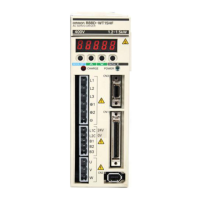
Identifies and describes the various parts and connectors of the OMRON R88D-WT AC Servo Driver.

1-4 Applicable Standards and Models

Lists the EC Directives and UL/cUL standards that the W Series conforms to for compliance.

1-5 System Block Diagrams

Provides detailed block diagrams illustrating the internal structure and connections for different voltage AC Servo Drivers.

Chapter 2: Standard Models and Specifications

2-1 Standard Models

Lists the available OMNUC W-series Servo Drivers and their specifications, including power ratings.

2-2 Servo Driver and Servomotor Combinations

Details the compatible combinations of OMNUC W-series Servo Drivers and Servomotors based on voltage and rated output.

2-3 External and Mounted Dimensions

Provides external and mounted dimension drawings for AC Servo Drivers, including wall and front panel mounting.

2-4 Servo Driver Specifications

Outlines the general and performance specifications for OMNUC W-series AC Servo Drivers, including input types and control specifications.

2-5 Servomotor Specifications

Details the general specifications and performance characteristics for OMNUC W-series AC Servomotors across various models and speeds.

2-6 Cable and Connector Specifications

Provides specifications for control cables, including models, lengths, outer diameters, and weights.

2-7 Servo Relay Units and Cable Specifications

Lists specifications for Servo Relay Units and their associated cables for connecting to OMRON Position Control Units.

2-8 Parameter Unit and Cable Specifications

Details the specifications for the Hand-held Parameter Unit (R88A-PR02W) and its associated cable.

2-9 External Regeneration Resistors;Resistance Units

Provides specifications and external dimensions for DC Reactors and external regeneration resistors/units for harmonic current control.

2-10 Absolute Encoder Backup Battery Specifications

Lists specifications and connection details for the absolute encoder backup battery unit required for absolute encoder operation.

2-11 DC Reactors

Details DC Reactor models and specifications for harmonic current control in Servo Drivers.

Chapter 3: System Design and Installation

3-1 Installation Conditions

Covers essential conditions for installing Servo Drivers and Servomotors, including space, mounting direction, and environment.

3-2 Wiring

Explains the types of connecting cable used in the OMNUC W-series servo system and provides wiring diagrams.

3-3 Regenerative Energy Absorption

Details the servo driver's internal regenerative energy absorption circuitry and external regeneration resistance options.

3-4 Adjustments and Dynamic Braking When Load Inertia Is Large

Provides guidance on adjusting system parameters and using dynamic braking for applications with high load inertia.

Chapter 4: Operation

4-1 Operational Procedure

Outlines the step-by-step procedure for mounting, wiring, setting functions, and performing trial operations.

4-2 Preparing for Operation

Explains checks required before and after turning on the power, including parameter unit connections and indicator status.

4-3 Trial Operation

Details the procedures for conducting trial operations, including low-speed and actual load condition checks.

4-4 User Parameters

Provides comprehensive explanations of user parameters, including setting and checking procedures for various functions.

4-5 Operation Functions

Describes various operational functions available for the OMNUC W-series AC Servo Drivers.

4-6 Trial Operation Procedure

Provides a detailed procedure for conducting trial operations, including low-speed and actual load condition checks.

4-7 Making Adjustments

Explains how to use online auto-tuning and manual tuning to adjust servo system gains for optimal performance.

4-8 Advanced Adjustment Functions

Details advanced functions for optimizing servo system performance, including bias, feed-forward, and gain switching.

4-9 Using Displays

Explains how to use the servo driver's digital displays, including status indicators, bit data, and symbol displays.

4-10 Using Monitor Output

Describes how to use the analog monitor output connector (CN5) to monitor Servomotor parameters like speed and torque.

4-11 System Check Mode

Covers various functions available in System Check Mode, such as alarm history display, auto-tuning, and parameter settings.

Chapter 5: Troubleshooting

5-1 Measures when Trouble Occurs

Explains preventive checks and analysis tools for determining the cause of trouble.

5-2 Alarms

Lists and explains various alarms, their causes, and countermeasures, including error codes.

5-3 Troubleshooting

Provides guidance on checking error types, verifying causes, and implementing countermeasures for machinery errors.

5-4 Overload Characteristics (Electron Thermal Characteristics)

Details the servo driver's built-in overload protection and displays overload characteristics curves.

5-5 Periodic Maintenance

Lists recommended periodic maintenance schedules for servomotors and servo drivers based on operating hours and conditions.

5-6 Replacing the Absolute Encoder Battery (ABS)

Provides a procedure for replacing the absolute encoder backup battery and setting up the encoder after replacement.

Chapter 6: Appendix

6-1 Connection Examples

Illustrates various connection examples for OMNUC W-series Servo Drivers with different controllers.

6-2 Encoder Dividing Rate for Servo Controllers

Explains how to set the encoder dividing rate for OMNUC W-series AC Servo Drivers and lists maximum rotation speeds.

6-3 Single-phase Power for 3,000-r;min (750-W) Servomotors

Describes wiring methods and precautions for operating 3,000-r/min (750-W) Servomotors using a single-phase power supply.

6-4 Parameter Setting Tables

Provides tables for function selection parameters (Pn000, Pn001, Pn002, Pn003) and servo gain parameters (Pn100-Pn106).

6-5 Alarms and Warnings when a JUSP-NS115 MECHATROLINK-II Option Unit is Mounted

Lists additional alarms and warnings specific to the MECHATROLINK-II Option Unit.

Omron OMNUC R88D-WT15HF Specifications

General IconGeneral
ModelR88D-WT15HF
Rated Output1.5 kW
Control MethodPWM Control
Ambient Operating Temperature0 to 55°C
Storage Temperature-20 to 85°C
TypeServo Drive
SeriesOMNUC R
Power Supply Voltage200 to 240 VAC
CommunicationRS-485
Protection FunctionsOverload, Overvoltage, Undervoltage, Overheat, Overspeed
Ambient Humidity10% to 90% RH (non-condensing)
Vibration Resistance4.9 m/s²
OutputThree-phase

Related product manuals