2.Installation and connection
11
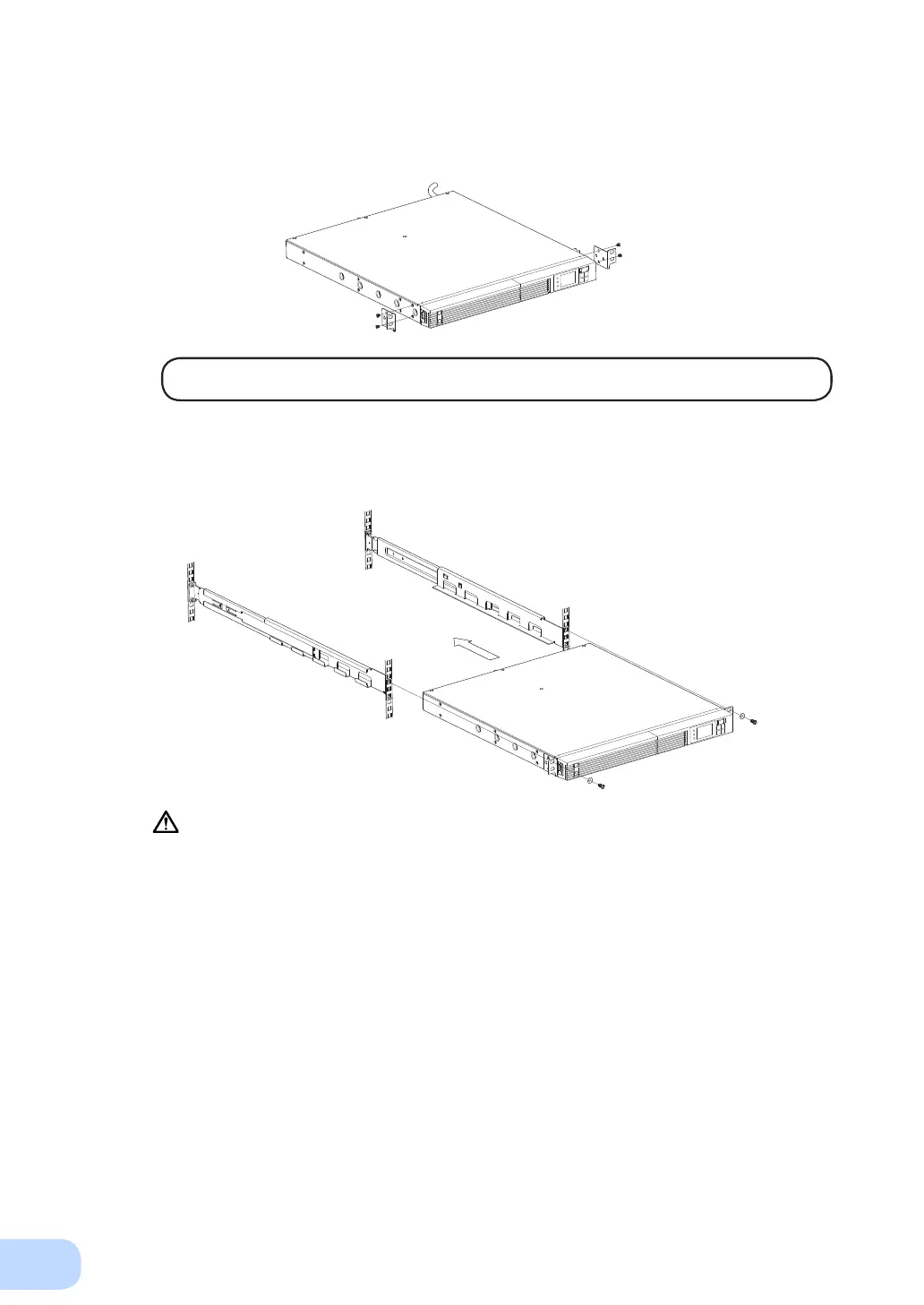
(2) Usethe4includedearmountingat-headscrews(2setsof2screws)tosecurelyfastenthe
ears to the left and right sides of the UPS.
②
②
②
The support angles cannot be attached to special EIA racks.
(3) Place the UPS on the rack rails and push it completely into the rack
③
, and use the 2 included
EIA rack washers and EIA rack xing screws (M5) to securely fasten the ears to the server
rack.
④
③
Push in completely
④
Always use the rack rails.



 To Next Page