EasyManua.ls Logo

Omron HBF-702T - User Manual

Omron HBF-702T
36 pages
Print Icon
To Next Page IconTo Next Page
Loading...
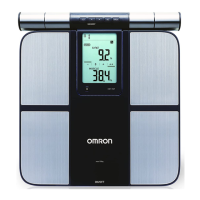
Thank you for purchasing the OMRON Body Composition Monitor.
Before using this unit, please be sure to read this Instruction Manual carefully to
understand the safe and proper use.
Please store this Instruction Manual carefully for future reference.
5659713-6A
Issue date: 2020-12-28
Body Composition Monitor
HBF-702T

Questions and Answers

  • M
    Michael BakerSep 9, 2025
    What happens if I hold the button too long on Omron Measuring Instruments?
    • M
      mitchelldouglasSep 9, 2025
      If you press and hold the button for more than 2 seconds on your Omron Measuring Instruments, it indicates that you are trying to pair the unit with your smart device. Follow the instructions on the 'OMRON connect' app, or press the power switch to cancel the pairing and turn the unit off.
  • D
    Donna RiveraAug 23, 2025
    Why can't body composition be measured after weight on Omron Measuring Instruments?
    • J
      jeffrey14Aug 23, 2025
      If your Omron Measuring Instruments completes the weight measurement but fails to measure body composition, it might be because you stepped on the unit when it was turned off. Press the power switch and wait until '0.0 kg' appears before stepping on. Alternatively, the unit might be in 'Measure weight only' mode. Ensure you select a personal number or 'GUEST' before taking the measurement.
  • J
    James ChenAug 25, 2025
    What to do if nothing is displayed on my Omron Measuring Instruments?
    • C
      carlosfitzgeraldAug 25, 2025
      If your Omron Measuring Instruments display is blank, there could be a few reasons. First, check that the batteries are correctly inserted with the right polarities. If the batteries are old, replace all four with new ones. Finally, ensure you've completed the initial setting after replacing the batteries.
  • J
    jonespatriciaAug 27, 2025
    How to fix low battery on Omron Measuring Instruments?
    • A
      Aaron ThompsonAug 27, 2025
      When the batteries are low on your Omron Measuring Instruments, it's recommended to replace them with new ones as soon as possible.
  • V
    vicki36Aug 28, 2025
    Why are only weight and BMI displayed on my Omron Measuring Instruments?
    • S
      sharon80Aug 28, 2025
      If your Omron Measuring Instruments only shows weight and BMI, it could be due to a few reasons. Users under 10 years old can only measure weight and BMI. Also, visceral fat level and body age cannot be measured for users under 18 years old. Lastly, incorrect registered data can cause this issue. To resolve this, verify the accuracy of the birth date settings. If needed, remove the batteries for at least 20 seconds, then reinsert them and reset the initial settings.
  • L
    Lisa KellerAug 29, 2025
    What to do if I moved during measurement with Omron Measuring Instruments?
    • K
      Kimberly JohnsonAug 29, 2025
      If you moved during the measurement with your Omron Measuring Instruments, ensure that you remain still during the process. Also, this unit is designed for body weights under 135 kg.
  • A
    aaron01Sep 18, 2025
    What does it mean when 24-29 results are stored on Omron Measuring Instruments?
    • M
      mduranSep 18, 2025
      If your Omron Measuring Instruments has stored 24-29 sets of measurement results, transfer them to the 'OMRON connect' app to make the symbol disappear.
  • C
    Christine MelendezSep 19, 2025
    How to fix Omron Measuring Instruments cord that won't rewind?
    • D
      Dawn AtkinsSep 22, 2025
      If the cord of your Omron Measuring Instruments cannot be wound automatically, it might be tangled. Pull out the cord and rewind it.
  • A
    Allen OrtizSep 8, 2025
    What does " " mean on Omron Measuring Instruments results?
    • K
      Kenneth DiazSep 8, 2025
      If you see ' ' displayed for some results on your Omron Measuring Instruments, it indicates that the registered data or body composition values were outside the measurable range. Verify the accuracy of the birth date, gender, and height settings. Even if the settings are correct, this symbol appears if the values are outside the displayable or supported age range. Confirm the measurable range.
  • D
    dmeadowsSep 4, 2025
    What to do if I touched Omron Measuring Instruments when it was blinking?
    • K
      Kyle MooreSep 5, 2025
      If you touched or used the Omron Measuring Instruments while the indicator was blinking, causing an abnormal operation, remove and then re-insert the battery. Restart the device starting from 'Initial Setting'. Also, when the indicator blinks, avoid touching the unit until it turns off automatically. If the error persists after restarting, contact the OMRON service representative.

Summary

1. Know Your Unit

Unit Components and Buttons

Identifies and explains the function of each button and component on the device.

Display and Components

Display Symbols Explained

Details the meaning of various symbols shown on the device's display.

Included Components

Lists the items included in the product package.

2. Installing and Replacing the Batteries

Battery Management Notes

Covers battery life, replacement guidelines, and automatic power-off features.

3. Initial Setting

3.1 Setting On Your Smart Device

Guide to setting up the unit via a smart device and the OMRON connect app.

3.2 Setting On The Unit

Steps for setting up the unit directly on the device without a smart device.

4. Registering the Personal Data

Personal Data Input Steps

Sequence for entering personal number, date of birth, gender, and height.

5. How to Take a Measurement Accurately

5.1 Correct Postures

Detailed instructions on correct posture and grip electrode usage for accurate measurements.

Measurement Timing and Conditions

Guidance on best times, user limitations, and '0 kg correction' for accuracy.

6. Measuring Weight and Body Composition

Measurement Process Overview

Steps for powering on, taking out the panel, and performing a measurement.

Verifying Personal Number and Results

How to check and confirm the personal number and view measurement results.

7. Viewing the Measurement Results on the unit

8. View the Measurement Results on Your Smart Device

9. Selecting Your Personal Number and Taking a Measurement

10. Using the Guest Mode

11. Measuring Weight Only

12. Changing;Deleting Personal Data

13. Deleting the Communication Setting

14. Maintenance and Storage

Panel Unit Handling

Instructions for arranging and rewinding the panel unit cord.

Storage and Maintenance Guidelines

Conditions to avoid for storage and procedures for cleaning the unit.

15. Troubleshooting

16. Technical Data

17. Information on Body Composition

Principle and Recommended Conditions

Explains BI method, measurement timing, and conditions to avoid.

Understanding BMI

Definition and formula for Body Mass Index.

Key Body Composition Metrics

Defines and explains Body Fat %, Visceral Fat, Subcutaneous Fat, Skeletal Muscle, Resting Metabolism, and Body Age.

18. Measurement Results Interpretation Diagrams

Interpreting Key Metrics

Guides for interpreting Body Fat %, BMI, Visceral Fat, Skeletal Muscle, and RM results.

Omron HBF-702T Specifications

General IconGeneral
TypeBody Composition Monitor
Measurement MethodBioelectrical Impedance Analysis (BIA)
Weight Increment0.1 kg (0.2 lb)
ConnectivityBluetooth
DisplayLCD
Warranty1 year
Body Fat Measurement Range5.0 - 60.0 %
Visceral Fat Level1 - 30
Power Source4 AAA batteries
Skeletal Muscle Percentage5.0 - 40.0 %

Related product manuals