Before you Begin
39
2. For Serial Printing
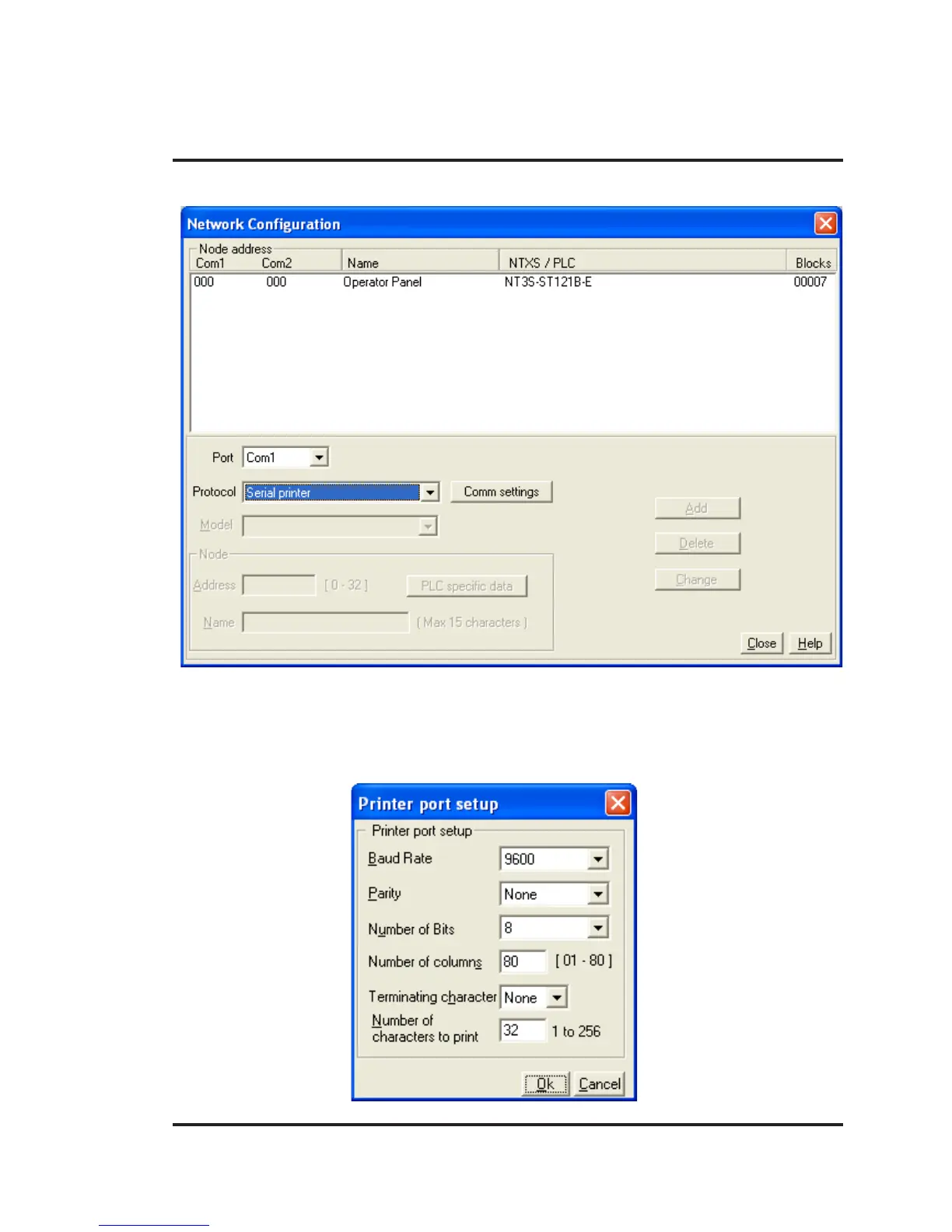
User can set either of the ports for serial printing. This is done by selecting Protocol as “Serial printer”. In
the above example, user has configured Com1 for serial printing. However, when this port is not being
used for printing, it will be used for IBM Communication.
User has to define parameters for serial printing, by using ‘Comm Settings’ option.



 To Next Page