Chapter 3: Installation
Rack-Mounting the SmartController EX Motion Controller
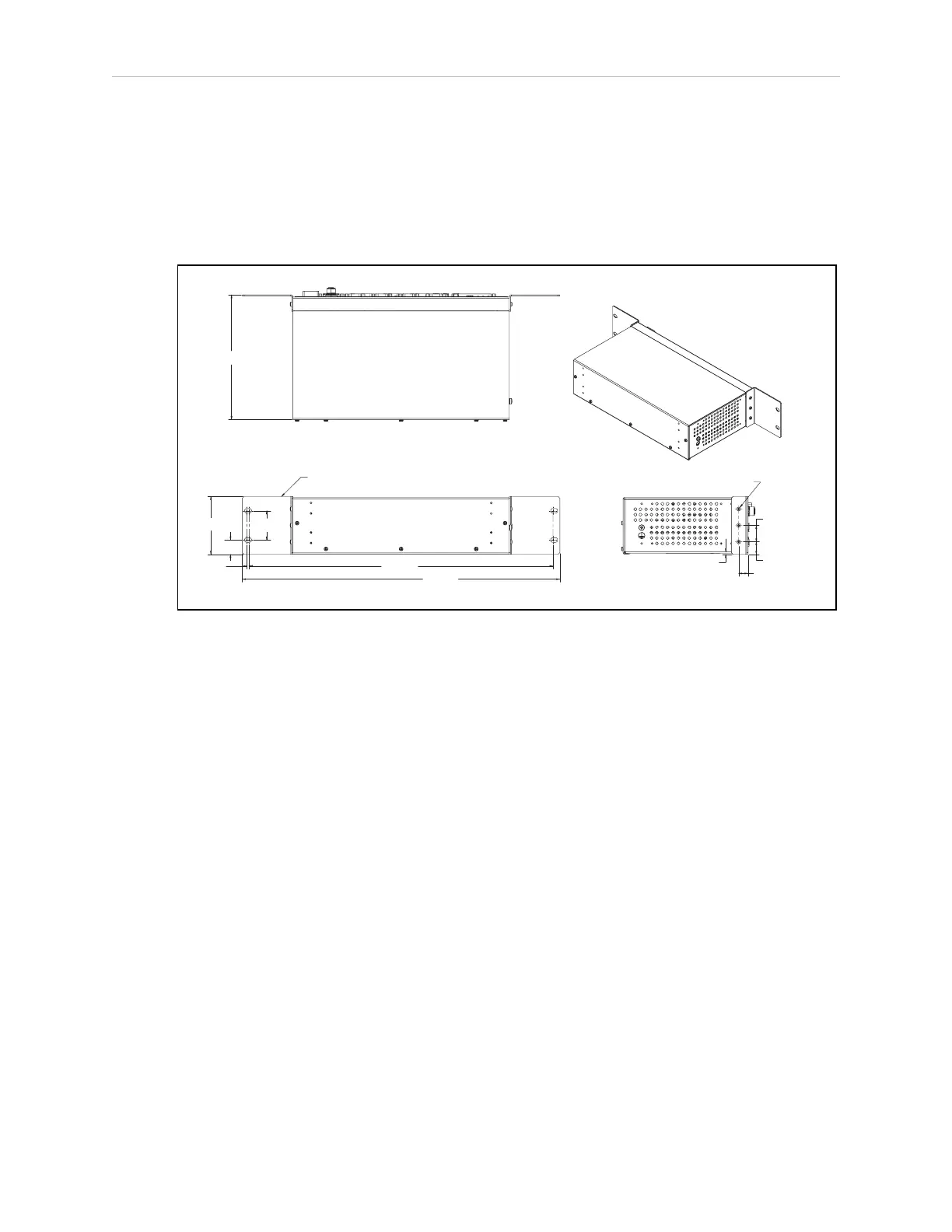
To rack-mount the controller in a standard 19-inch equipment rack, install the optional mount-
ing brackets on the side of the controller, as shown in the following figure. These brackets must
be ordered separately. They do not come with the controller.
3X M3 x 6MM
3.8
19.1
2X 25.0
14.2
2X 40356-00004
88.1
44.4
21.8
3.6
TYP
.
462.0
482.8
190.0
Figure 3-1. Rack-Mounting the SmartController EX Motion Controller (Units in mm)
Panel-Mounting the SmartController EX Motion Controller
To panel-mount the controller, install two brackets on each side at the rear of the unit, as
shown in the following figure. Use the screws from the accessories kit.
11069-000 Rev. H SmartController EX User's Guide 17







 To Next Page