Page 13 of 31
Programming Cummins Engine with OnCommand® Link
Important points to note about updating calibrations on Cummins engines
• The calibration update process for Cummins engines is divided into four phases. Each phase is
triggered when the OnCommand® Link is connected to the Internet. For the first three phases,
the OnCommand Link™ only needs to be connected to the Internet for a period of 5-10 minutes.
For the ‘Update Calibration’ phase, the OnCommand® Link device should stay connected to the
Internet until the user sees the message ‘Engine calibration up-to date’ on the application page.
• The simplest approach for obtaining updates to Cummins engines for the first time is to leave
the OnCommand® Link device on a vehicle for at-least 10 hours.
• If your OnCommand® Link has already completed a calibration update once on a given vehicle,
from next time onwards you will not be required to wait for 10 hours (as registration phases is a
one- time process as far as OnCommand® Link stays on the same vehicle) to perform a
calibration update. You would just need to occasionally connect OnCommand® Link to Internet
source with key ON/Engine running and it will automatically start with ‘Preparing update’ phase
when an update is available for your vehicle.
• If the OnCommand® Link device is connected to another vehicle, the 10 hours process will start
all over again.
• Calibration updates for Cummins engines are prepared based on data collected by the
OnCommand® Link from engine modules. This data is transmitted to the backend servers
whenever the OnCommand® Link is connected to the Internet. The data received from your
engine module is analyzed and used to determine if your engine module needs a calibration
update.
• If your engine needs a calibration update, a unique calibration file is prepared for your engine
based on the data received from the OnCommand® Link. The OnCommand® Link device
application page will indicate when a calibration update is available.
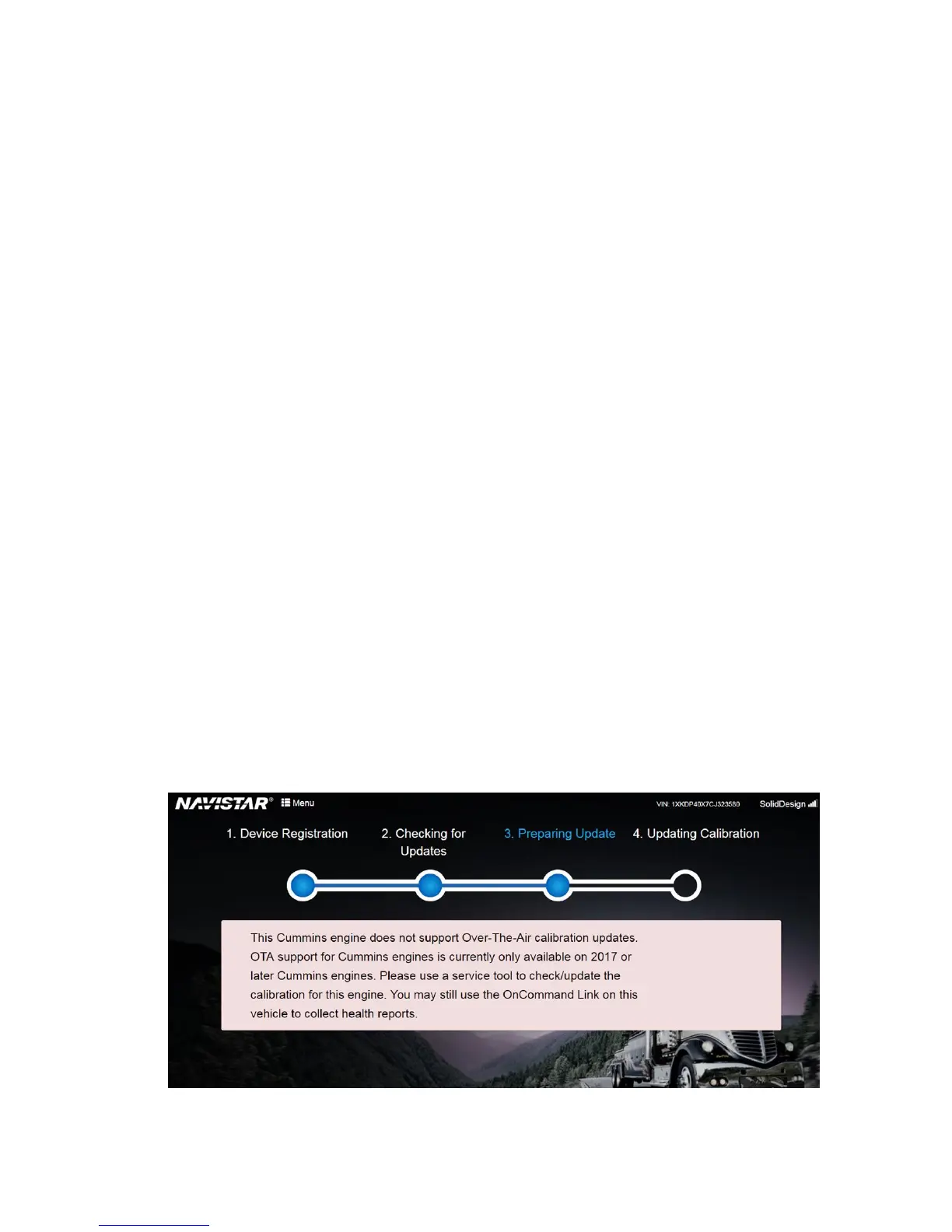
• Currently, Over-The-Air calibration updates are supported on 2017 or later Cummins engines
only. The below message is displayed when OnCommand® Link is connected to an incompatible
Cummins engine (2016 or earlier Cummins engine).


 To Next Page