Page 18 of 31
Programming with OnCommand® Link
To program a calibration update, perform the following:
1. Open a supported browser window on the personal user device (smartphone, tablet or
laptop).
2. Type in the following URL in the browser address box:
http://192.168.100.1
This address must be entered exactly as shown.
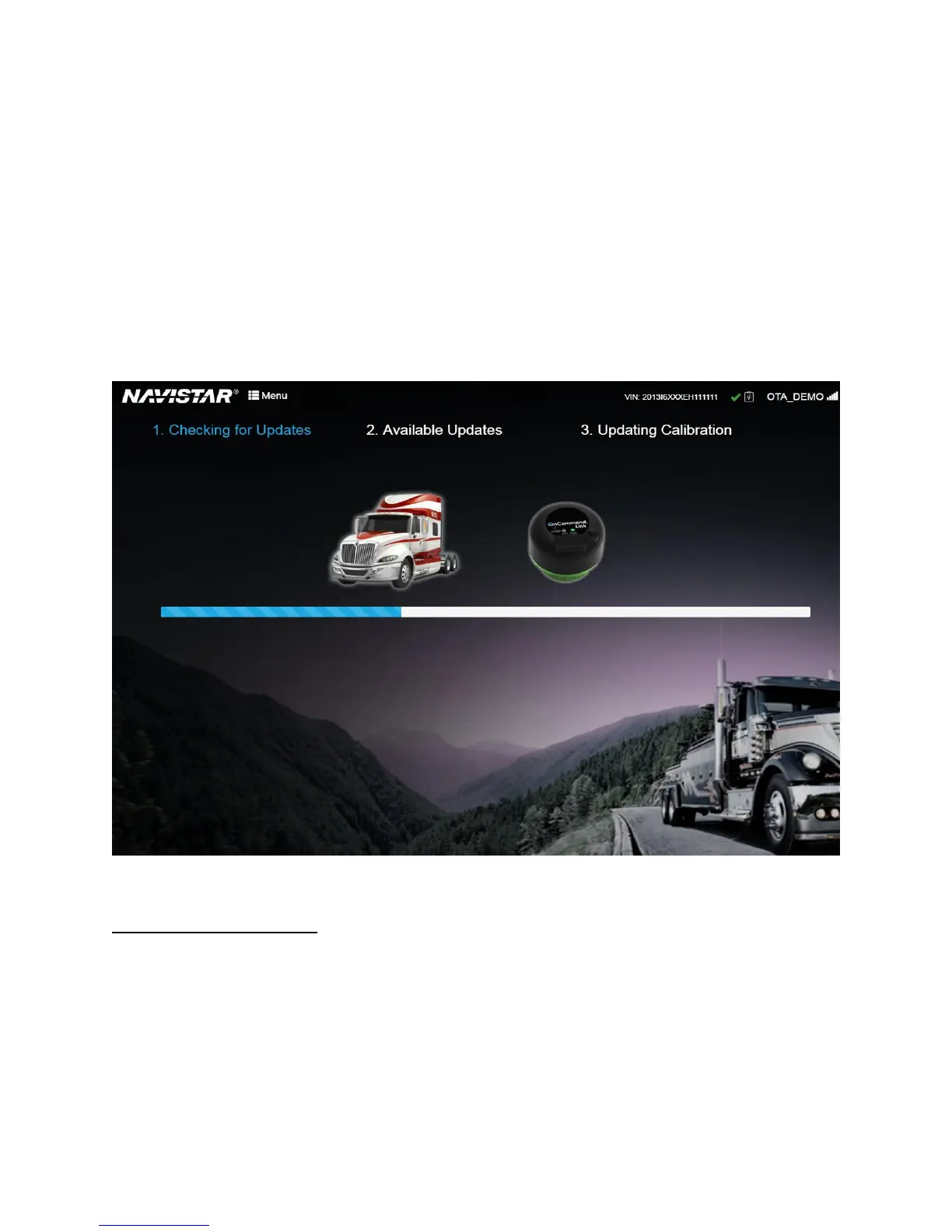
3. Application will check for available updates
This is the initial message displayed when the OnCommand® Link connects to and collects data from the
vehicle CAN bus.
Figure 18. Checking for Updates Screen
Calibration Update Available
This message means that the OnCommand® Link has detected that a calibration update is available for
this vehicle. Click the Update Calibration button to start the calibration update procedure.


 To Next Page