Page 17 of 31
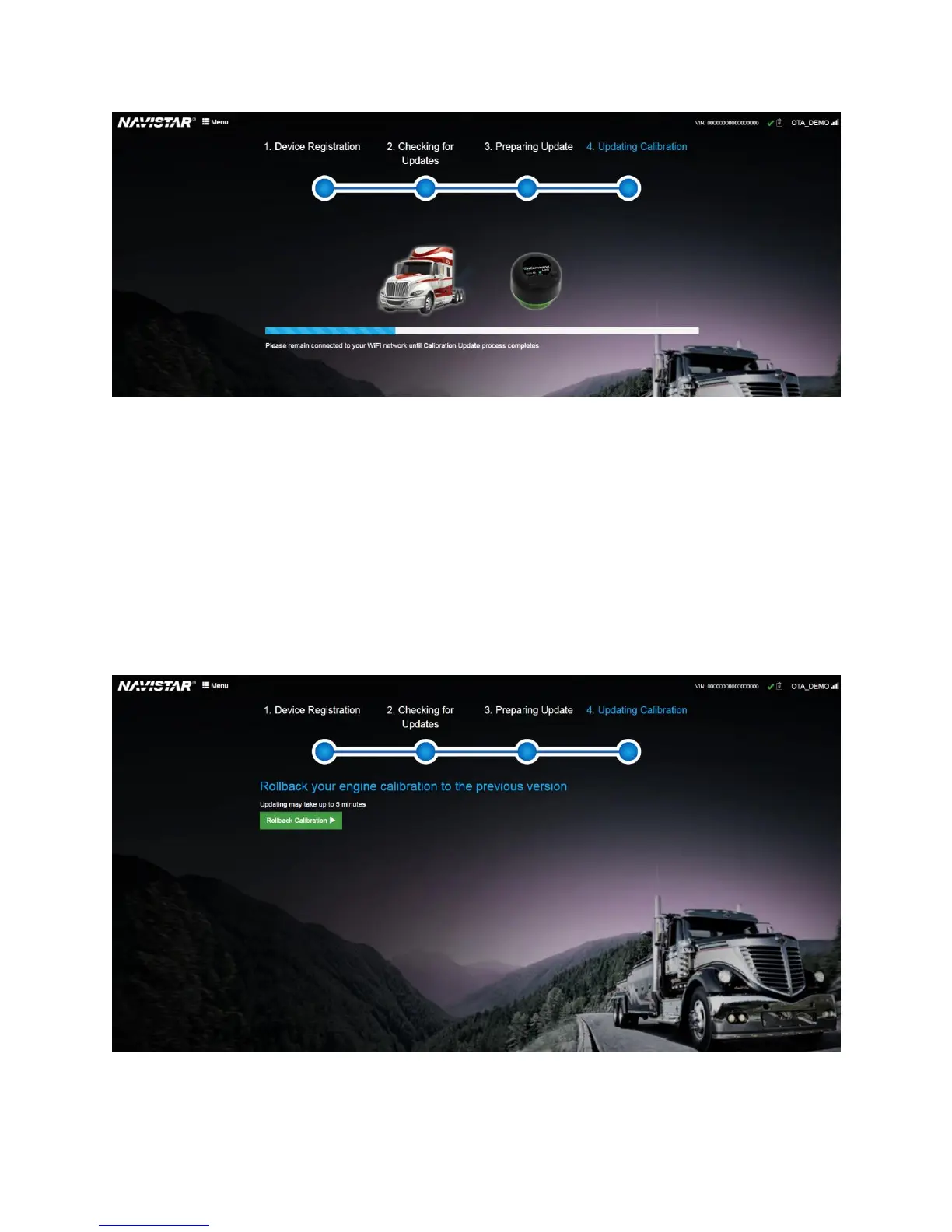
Figure 16. Update Calibration phase: Calibration update in progress
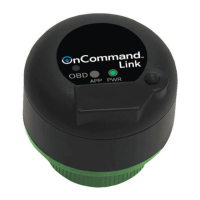
Rollback Calibration on Cummins Engine
In cases where Cummins engine has been updated with an invalid calibration and needs to be reverted
back to an earlier calibration version, backend systems may trigger a rollback command. If you notice a
‘Rollback Calibration’ button on application page, this means backend systems have triggered a
calibration rollback for your engine. Click Rollback Calibration to initiate calibration rollback process.
Please read the warning message and click Accept and Update Calibration to confirm that all mandatory
conditions are satisfied before initiating a calibration rollback.
This process takes 5 minutes to complete.
Figure 17. Rollback Calibration


 To Next Page