Page 16 of 31
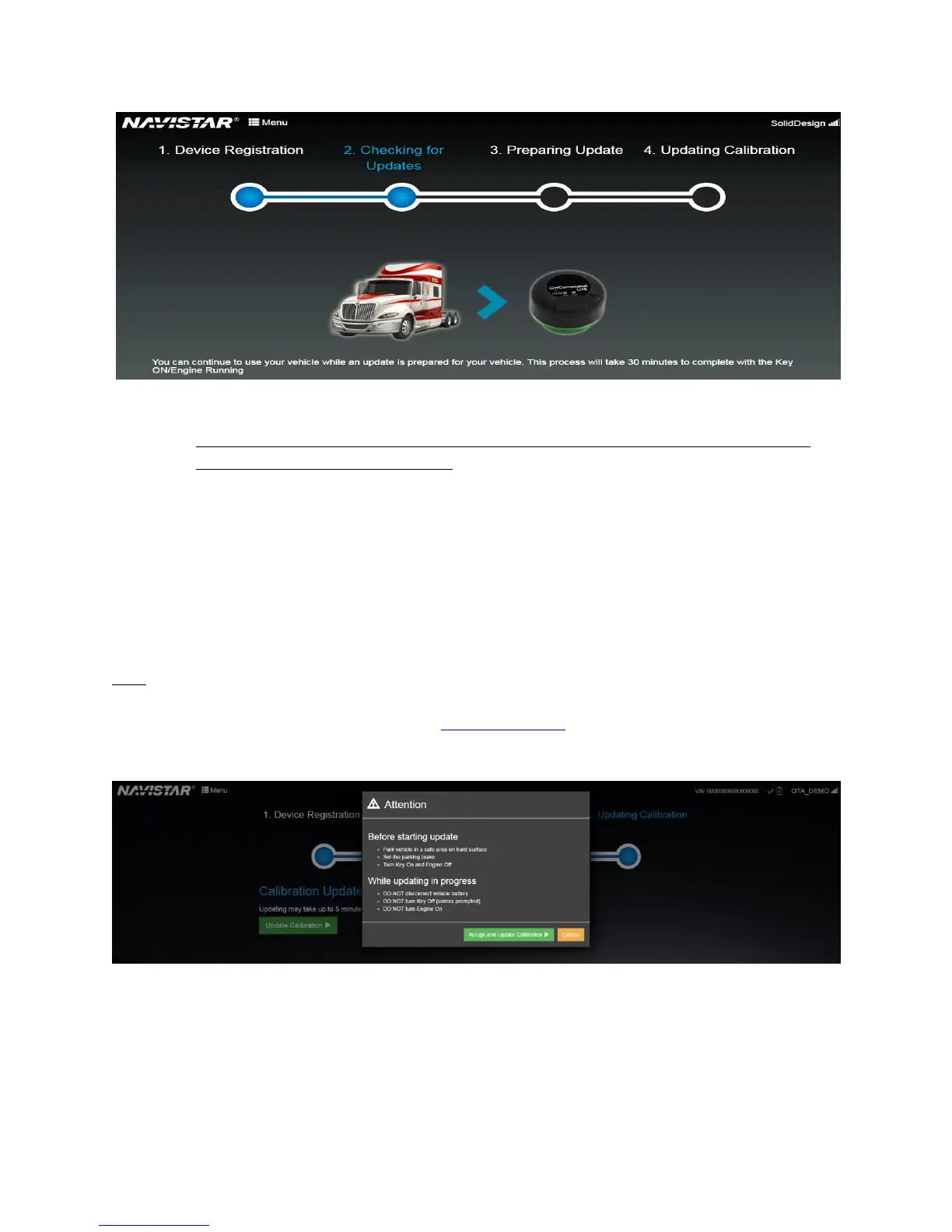
Figure 14. Preparing Update phase: Update available and preparation in progress
4. Update Calibration phase (Triggered when the OnCommand® Link connects to Internet—
after the “Preparing Update phase”):
a. Connect your personal device to the OnCommand® Link and open the OTA
application.
b. This phase is only required if your vehicle needs a calibration update.
c. Click on the ‘Update Calibration’ button to initiate the calibration update process.
Please read the warning message and click Accept and Update Calibration to
confirm that all mandatory conditions are satisfied before initiating a calibration
update.
This process takes 5 minutes to complete.
Note: If fault codes are noticed with flashing lights on the dash after calibration update, please perform
a key cycle (KEY OFF followed by KEY ON) and confirm that no further faults are seen on the dash. If
faults are still seen on the dash, please contact Technical Support
Figure 15. Update Calibration phase


 To Next Page