Page 15 of 31
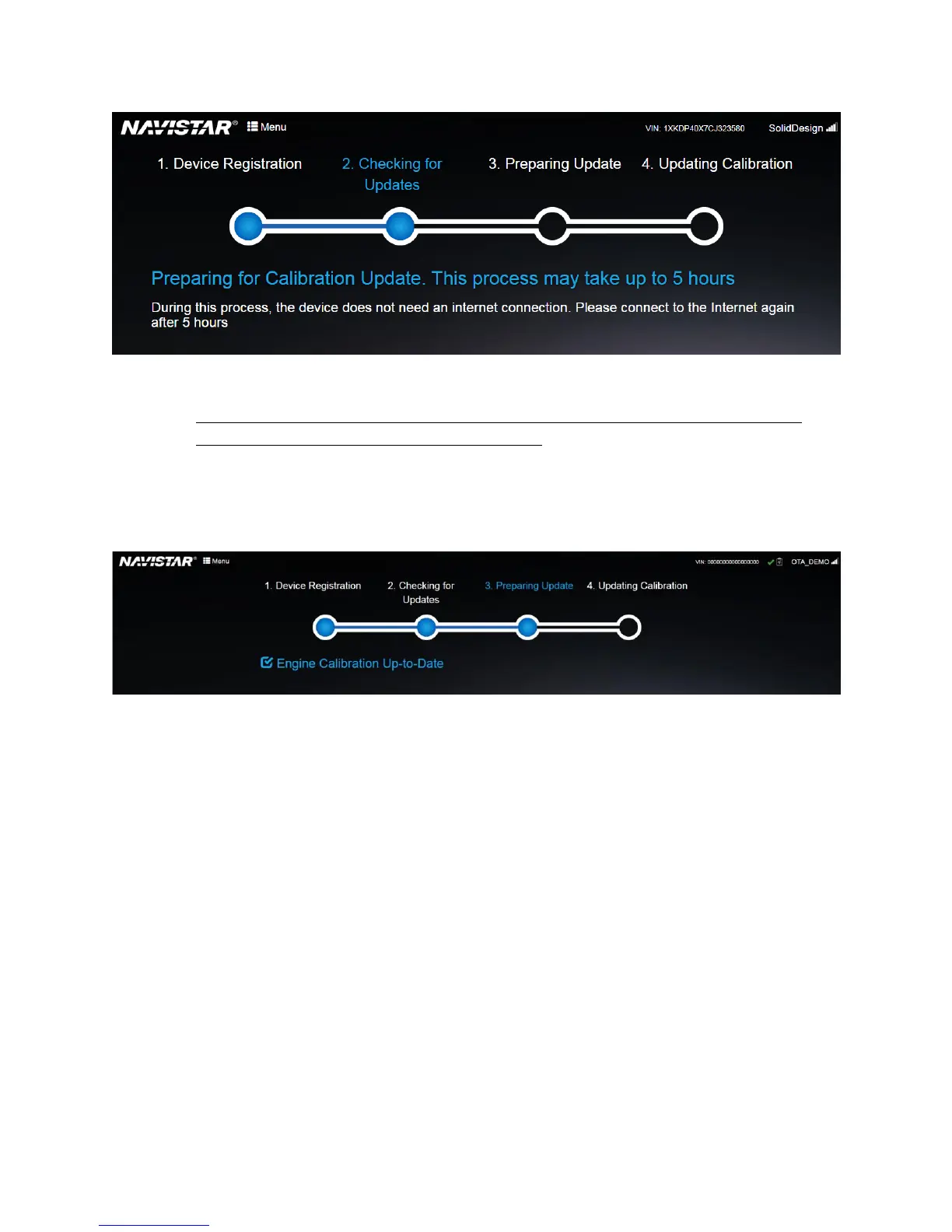
Figure 12. Checking for update phase
3. Preparing Update phase (Triggered when the OnCommand® Link device connects to the
Internet—after the “Checking for Update phase”):
a. Connect your personal device to the OnCommand® Link and open the application
page.
b. If your application displays ‘Engine calibration up-to date’, wait for 5 minutes. If you
still see ‘Engine Calibration up-to date’, your vehicle calibration is up-to date.
Figure 13. Preparing update phase: Engine calibration up-to date
c. If your vehicle needs a calibration update, the application will start preparing your
engine for the update. Preparing the engine takes about 30 minutes. The engine can
be prepared while the vehicle is in motion or in a KEY-ON, ENGINE-OFF state. If the
key is turned OFF, the engine preparation pauses and continues again after the key
is turned ON.


 To Next Page