ONEAN X USER’S MANUAL
10
04
Use and ConfigUration of the eqUipment
4. uSe and conFiguration oF the equiPMent
4.1. batterieS
4.1.1. tranSPort and Storage oF batterieS
• In order to travel with the board, the batteries must be below 20% of charge.
This means that the LED bar must be only showing one LED.
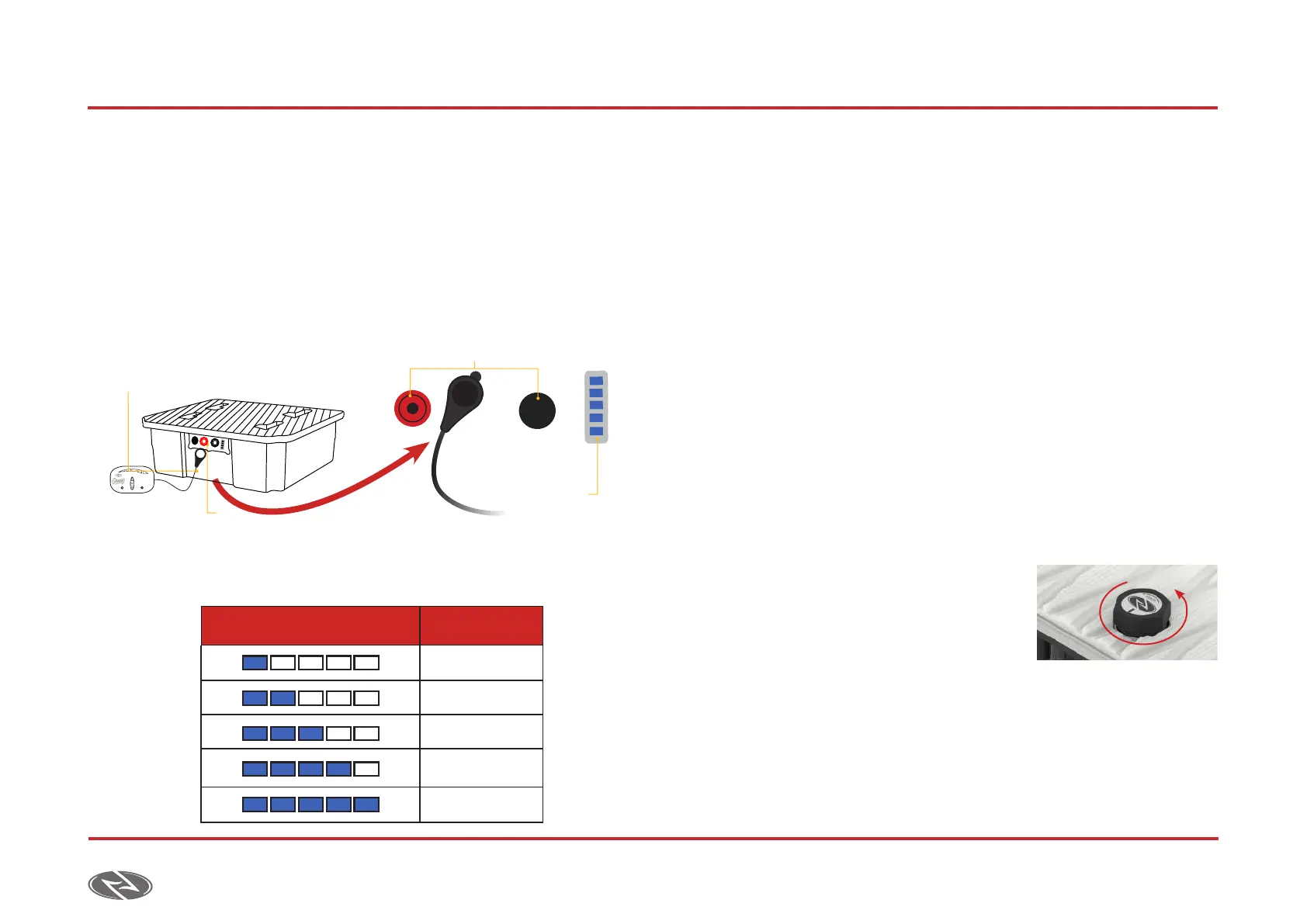
Placing the drop near the battery display you will be able to check the
battery level.
• Do not transport the batteries inside the board unless you intend to
use it immediately.
• Between uses you should store the batteries between 0 ºC and 40 ºC (32
°F and 104 °F) always less than 3 months, in a ventilated area and with
a humidity between 0% - 80%. Do not store the batteries near metallic
objects.
4.1.2. connecting/diSconnecting the batterieS
Always charge the batteries and remote to the fullest before operating the
equipment.
Connection and disconnection of the battery:
1. Check the watertight seal and the battery housing to make sure they are
clean and free of sand. Verify there aren´t any signs of damage or water
inside the battery compartment before use.
2. Turn the vent one full round counter-clockwise. Place the battery
on the pad, near the battery compartment where the battery must
be placed. Once the battery is placed
on the pad, grab it by the upper handle
and place in the battery compartment.
The blue LED on the front of the board
will light up indicating the connection.
Drop
Sensor
Charging
indicator
Battery connectors
SYNC BATTERY
VisualizationVisualization Charge%Charge%
20%
40%
60%
80%
100%



 To Next Page