User Manual v.2.2
OD5+ Serie
OPAL – Your AutoID System Integrator
opal-holding.com
- 22 -
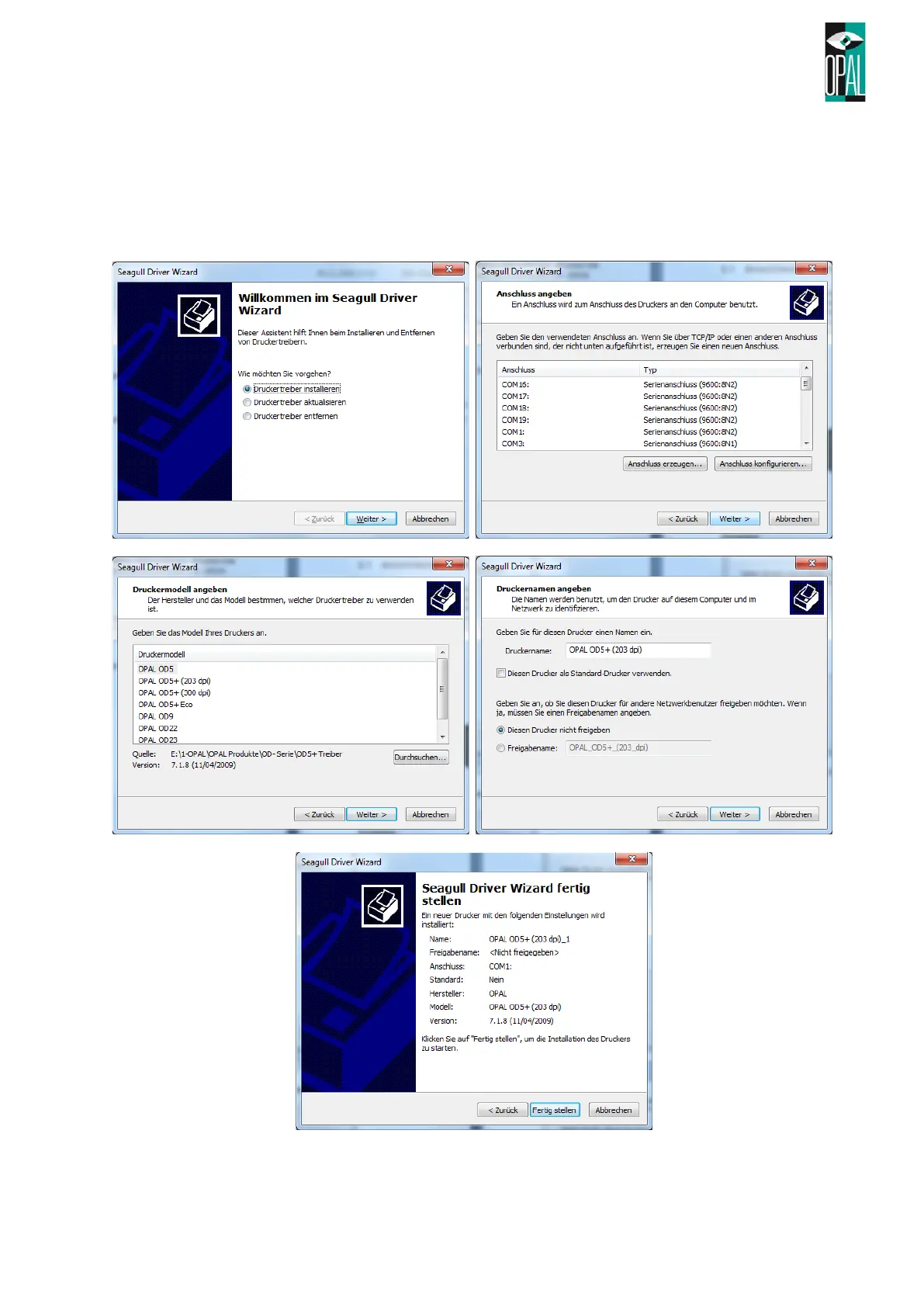
After extracting files and running the driver wizard, the following steps are to do.
1. Select Install Printer Driver
2. Select interface which is printed on
3. Select printer model
4. Set printer name and if required, a network share name
5. Finish the installation



 To Next Page