15
Phonebook
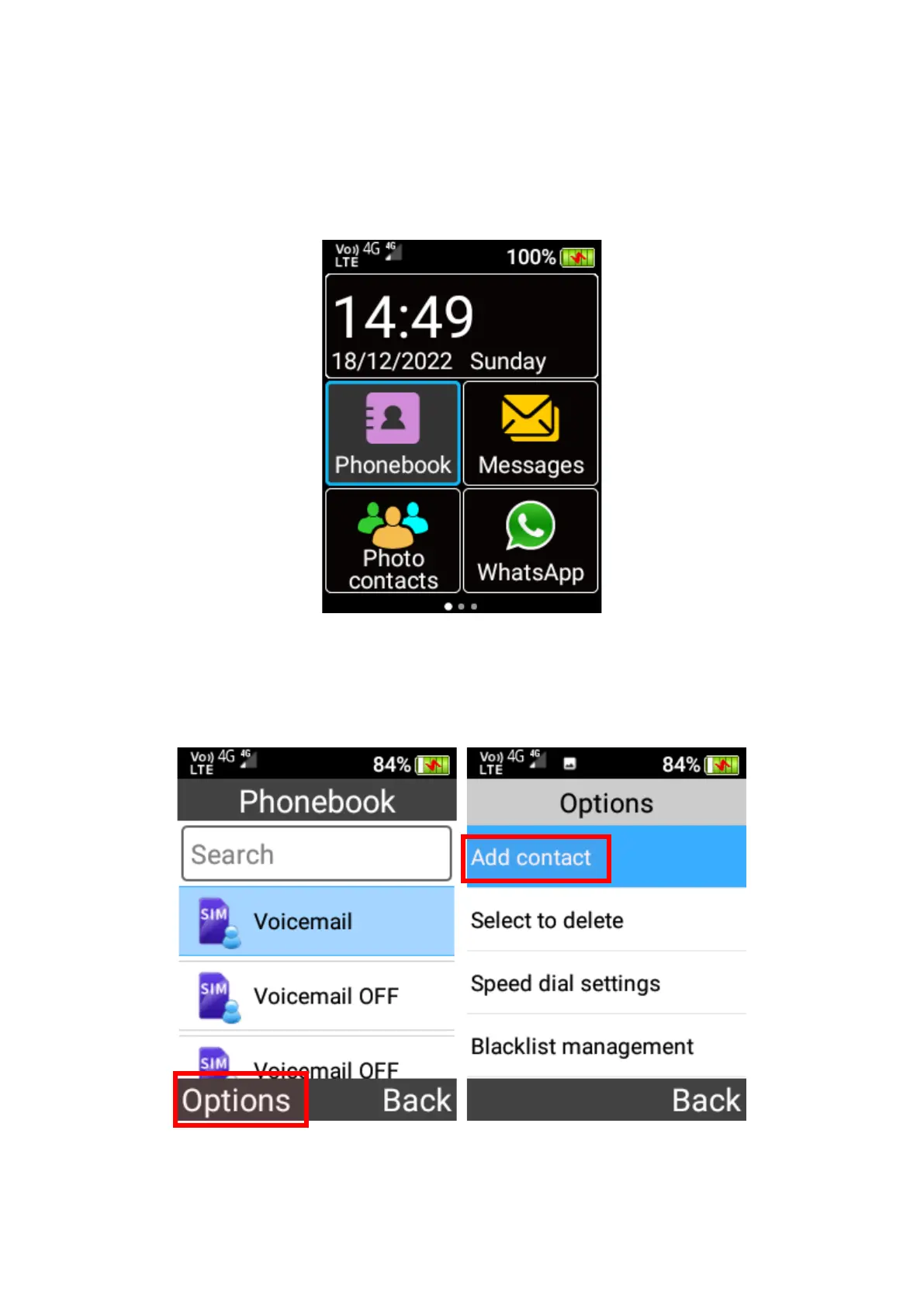
To access Phonebook, scroll across the home screen using the cursor keys and press OK key
on the Phonebook menu icon.
Adding a contact
1. To add a contact, press the left selection key and select Add contact from the menu. Then
select saving the contact To Phone or To SIM memory.
2. Enter in the contact details, then highlight Save button and press the OK key to save this
contact.















 To Next Page