79Infotainment system
0 EJ EC T Eject CD: Press
a CD/AUX Sw itc h to CD mode /
auxiliary input device:
Press
b Auxiliary input jack
c FWD Fast forward during
CD playba ck:
Press and hold
d REV Reverse during
CD playba ck:
Press and hold
e X Sw itc hing on and off:
Press
Volume adjustment:
Turn
f SEEK w Search button
Radio: Search forwa rds
CD: Skip forwards
g SEEKq Search button
Radio:
Search backwards
CD: Skip backwards
h BAND Sw itc h on rad io mo de,
sele ct wave band (FM, AM)
i - CD slot
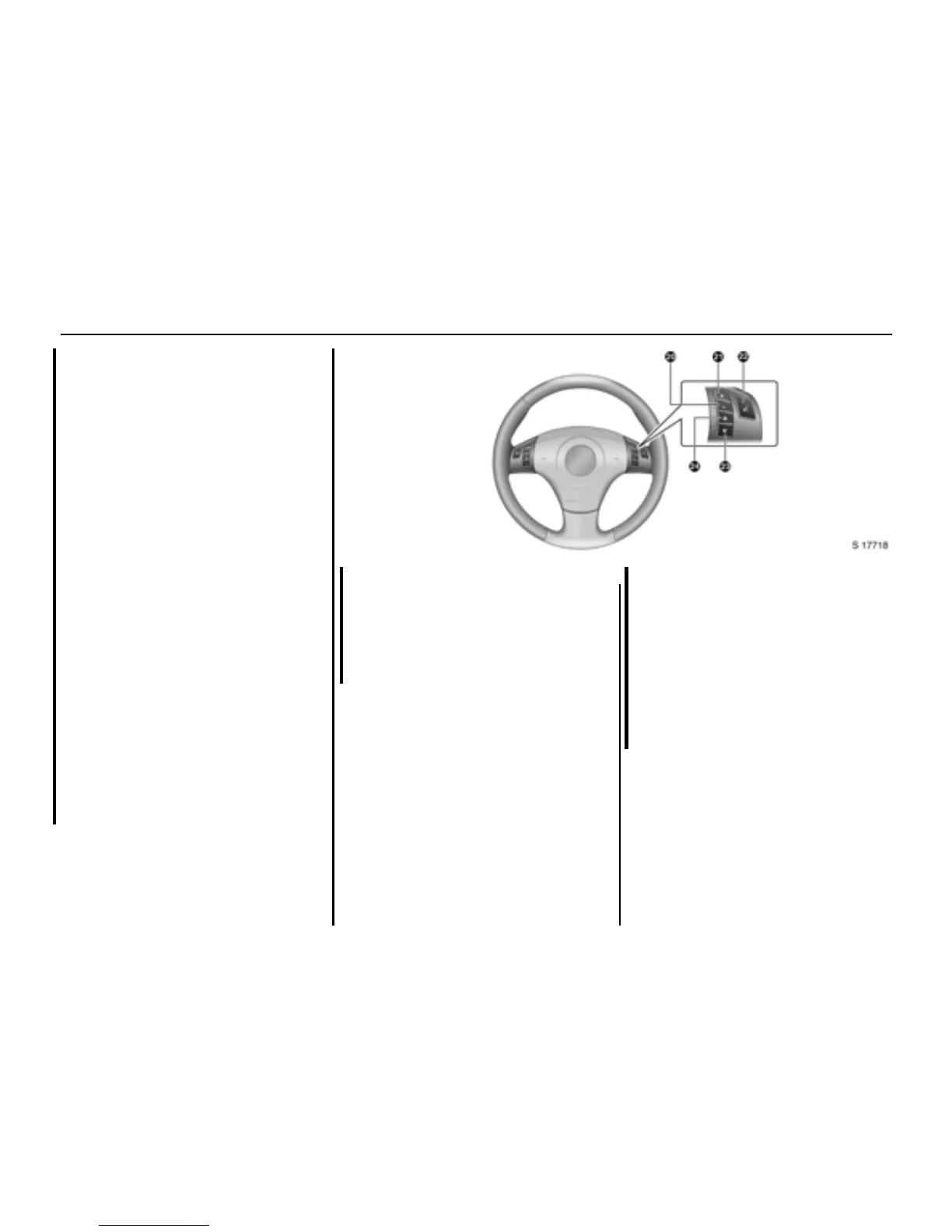
Steering wheel remote control
Audio c ontrols are located on the
right-hand side of the steering wheel.
j ]
]]
] Decrease volume
k <
<<
< Increase volum e
l A Mute button
m I Search button
Radio:
Search ba ckwards
CD:
Skip backwards
n J Search button
Radio:
Search forwards
CD:
Skip forwards








 To Next Page