Maintenance 115
Falcon+ Operator Manual
OPEX Corporation
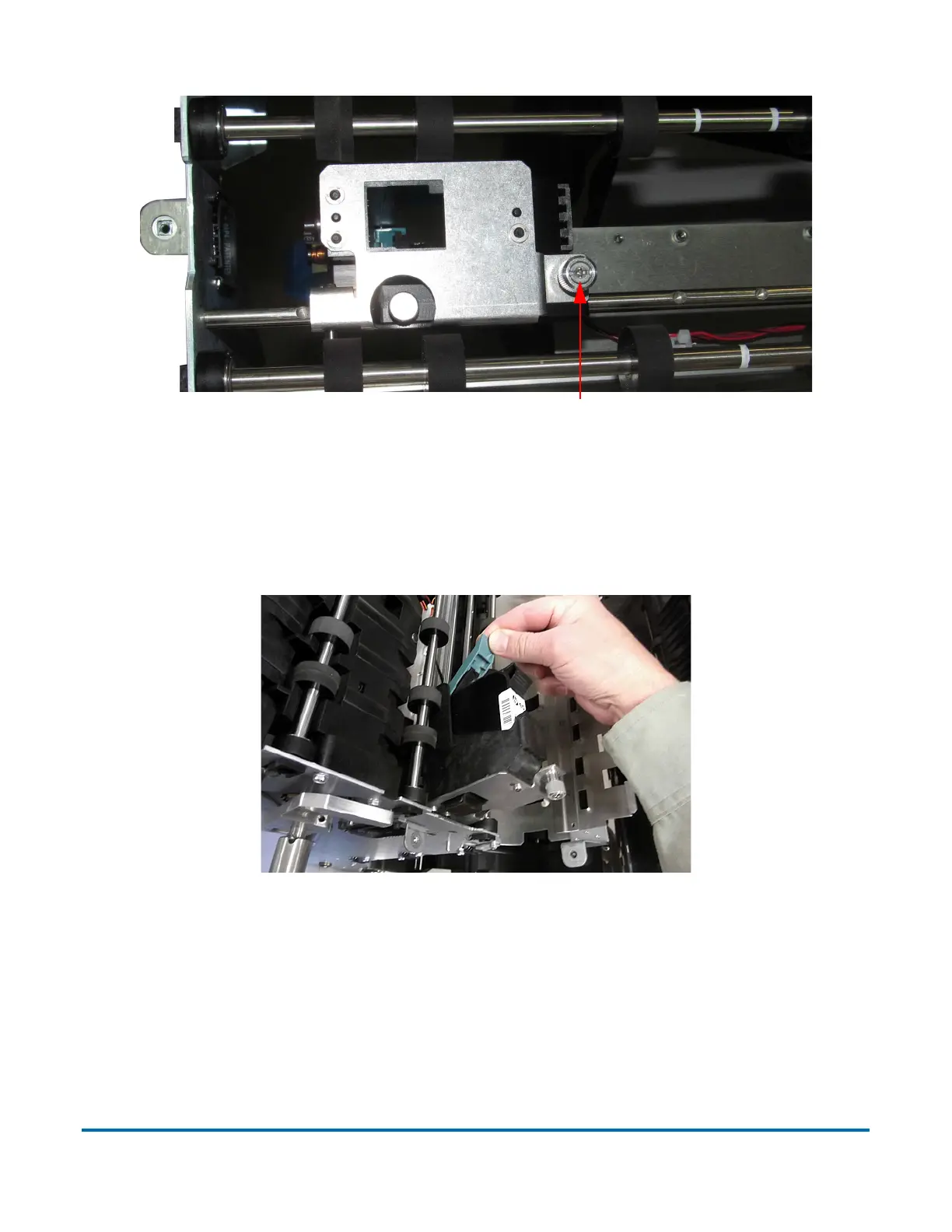
Figure 5-7: Loosen Thumbscrew
5. Pivot the printer assembly towards you.
6. Push the cartridge release lever out of the way (see Figure 5-8).
Figure 5-8: Cartridge Release Lever
7. Once the lever is out of the way, the printer cartridge can be removed from
the assembly by pulling it towards the back of the machine (see Figure 5-9).



 To Next Page