Maintenance
- 31 -
optek-Manual--1004-2003-02--AF45-US-2011-01-04
www.optek.com
9.3 Exchange of detector module
Tool • Screw driver
1. Switch the converter voltage-free.
2. Loosen the sensor cable from the detector module.
3. Loosen the four screws connecting the detector module to the stainless steel
housing.
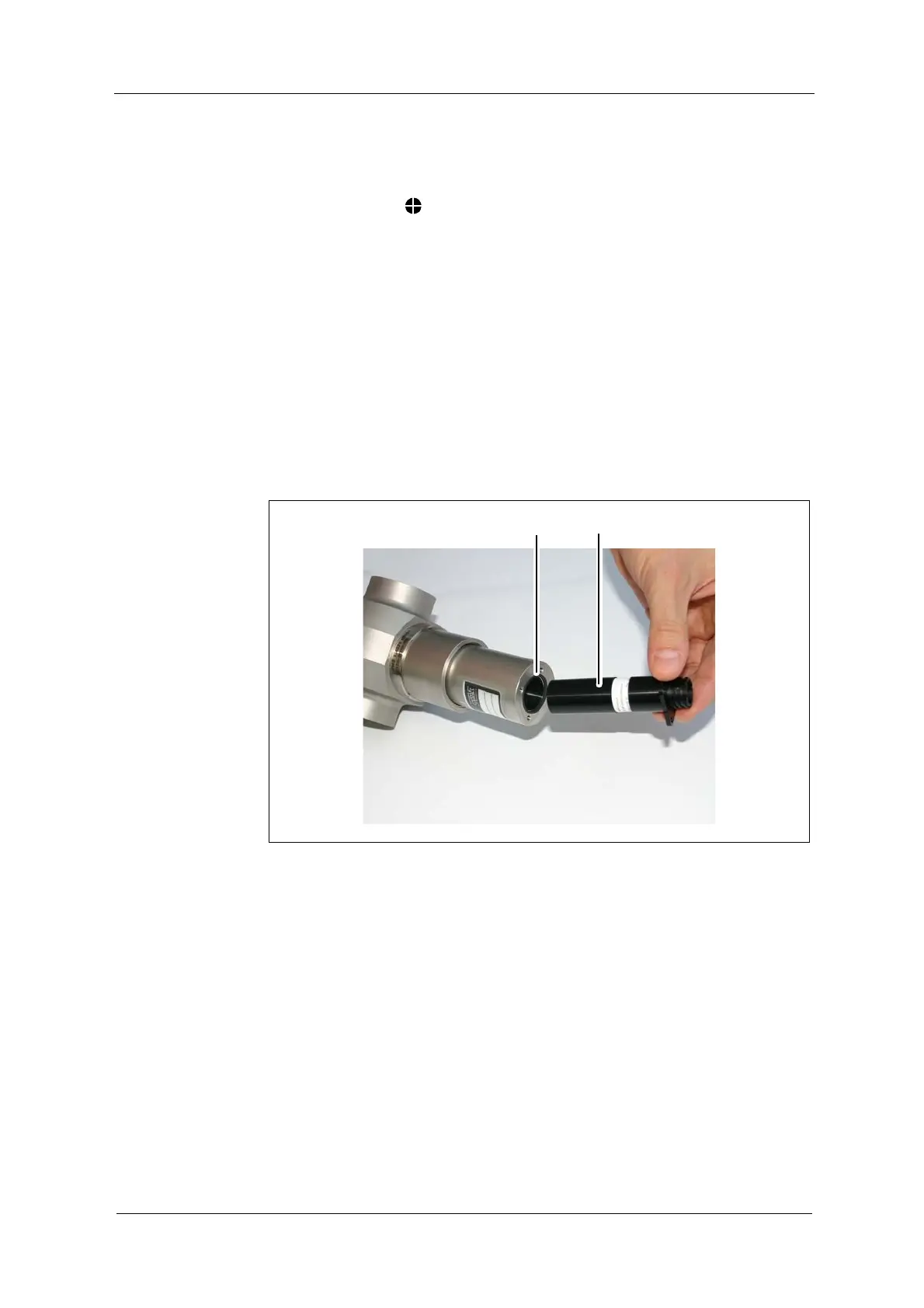
4. Pull out the detector module (19, fig. 27).
5. Check if there is an O-Ring (18, fig. 27) for the detector module.
6. Insert the new detector module into the sensor.
7. Fasten the four screws. Now, the detector module is fit in the sensor.
8. Re-connect the sensor cable.
9. Switch on the measuring system.
10. Follow the instructions given in chapter 9.4, page 32.
Fig. 27 Exchange of the detector module


 To Next Page