Maintenance
- 34 -
optek-Manual--1004-2003-02--AF45-US-2011-01-04
www.optek.com
Absorption measure-
ment with reference
filter
To measure the absorption value with reference filter, carefully insert the refer-
ence filter into the optical beam path of the sensor. At the factory, the reference
filter has been installed into a filter holder to make this procedure possible. This
filter holder and the reference filter fit into the sensor. Two pilot pins allow exact
positioning of the filter holder and thus very good reproducibility of the measur-
ing results.
Proceed as follows:
1. Loosen the two screws of the detector adapter's sealing cover.
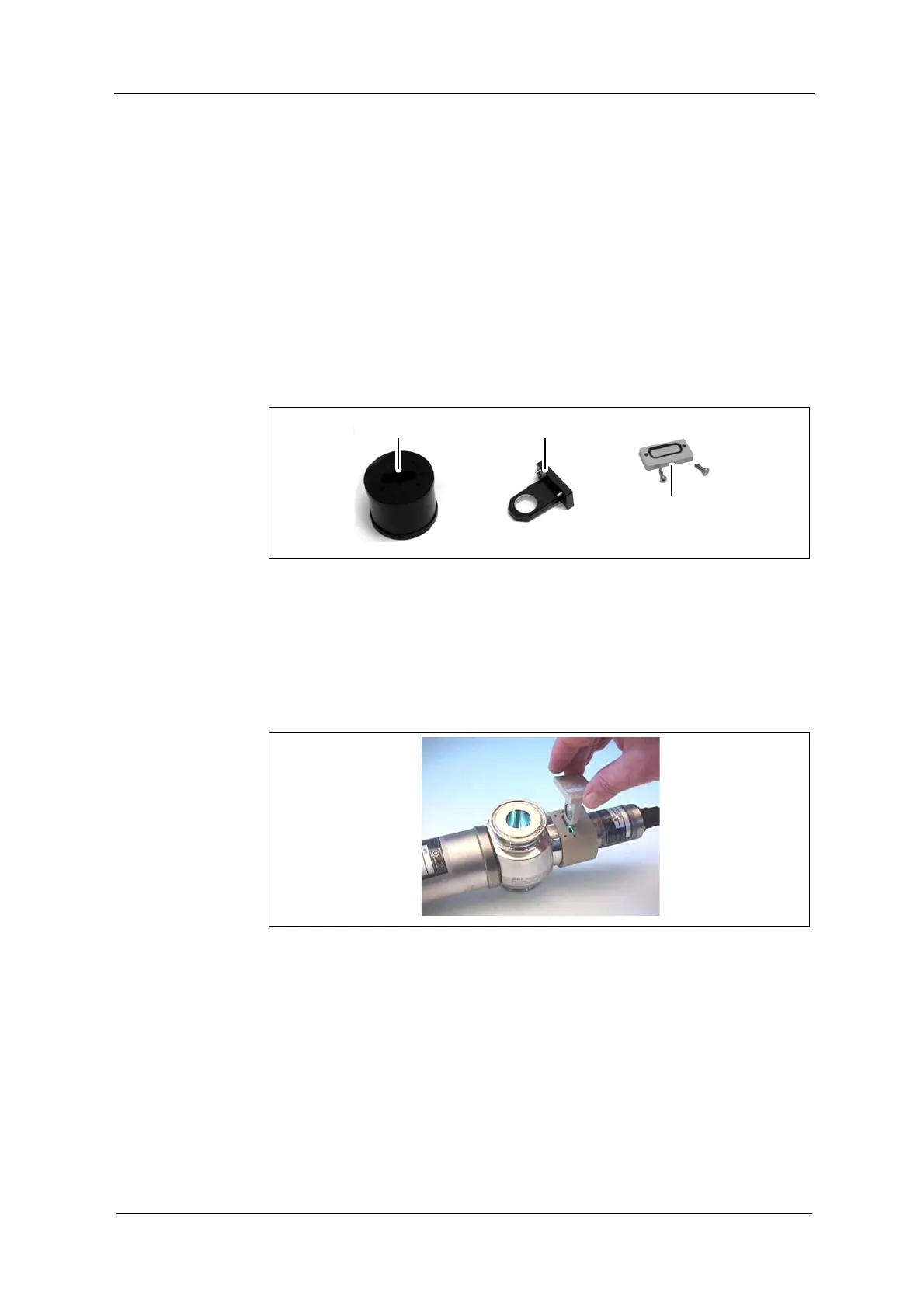
2. Remove the sealing cover with screws and O-Ring (39).
3. Take the filter holder (38) out of the filter protector (37).
Fig. 28 Filter protector, filter holder and detector adapter's sealing cover
4. Visually inspect the reference filter for dust or other soiling (e. g. finger-
marks) and clean it if necessary.
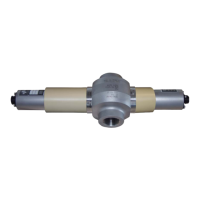
5. Insert the filter holder into the detector adapter. The pilot pins have to enter
the alignment holes.
Fig. 29 Inserting the reference filter's filter holder
6. Check the correct fitting of the filter holder.
7. Screw the filter holder into the sensor.
8. Protocol the measuring result with reference filter installed.


 To Next Page