APPLICATION AND OPERATION: Messaging
40
ENGLISH
Messaging
Use Messaging to send and receive text and MMS messages.
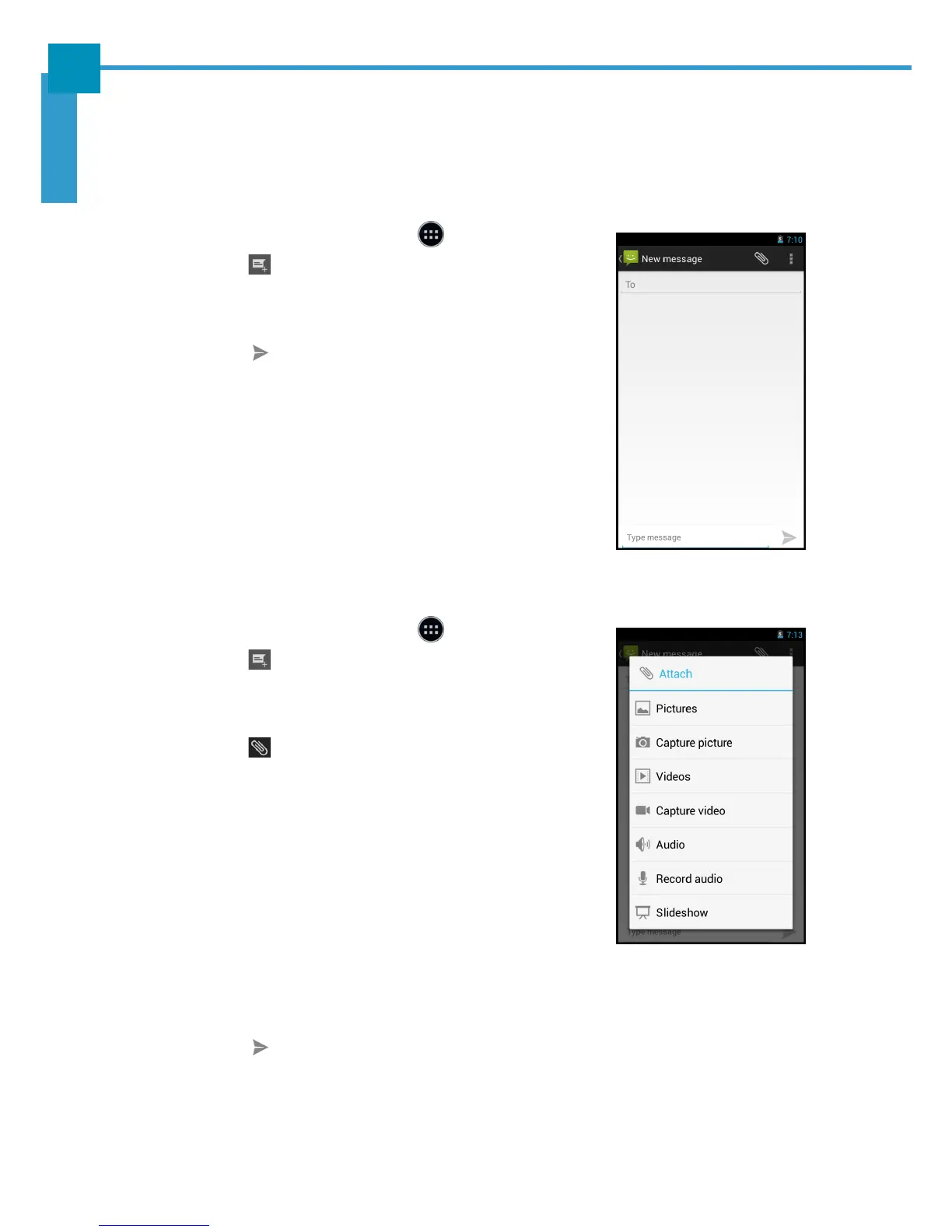
Creating and Sending a Text Message
1. On the Home screen, touch > Messaging.
2. Touch .
3. Enter the recipient’s phone number in the To field.
4. Compose the message.
5. Touch to send the message.
NOTE: By exiting Messaging before sending the message,
the unsent message will be automatically saved as
a draft.
Adding an Attachment to a Message
1. On the Home screen, touch > Messaging.
2. Touch .
3. Enter the recipient’s phone number in the To field.
4. Compose the message.
5. Touch to add an attachment and select one of
the following options:
• Pictures: Select to attach a photo from Gallery.
• Capture picture: Select to take a picture to
attach.
• Videos: Select to attach a video clip.
• Capture video: Select to record a video to
attach.
• Audio: Select to attach an audio file.
• Record audio: Select to record the voice to attach.
• Slide show: Select to attach a slideshow.
6. Touch to send the message.



 To Next Page