25
"/dd(%(O$d$d&(%())<
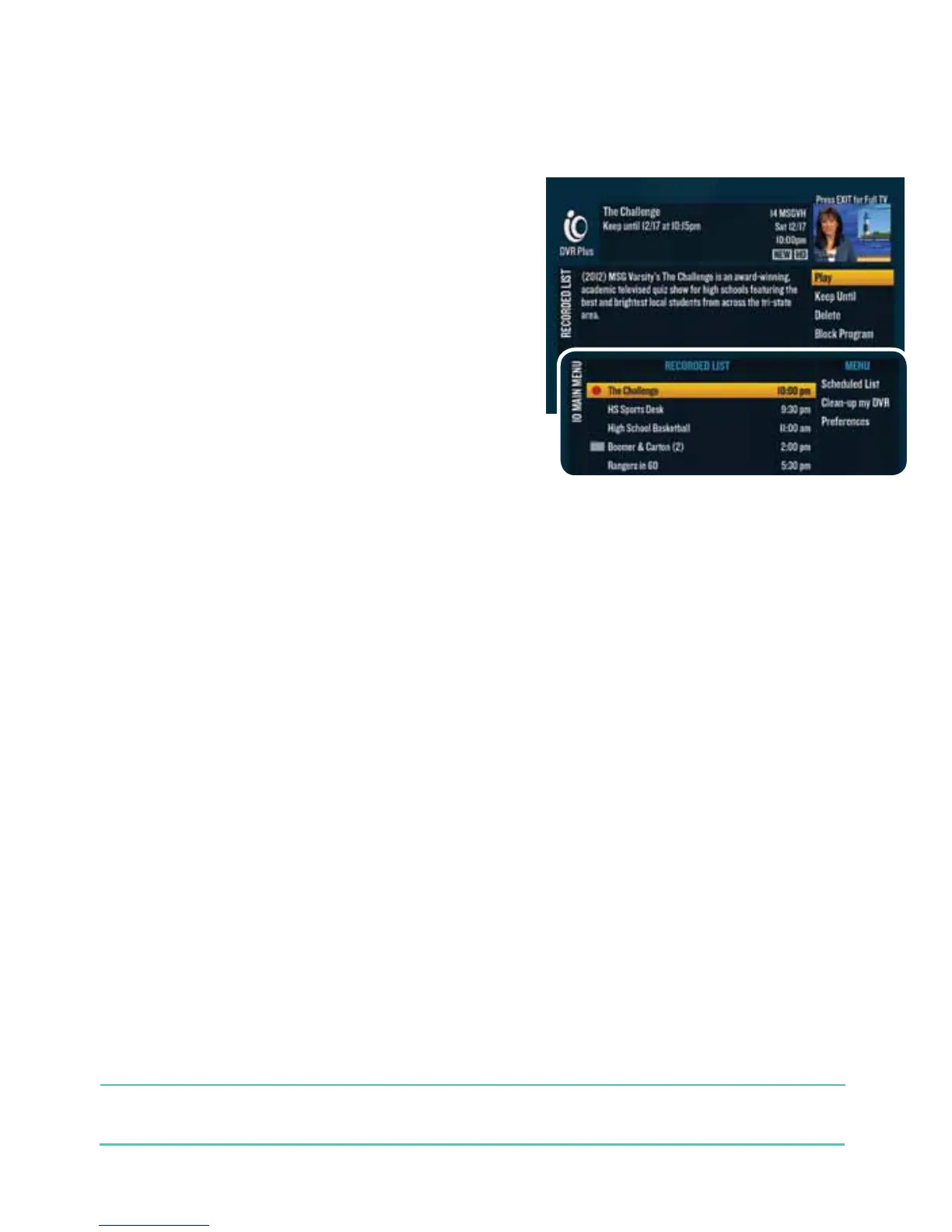
2d Press dor go to $$"d2112 to get the Recorded List.
If you have a DVR digital cable box, when you press ,
you’ll get only programs recorded on that particular digital
cable box
.
3d Use thed to highlight the program that is currently
recording. An active recording will have a red dot next to its
name. If the program you’re looking for is a series, you’ll find
it in the series folder.
4d Highlight “Play” from the right-hand menu and choose
“Play from beginning” or “Play from current location”
and press .
³%%!#(!$<
There’s nothing worse than losing your place. With Bookmarking, you won’t have that heartache anymore.
Let’s say you were interrupted while watching a program you recorded. Multi-Room DVR lets you resume right
where you left off because a bookmark was created for you.
2d Press or go to $$"d2112 to get the Recorded List.
3d Use the dto highlight the program you want to play back.
4d Select “Resume” from the right-hand menu to continue watching the program where you left off or
choose “Restart” to watch from the beginning.
&¶dA folder icon appears to the left of a program’s name if more than one episode of the same
program is recorded.



 To Next Page