29
Standard DVR services req a digital cable box with DVR capabilities. Multi-Room DVR requires at least one (1) non-DVR digital cable box. Multi-Room DVR
is not available in all areas. See optimum.com/dvrplus for details. Terms & conditions apply. To view Optimum TV on iPad
®
, iPod touch
®
, iPhone
®
, Kindle Fire,
Android or laptop requires Optimum TV w/cable box or CableCARD, Optimum-authorized modem and wireless home router. Minimum system requirements
apply and the Optimum App requires application download and installation. Viewing Optimum TV on laptop not currently available to customers who
subscribe only to Optimum TV. iPad
®
, iPod touch
®
, iPhone
®
are registered trademarks of Apple Inc. All rights reserved. Kindle Fire is a registered trademark
of Amazon, Inc. Optimum, the Optimum family of marks and Optimum logo are registered trademarks of CSC Holdings, LLC. ©2013 CSC Holdings, LLC.
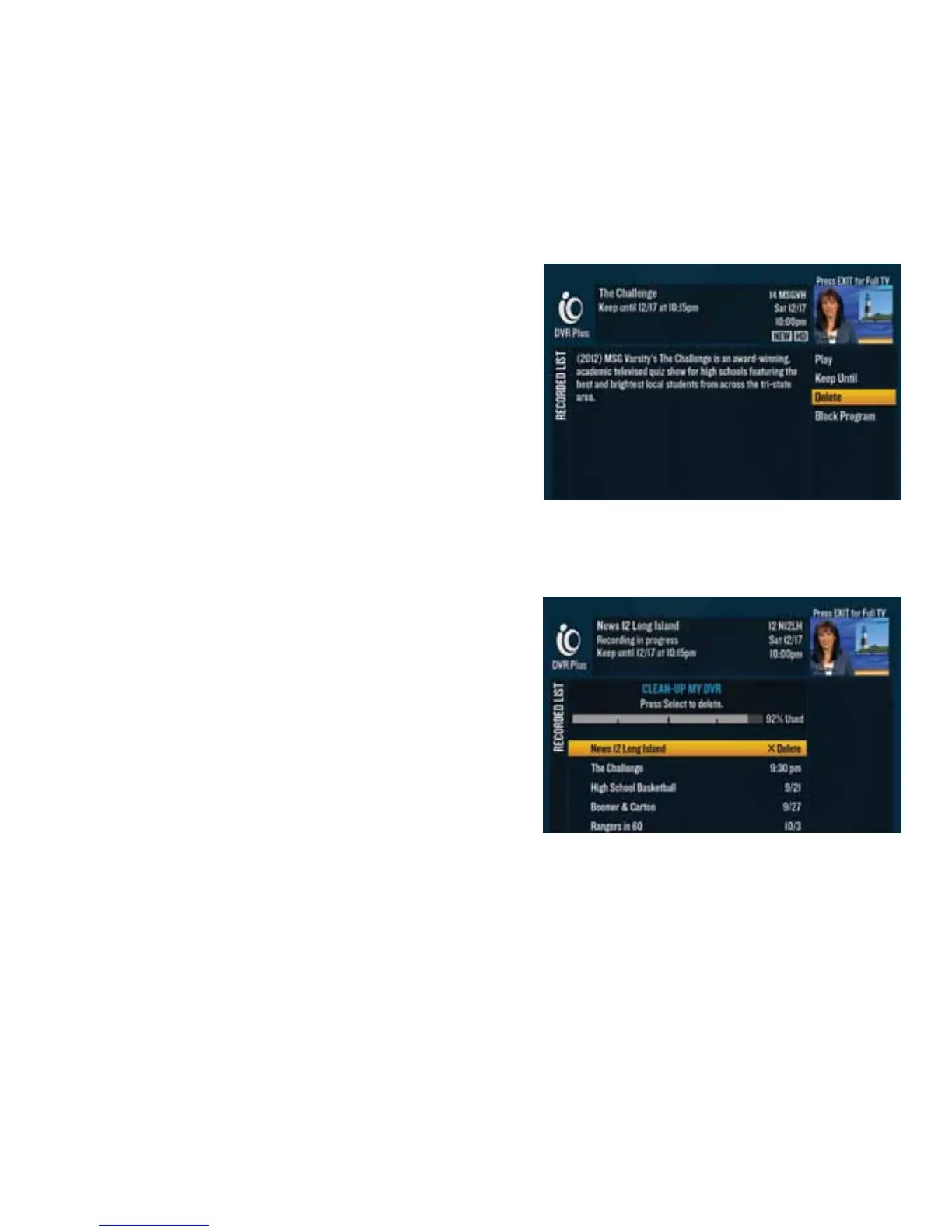
Delete.
Done watching your program? Easily delete it to maintain recording space for your future favorites.
"*dd&(%(#<
2d Press or go to $$"d2112 to get the Recorded List.
If you have a DVR digital cable box, when you press ,
you’ll get only programs recorded on that particular digital
cable box
.
3d Use the to highlight the program you want to
delete and press .
4d Highlight “Delete” from the right-hand menu and press
. Highlight “Yes, delete” from the warning screen
to delete.
Once a program has been deleted, its content will no
longer be available.
"*dd&(%(#d(%#d"$C+&d/d<
2d Press or go to $$"d2112 to get the Recorded List.
3d Highlight “Clean-up My DVR” on the right-hand menu and
pressd.
4d Use the to highlight the program you wish to
delete and press to instantly delete it.
Once a program has been deleted, its content will no
longer be available.
"*dd%"O(d(%#d"$C+&d/d<
2d Press or go to $$"d2112 to get the Recorded List.
3d Highlight “Clean-up My DVR” on the right-hand menu and press .
4d Use the to highlight the folder and press .
5d Highlight “Delete entire folder” and press to instantly delete it.
Once a folder has been deleted, its content will no longer be available.



 To Previous Page