EasyManua.ls Logo

Optimus 40 - User Manual

Optimus 40
26 pages
Print Icon
To Next Page IconTo Next Page
Loading...
OWNERÕS MANUAL
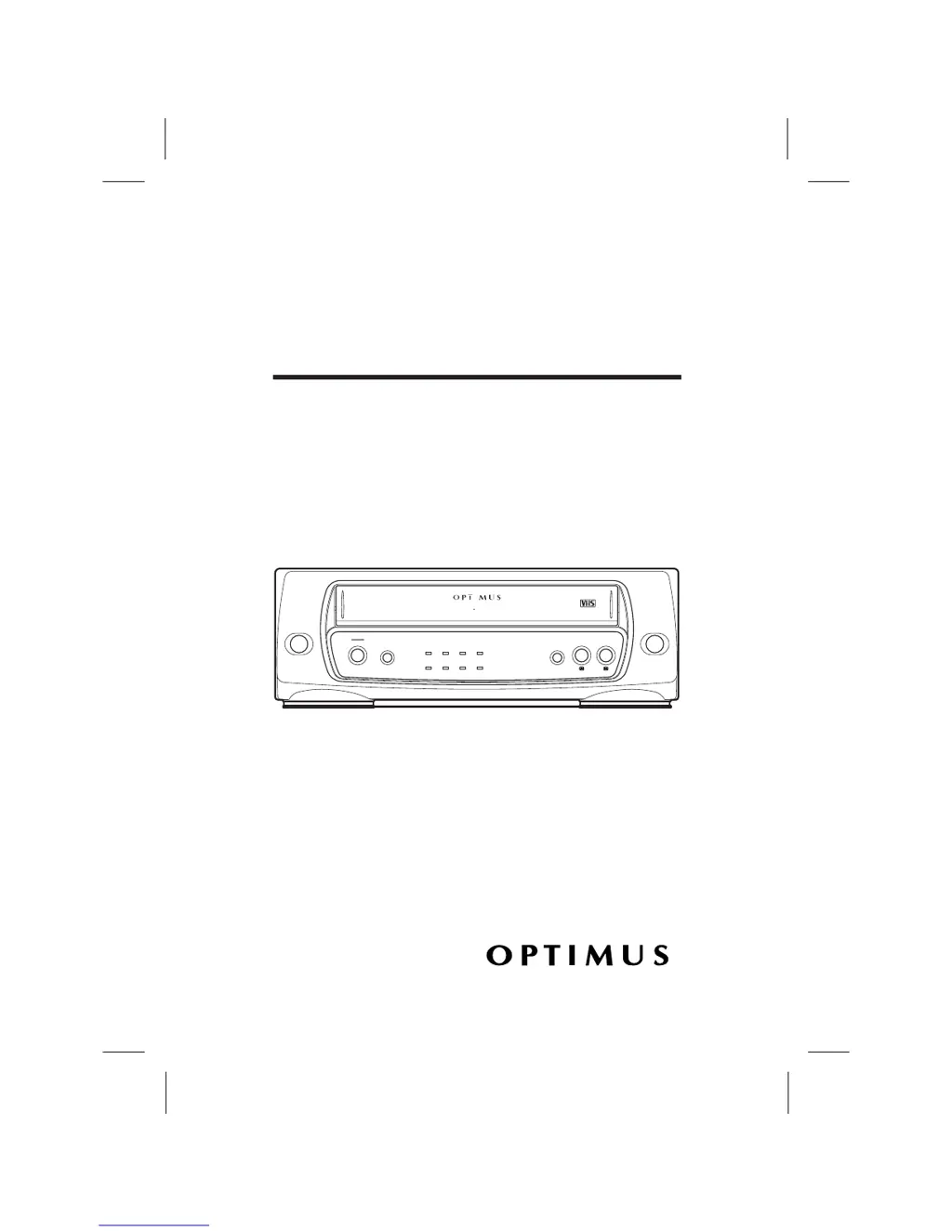
Model 40
AC-DC Video Cassette Player
Please read before using this equipment.
¨
POWER
STOP
STILL
REWIND
PLAY
POWER
EJECT
REWIND PLAY FAST F
-
FAST F
-
REPEATA-
REPEATA-
CST.INDEWTV/ VCP
VIDEO CASSETTE PLAYER
MODEL 40
AC
/DC 12V OPERATION DIGITAL AUTO TRACKING
Cat. No. 16-430

Questions and Answers

Summary

Features

Automatic Repeat Playback

Allows the VCP to automatically rewind and replay the tape upon reaching the end.

Digital Auto Tracking

Automatically adjusts playback heads for optimal alignment with recorded tracks.

Dew Protection System

Prevents tape playback when moisture is detected on the tape heads.

Soft-Touch Controls

Provides easy and convenient operation of the VCP's functions.

General Safety Warnings

Electrical Shock and Fire Hazards

Warnings about exposure to rain, moisture, and opening the product case.

Symbol Explanations

Alerts regarding uninsulated voltage and important operating instructions.

Important Safety Instructions

Product Usage Precautions

Guidelines for cleaning, attachments, water, and placement to ensure safe operation.

Power and Connectivity Safety

Instructions for power sources, plugs, and antenna grounding.

Operational Hazards

Warnings about lightning, power lines, overloading, liquid entry, and servicing.

Damage and Repair Safety

Information on replacement parts, damage requiring service, and heat precautions.

Preparation

Included Accessories

Lists and describes connection accessories provided with the VCP.

Choosing a Location

Recommendations for selecting an installation site to ensure safe and effective operation.

Making Connections

Connecting a Standard TV

Steps to connect the VCP to a TV without separate audio/video inputs via RF cable.

Connecting a TV Monitor

Steps to connect the VCP to a TV/monitor with separate audio/video inputs.

Connecting a VCR

Instructions for connecting the VCP to a VCR for tape copying.

Setting the Channel Switch

Connecting Power

Using AC Power

Details on powering the VCP from a standard AC outlet using the adapter.

Using Vehicle Battery Power

Instructions for powering the VCP from a vehicle's cigarette-lighter socket.

Dew Protection System

Installing Remote Control Batteries

VCP Status Display

How to Access Menu

Operation

Using the Remote Control

Guidance on operating the VCP functions using the provided remote.

Playing a Video Tape

Step-by-step instructions for loading and playing video cassettes.

Fast-Forward and Rewind

How to use the fast-forward and rewind functions for tape navigation.

Visual Search

Method for quickly locating sections of a tape by playing at a faster speed.

Freeze-Frame

Instructions for pausing playback to view a single frame.

Auto Repeat Playback

Setting the VCP to continuously play, rewind, and repeat a tape.

Adjusting Tracking

Manual adjustment of tracking for optimal picture quality on worn tapes.

Watching Broadcast TV

How to tune and watch broadcast television programs through the VCP.

Copying a Video Tape

Procedure for copying video tapes from the VCP to a VCR.

Troubleshooting Guide

Common Symptoms and Solutions

Lists common VCP issues like no power, poor picture, or noise, with their remedies.

Care and Maintenance

General Care Recommendations

Advice on keeping the VCP dry, clean, and protected from temperature extremes.

Cleaning Video Heads

Video Tape Tips

Replacing the Fuse

FCC Compliance Information

Specifications

General Specifications

Details on television system, tape speed, output, power, dimensions, and weight.

Electrical Specifications

Technical data for video/audio output levels, impedance, and signal-to-noise ratios.

RadioShack Limited Warranty

Optimus 40 Specifications

General IconGeneral
BrandOptimus
Model40
CategoryVCR
LanguageEnglish

Related product manuals