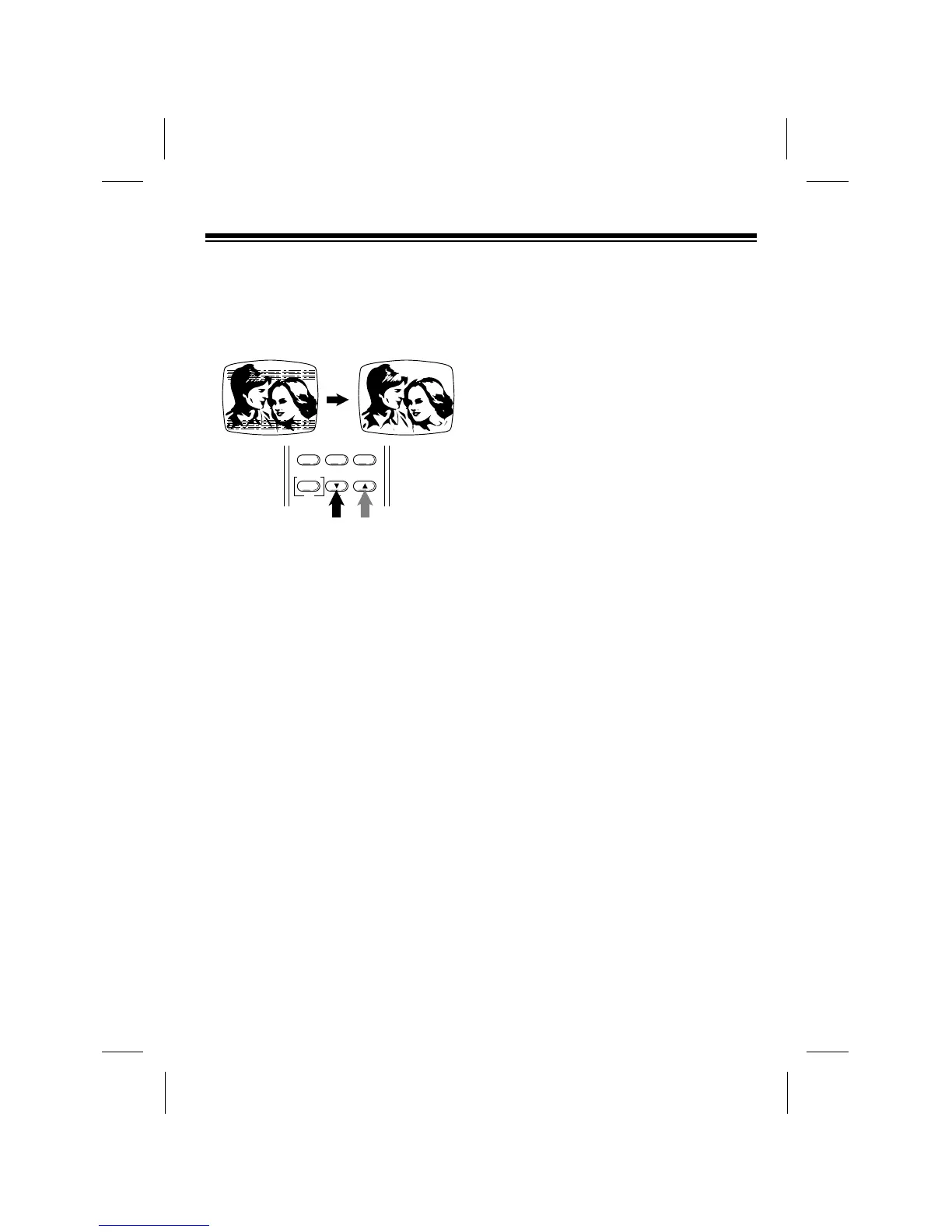
For poor quality or worn tapes, you might
need to further adjust the VCPÕs tracking.
To adjust the picture tracking manually,
press and hold down TRACKING ▼ or ▲
until the picture improves.
WATCHING
BROADCAST TV
To watch broadcast TV if you connected
the TV using the VCPÕs RF.OUT jack,
simply press TV/VCP to turn off the
TV/VCP indicator, then tune to the
desired station on the TV.
COPYING A VIDEO TAPE
If you connected a VCR to the VCP (see
ÒConnecting a VCRÓ on Page 9), you can
use your VCP to play back a video cas-
sette tape while the VCR records (cop-
ies) it.
Follow these steps to copy a video cas-
sette tape.
1. Load a pre-recorded tape into the
VCP.
2. Load a blank video cassette, or one
you want to record over, into the
VCR.
3. If the VCR has an input select
switch, set it to the video setting.
Note: If the VCR does not have an
input select switch and you later
want to record VHF/UHF/cable
channels on the VCR, you might
need to disconnect the VCP from
the VCRÕs audio/video input jacks.
4. Select the desired recording speed
on the VCR.
5. Begin recording on the VCR.
6. Press PLAY on the VCP to begin
tape playback.
7. To watch the tape while you copy it,
turn on the TV or TV monitor. If you
connected a TV using the VCRÕs
RF.OUT jack, tune the TV to the
same channel (3 or 4) to which you
set the VCRÕs CHANNEL switch.
Copyright Information: Most material
performed in public, such as concerts,
plays, and movies, or distributed on pre-
recorded video tapes is copyrighted. The
unauthorized recording or duplication of
copyrighted material is a violation of the
copyright laws of most countries and
such duplication may result in fines and/
or imprisonment. Note, however, that in
the United States, it is not a violation of
U.S. copyright laws for a consumer to
record a broadcast television program
for private (in-home) viewing.
19



 To Next Page