TROUBLESHOOTING GUIDE
If your VCP is not performing as it should, these suggestions might help. If you still
cannot solve the problem, take the VCP to your local RadioShack store for assistance.
20
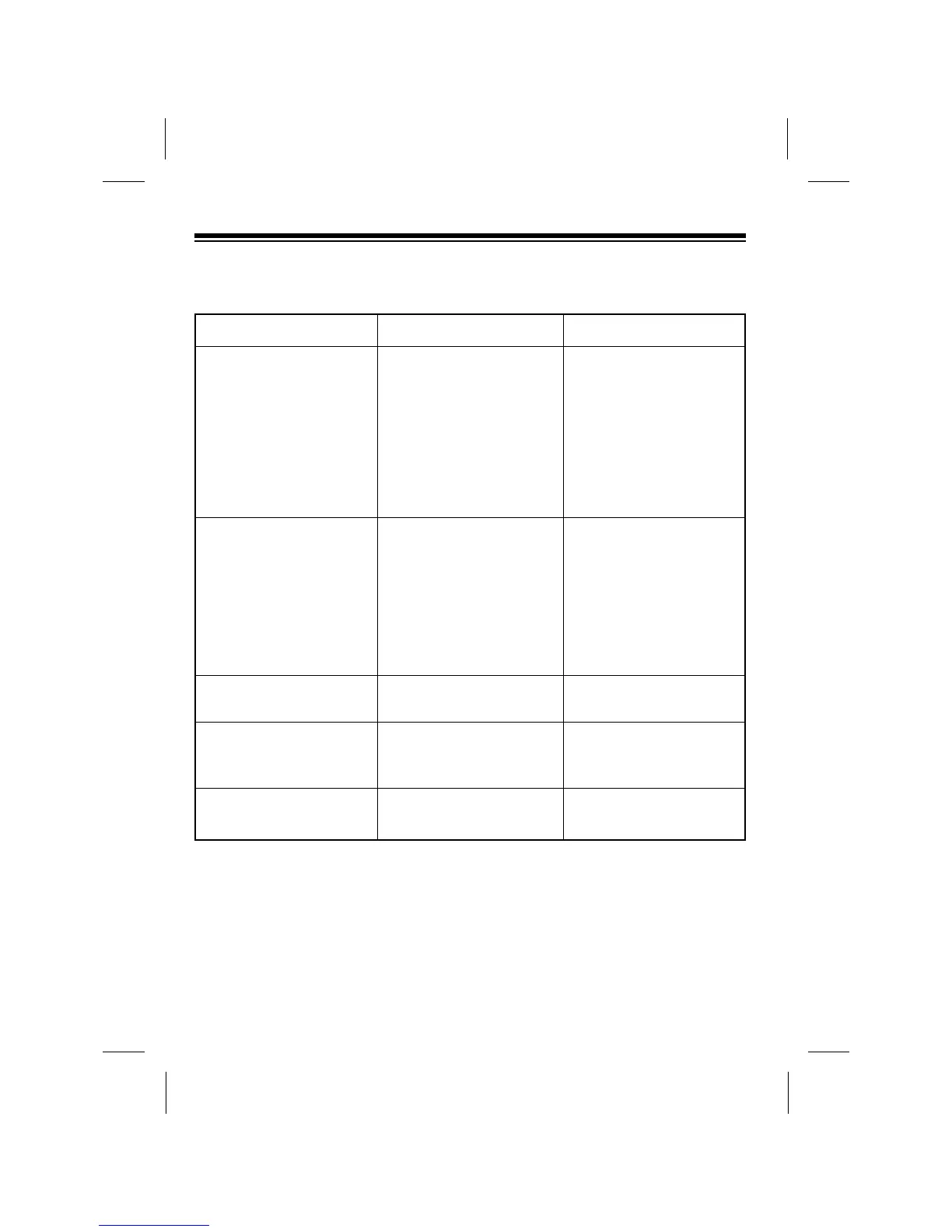
Symptom
No power.
Picture is poor during
playback.
Noise during playback.
No picture during playback.
Interference in the playback
picture.
Possible Cause
Power is not connected.
Power is turned off.
Fuse is blown.
The TV is not set to the
proper channel.
The TVÕs fine tuning is not
set correctly.
The VCP is not tracking
properly.
Video heads are dirty.
The TV is not tuned to the
proper channel.
The VCP is not tracking
properly.
Remedy
Plug the AC adapter into
an AC outlet or connect the
DC adapter to your vehicleÕs
cigarette-lighter socket.
Press POWER so its red
indicator lights.
See ÒReplacing the FuseÓ
on Page 22.
Tune the TV to the same
channel to which the VCPÕs
CHANNEL switch is set.
Fine-tune your TV.
Manually adjust tracking.
See ÒCleaning the Video
HeadsÓ on Page 21.
Tune the TV to the same
channel to which the VCPÕs
CHANNEL switch is set.
Manually adjust tracking.



 To Next Page