Connecting a VCR
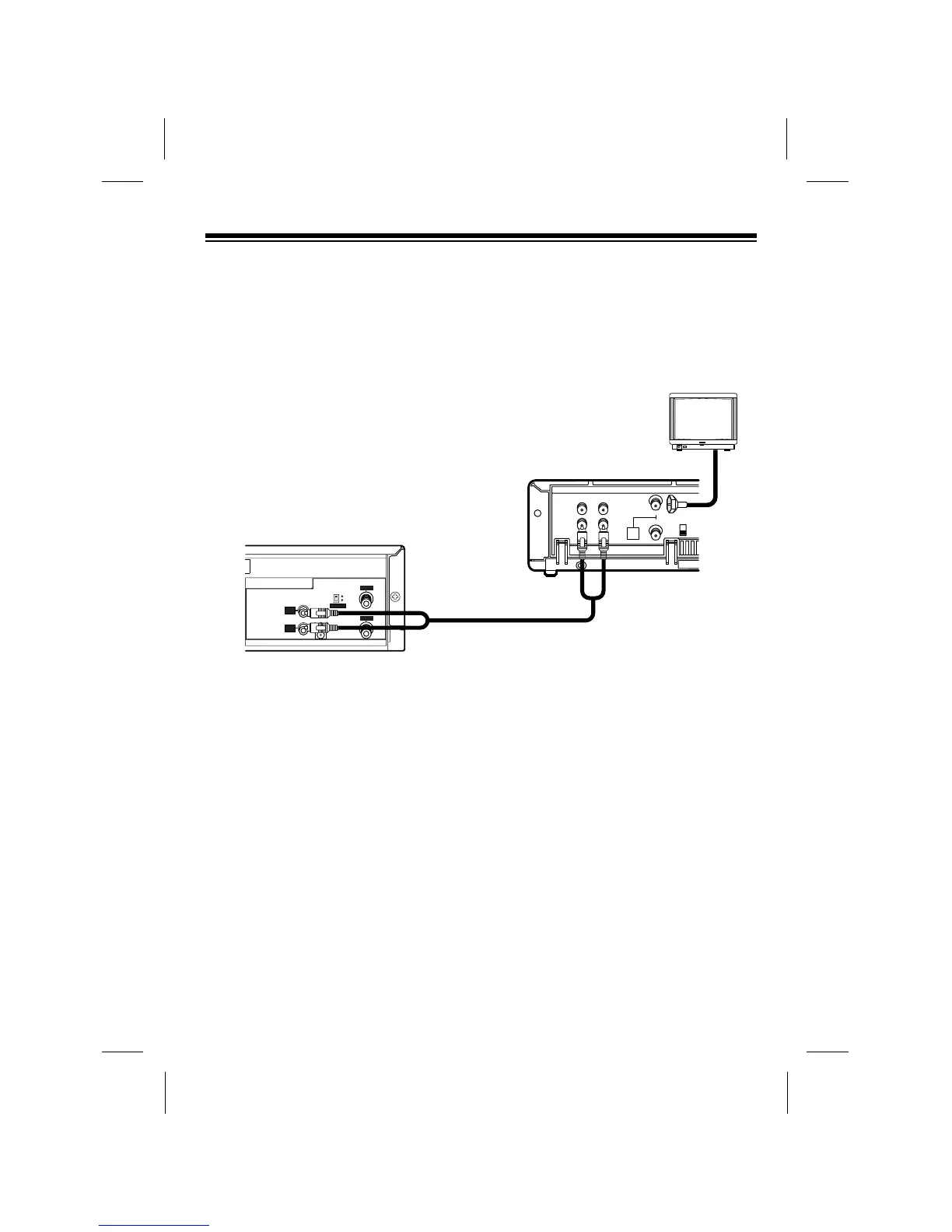
To connect your VCP to a VCR so you can copy video tapes, connect the VCPÕs AU-
DIO and VIDEO OUT jacks to the VCRÕs audio and video input jacks using video-
quality shielded cable (not supplied). Then see ÒCopying a Video TapeÓ on Page 17 to
find out how to copy a tape.
Notes:
¥ You must use video-quality cable for this type of connection. Do not use standard
audio cable. Your local RadioShack store sells the correct type of cable.
¥ You can connect the VCRÕs audio/video output jacks to your TVÕs input jacks
using another video-quality shielded cable or antenna output jack using 75-ohm
cable. This lets you watch a tape while you copy it (see ÒCopying a Video TapeÓ
on Page 17).
11



 To Next Page