Microphone desk
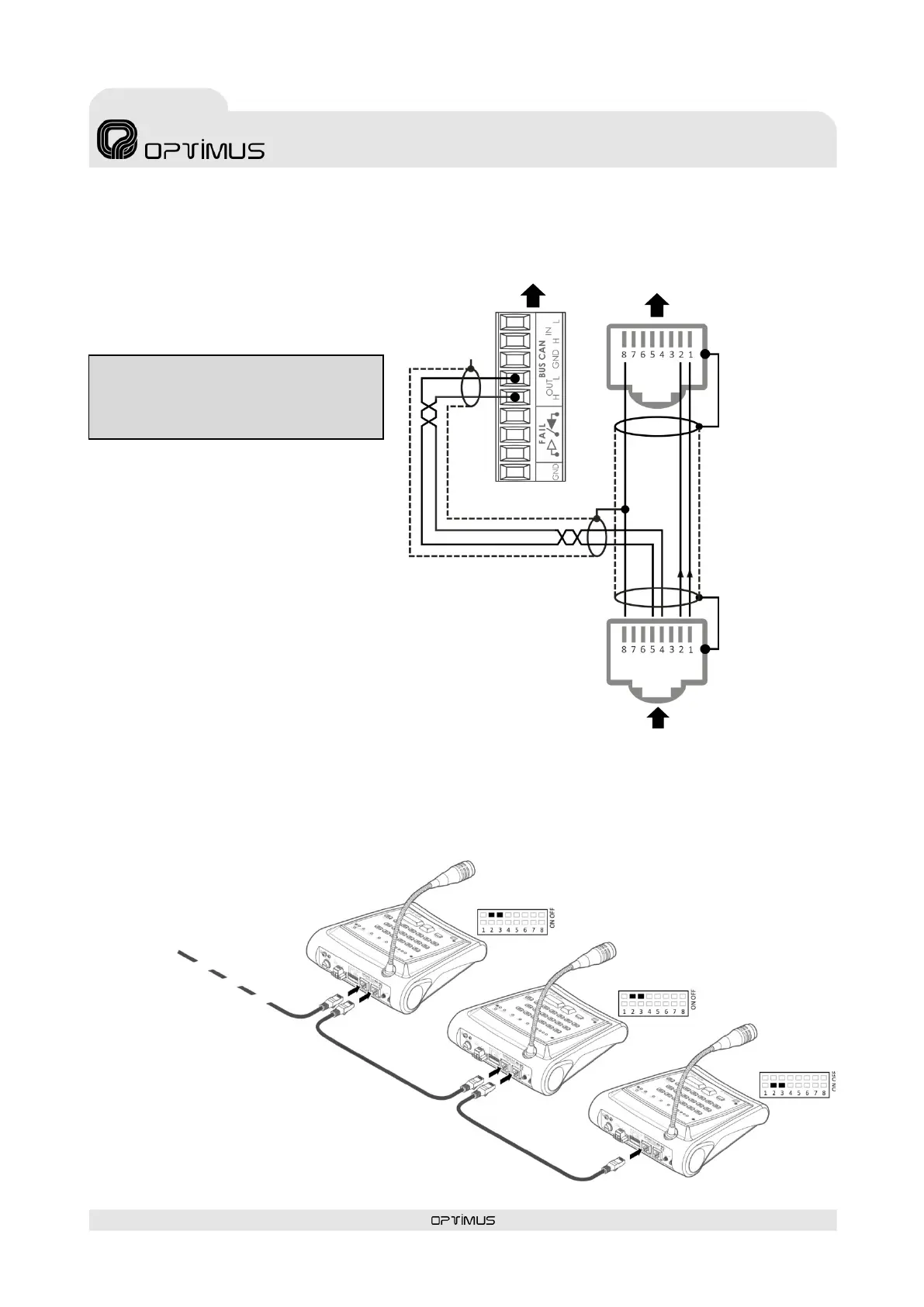
5.2.1. CAN Bus and audio connection between MD-30C and COMPACT unit
Figure 5 shows the most common connection
between an MD-30C and the COMPACT audio
matrix with the UMX-EA3 input card. To facilitate
the connection it is recommended to use an
Optimus Z-52A patch panel or similar.
5.2.2. CAN Bus and audio connection between several MD-30C
Use the INPUT and OUTPUT connectors to connect
various MD-30C (up to a maximum of 16), forming a
BUS between elements.
Figure 5
Figure 6
Termination = ON
Termination = OFF
Termination = OFF
front view)
front view)
ATTENTION: For the connection of the CAN bus
it is recommended to use a shielded twisted
pair AWG24 cable.



 To Next Page