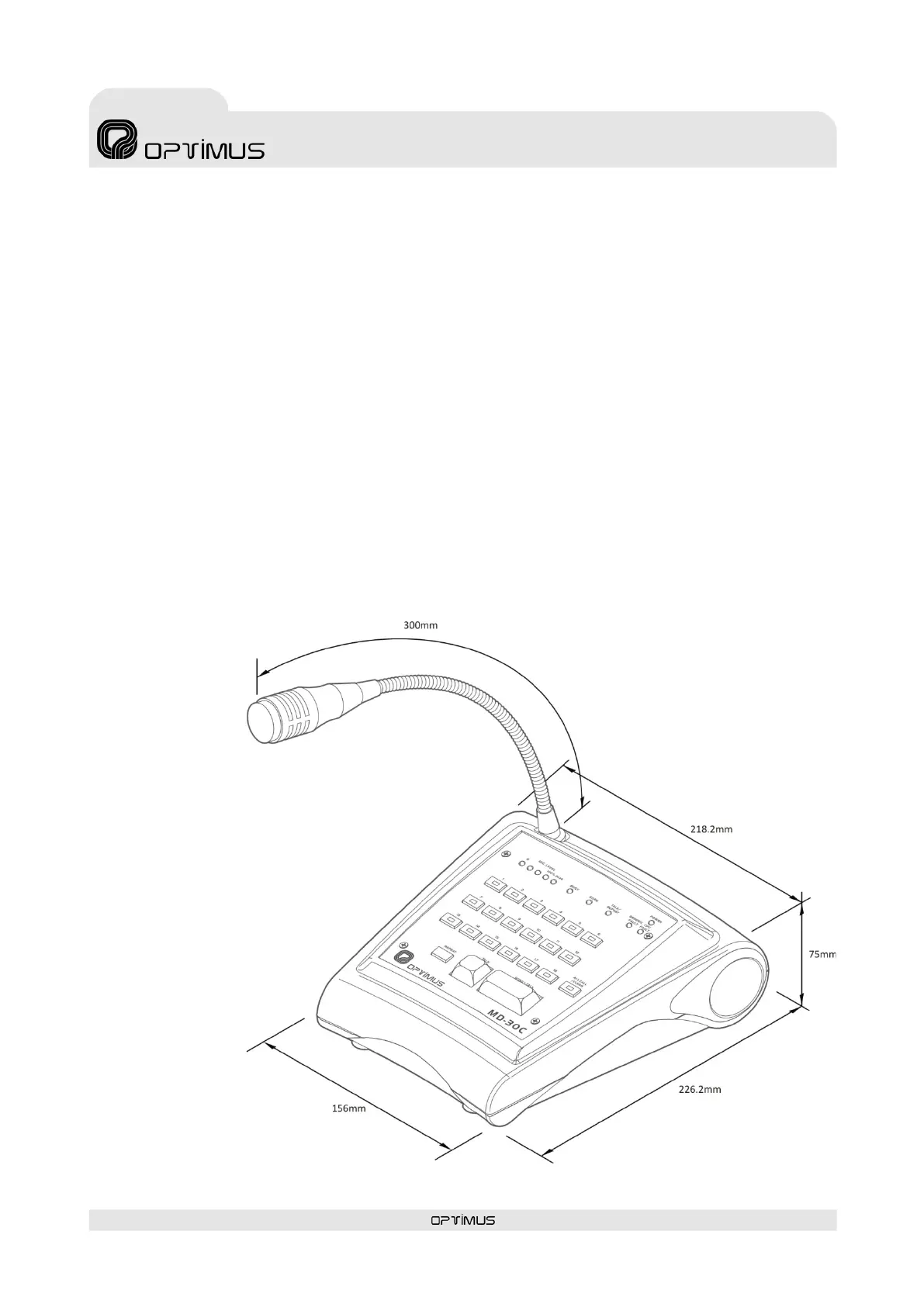
Microphone desk
7.6. ALL CALL/CLEAR function
When the ALL CALL / CLEAR key is pressed, all the zones and groups of the microphone desk will be selected.
If the ALL CALL / CLEAR key is pressed again, any previous zone or group selection will be cleared.
ALL CALL / CLEAR is also used to accept an alarm: The microphone desk incorporates a buzzer that generates an acoustic signal
each time an alarm is received. The acoustic indication is a buzzing sound that lasts 10 s econds a nd is periodica l ly repe a ted every
20 seconds until the alarm is accepted. Keep the ALL CALL/CLEAR key pressed for three seconds to accept the alarm and s top the
buzzer.
8. SYSTEM ALARMS
The microphone desk incorporates several alarm indicators:
• GENERIC FAULT indicator light: Front yellow LED. Illuminates when the microphone desk receives one or several ala rms from
the s ystem, when a microphone capsule error is detected or when a communication error occurs with the audio matrix.
• CPU FAULT indicator light: Front yellow LED. Illuminates when the microphone desk detects an internal application error
(fi rmwa re).
• Acoustic alarm indicator (buzzer): Acoustic indication that is generated by the unit when it receives an alarm. The acous tic
indication is a buzzing sound that lasts 10 seconds and is periodically repeated every 20 seconds until alarm is accepted (see
section 7.6. ALL CALL / CLEAR function).
This acoustic indication may be activated or deactivated through the configuration software.
9. DIMENSIONS



 To Next Page